

Welcome back to Tech Gitter official.
In today’s video, we’ll learn how to download and install Microsoft Word.
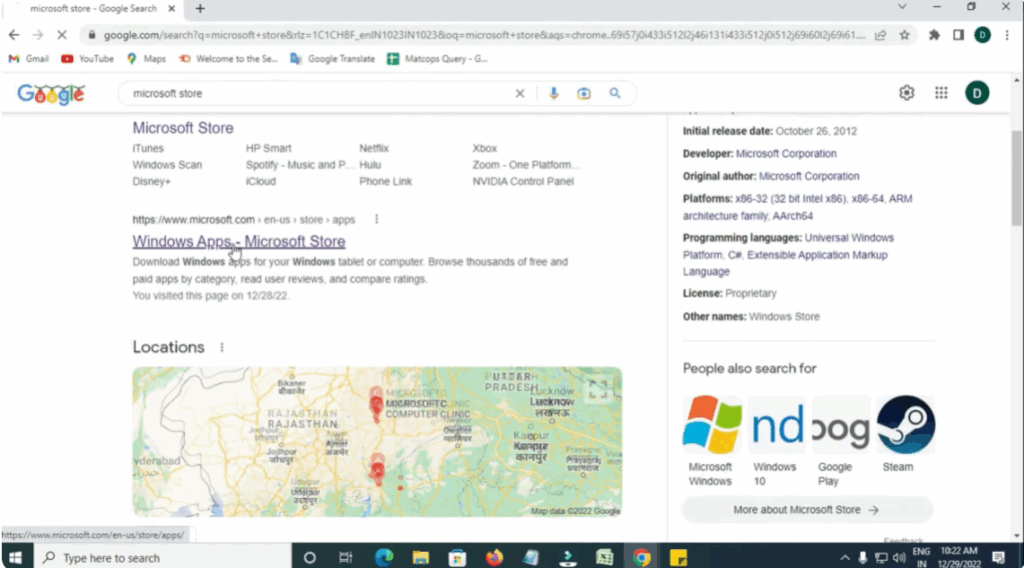
First, open Google Chrome or any browser you use. In the search bar, type Microsoft Store and press enter. Click on the official Microsoft Store website from the search results.
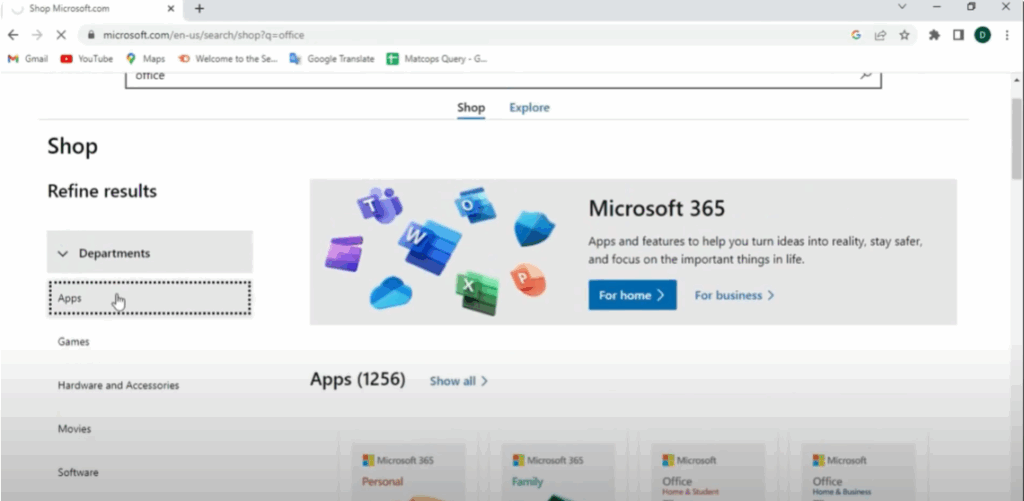
Once you’re on the Microsoft Store site, go to the search bar at the top and type Office. Then press enter. You’ll now see results for Office products. Click on the shop section and then click on apps.
From the list of apps, find Microsoft 365. This is the latest version that includes Word, Excel, PowerPoint, and more. Click on Microsoft 365 to open the product page. Here you can see details like the description, features, system requirements, and customer reviews.
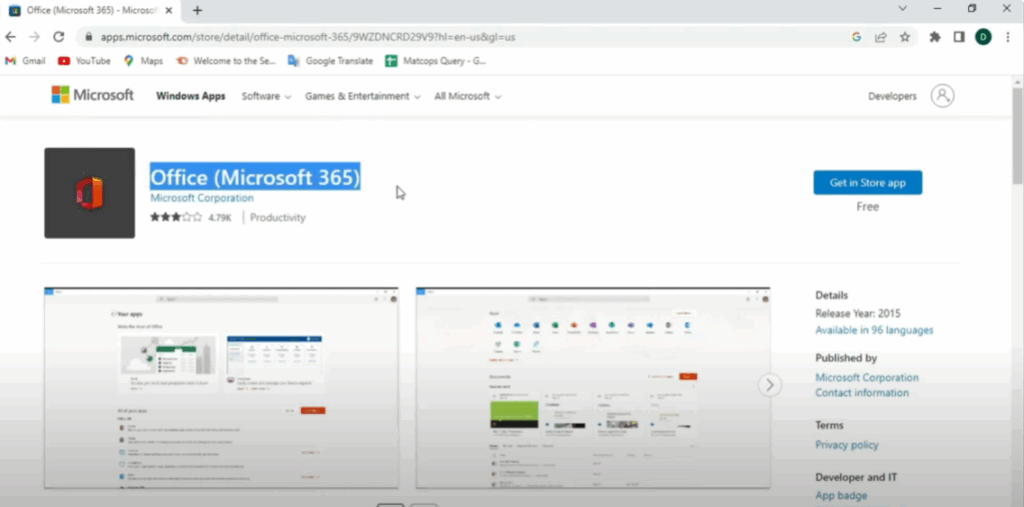
Next, click on the button that says Get in Store app. Open search bar and type Office and click on it. Here you’ll see different Microsoft Office apps. Look for Word and click on it.
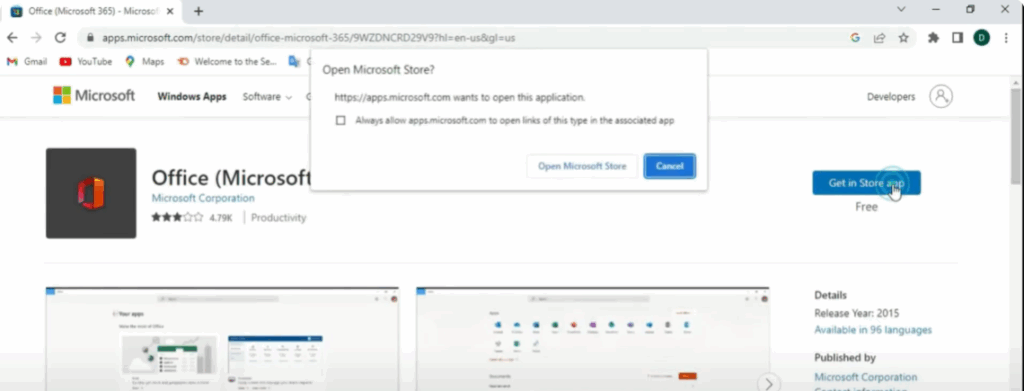
Once Word opens, click on New Blank Document to start working. You’ll now enter the Word editor where all the main options are available like text formatting, font styles, insert images, page layout, and more.
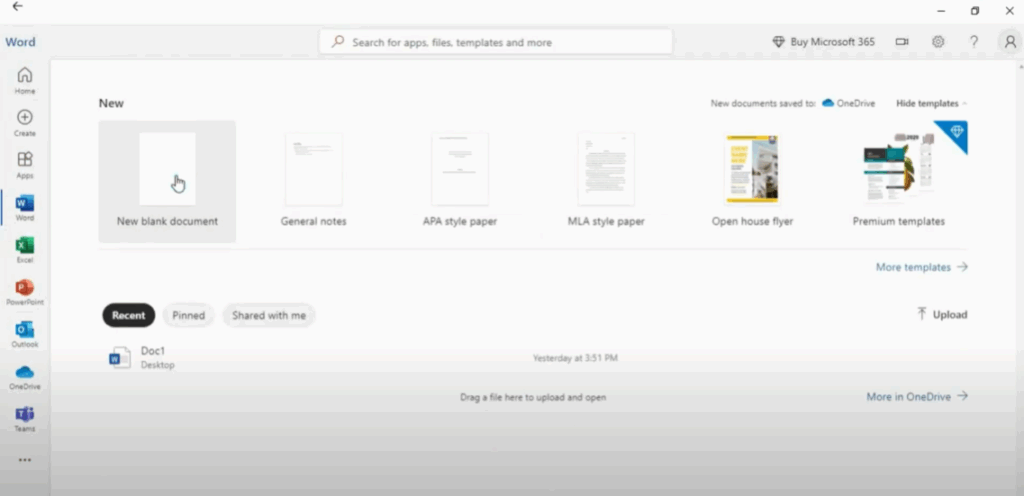
You can begin typing your content, make edits, and save your document easily from here.
Thanks for reading. If this helped you, don’t forget to like, share, and subscribe to Tech Gitter Official for more helpful tutorials.






