
Welcome back to my channel Tech Gitter Official. In today’s guide, we will learn how to quickly fix your internet connection problem. Let’s get started.

Method 1: Turn On Metered Connection
- First, right-click on the Windows icon and select Network Connections.
- From the left panel, click on Ethernet.
- Again, click on Ethernet from the right panel to open its settings.
- Now, scroll down and find the Metered Connection option.
- Turn it ON.
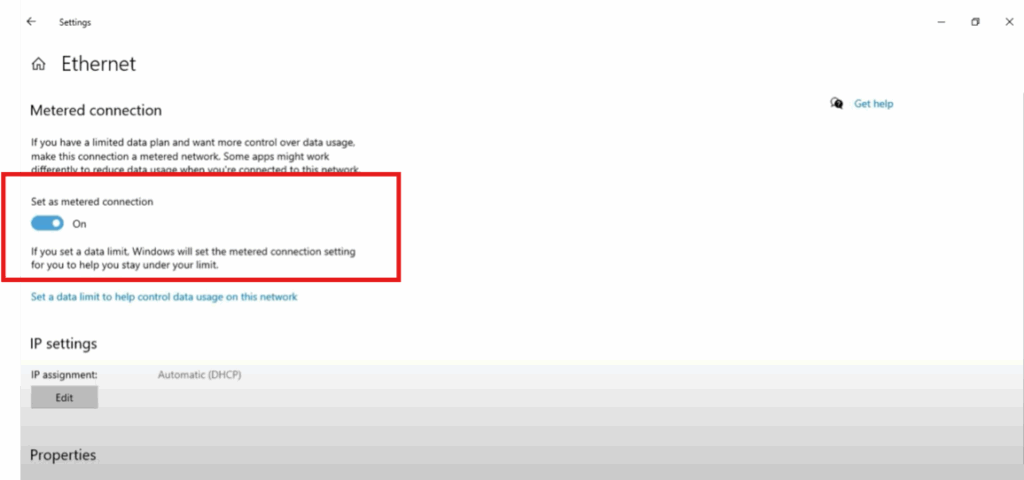
Sometimes enabling this helps stabilize your connection.
Method 2: Check Proxy Settings in Control Panel
- Click on the Search bar, type Control Panel, and open it.
- Select Network and Internet.
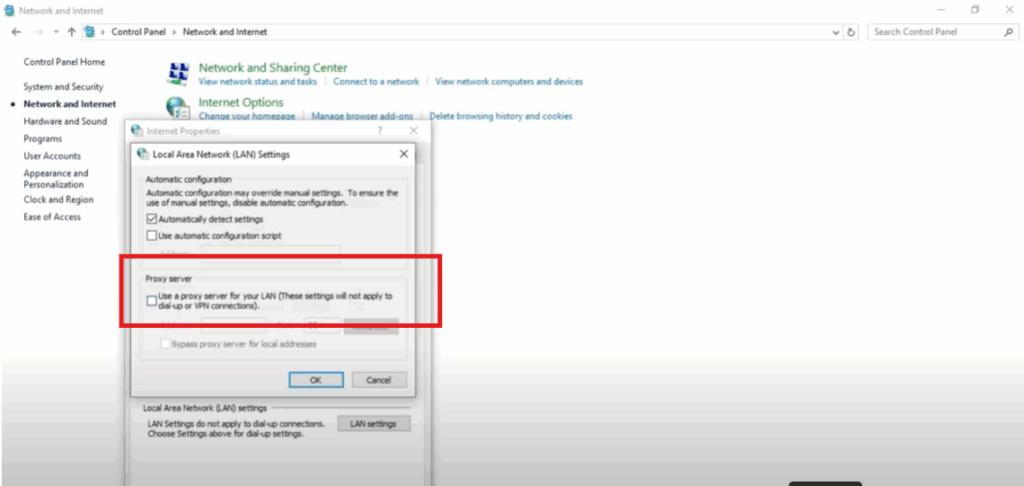
- Then, click on Internet Options.
- Go to the Connections tab and click on LAN Settings.
- Here, check the Proxy Server option. It should be unchecked. If it is on, turn it off.
- Click OK, then again click OK to close the window.
Method 3: Reset Network Using Command Prompt
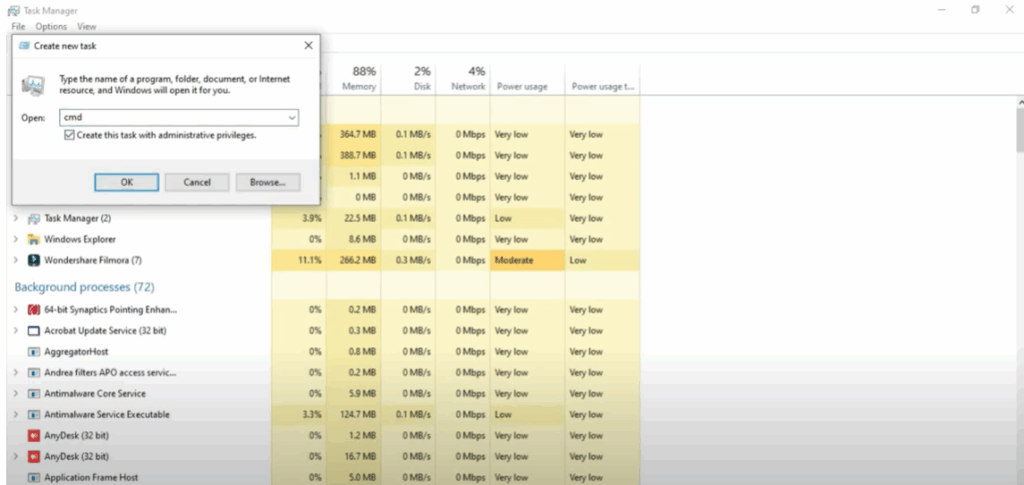
- Right-click on the Windows icon, select Task Manager, and open it.
- Click on the File menu, then select Run New Task.
- Type
cmdin the box. - Tick the box that says Create this task with administrative privileges and click OK.
Now, type the following commands one by one:
- First command:
netsh winsock reset catalogThen press Enter. You will see a message saying Successfully reset the Winsock Catalog. - Second command:
netsh int ip reset reset.log hitPress Enter again. You will see messages indicating that the reset is done.
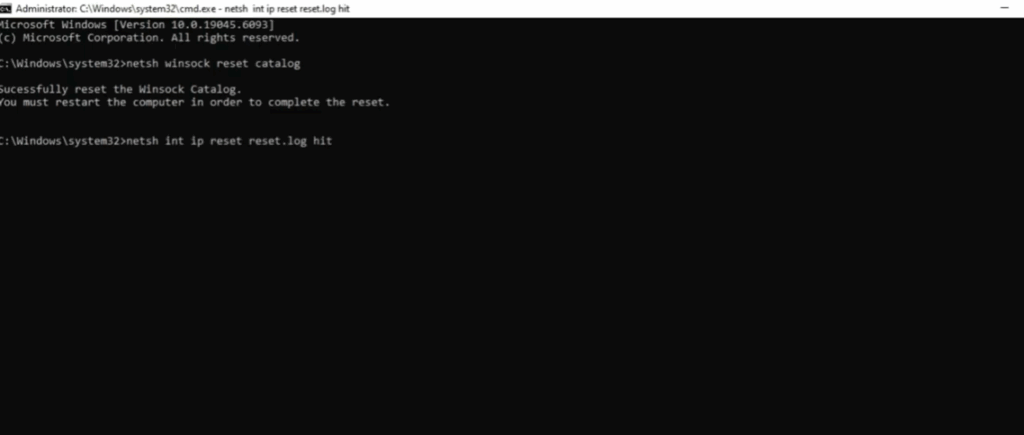
After this, restart your PC. Your internet connection problem should now be fixed.
✅ Thanks for reading! If this tutorial helped you, don’t forget to like, share, and subscribe to Tech Gitter Official.






