
Hey guys, welcome back to my channel Tech Gitter! In our last video, we covered the basics of IRS Form 1040. If you missed that, make sure to check it out.
In today’s guide, we’re going to walk you through the complete process of filling out IRS Form 1040. Whether you’re filing your taxes for the first time or just need a refresher, we’ve got you covered. So, let’s go ahead and get started.
Why You Need to File Form 1040
If you are a U.S. citizen or resident alien and you meet the income limits set by the IRS, you must file Form 1040. It is required to report income such as wages, dividends, and any other taxable income.
Filing ensures that you remain compliant with the IRS and allows you to claim tax benefits such as deductions or credits that may reduce your tax liability.
Step 1: Entering Your Personal Information
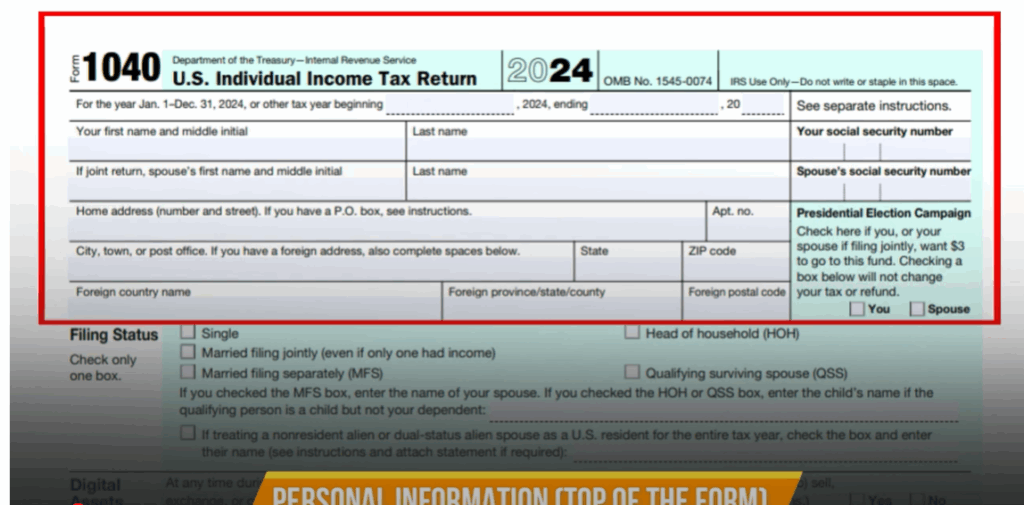
Personal Information (Top of the Form)
- Name – Enter your full legal name on Line 1. If you’re married and filing jointly, list both names.
- Social Security Number (SSN) – Enter your SSN. If filing jointly, include your spouse’s SSN.
- Address – Provide your current home address including street, city, state, and ZIP code.
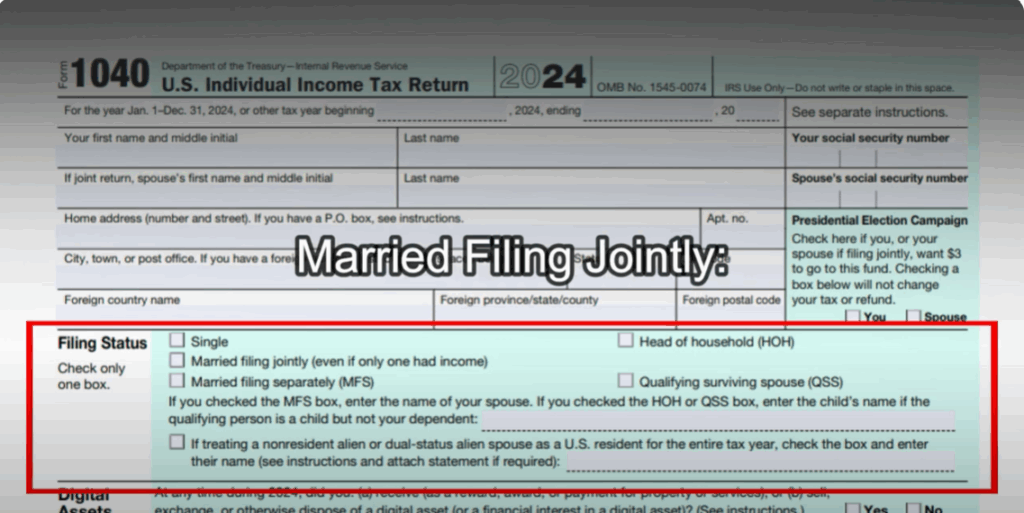
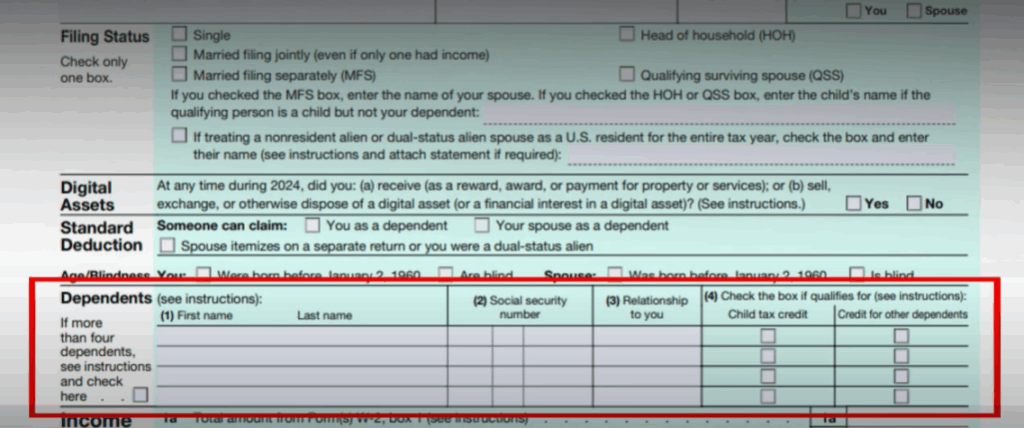
- Filing Status – Select based on your situation:
- Single – For unmarried individuals.
- Married Filing Jointly – For married couples filing together.
- Married Filing Separately – Beneficial in special cases (e.g., large medical expenses, debt).
- Head of Household – For unmarried individuals with a dependent and household responsibilities.
- Qualifying Surviving Spouse – For widows/widowers with dependents.
- Non-Resident Alien/Dual Status – Applies for special tax situations.
Step 2: Digital Assets, Dependents, and Deductions
Digital Assets
- Yes – If you received, sold, or exchanged crypto, NFTs, etc., additional schedules may be required.
- No – If you had no transactions, check No.
Standard Deduction
- If someone claims you or your spouse as a dependent, your standard deduction may change.
- If your spouse itemizes deductions separately or you’re a dual-status alien, limitations apply.
Age & Blindness
- You or your spouse may claim extra deductions if:
- Born before January 2, 1960.
- Blind.
Dependents
- Provide dependent’s name, SSN, relationship.
- Check boxes for Child Tax Credit or Other Dependent Credit.
- If more than 4 dependents, follow form instructions for listing additional dependents.
Step 3: Income Reporting
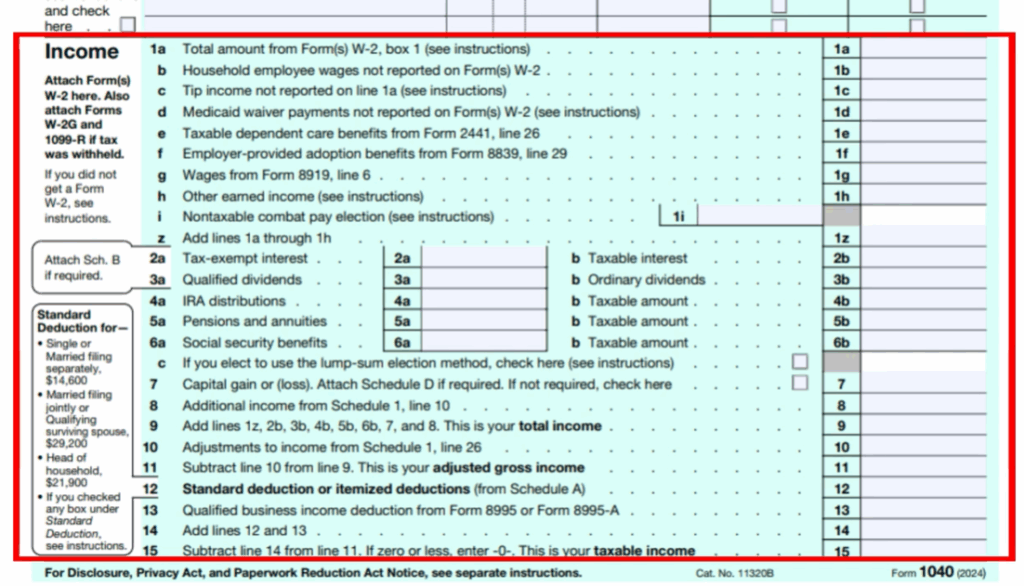
Line 1a – 1h: Earned Income
Includes wages (W-2), household wages, tips, Medicaid waiver payments, etc.
Line 2a – 2b: Interest
- Tax-Exempt Interest
- Taxable Interest
Line 3a – 3b: Dividends
- Qualified Dividends
- Ordinary Dividends
Line 4a – 4b: IRA Distributions
- Money withdrawn from retirement accounts.
Line 5a – 5b: Pensions & Annuities
Line 6a – 6b: Social Security Benefits
Line 7: Capital Gains
Line 8 (Schedule 1): Additional Income
Step 4: Adjustments and Taxable Income
- Line 10 – Adjustments to Income.
- Line 11 – Adjusted Gross Income (AGI).
- Line 12 – Standard or Itemized Deduction.
- Line 13 – Qualified Business Income Deduction.
- Line 14 – Total Deductions.
- Line 15 – Taxable Income.
Step 5: Tax Calculations and Credits
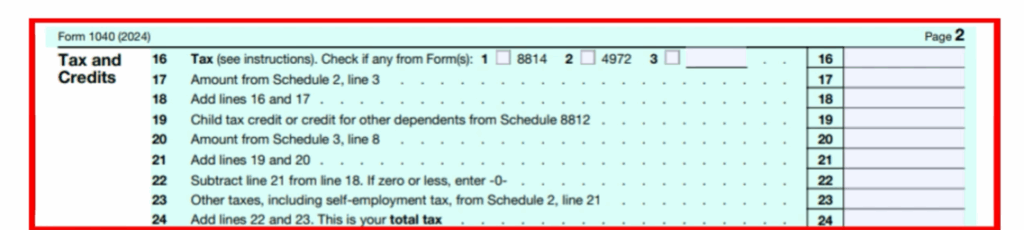
- Line 16 – Total Tax.
- Line 17 – Additional Taxes (AMT, etc.).
- Line 18 – Total Tax Before Credits.
- Line 19 – 21 – Tax Credits (Child Tax Credit, Education Credits, etc.).
- Line 22 – Tax after credits.
- Line 23 – 24 – Additional Taxes & Total Liability.
Step 6: Payments and Refunds
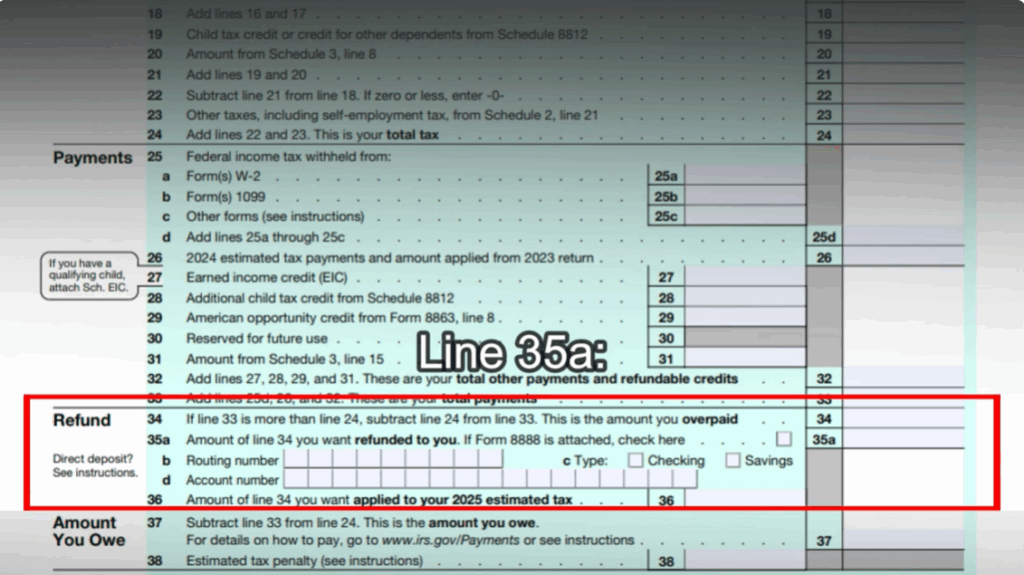
- Line 25a – 25d – Federal income tax withheld.
- Line 26 – Estimated Tax Payments.
- Line 27 – 32 – Refundable Credits.
- Line 33 – Total Payments.
- Line 34 – Overpayment.
- Line 35a – 35d – Refund via direct deposit (Routing #, Account #, etc.).
- Line 36 – Apply refund to next year’s taxes.
- Line 37 – Amount Owed.
- Line 38 – Estimated Tax Penalty.
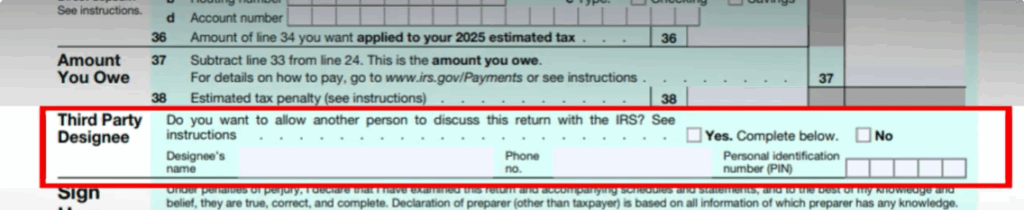
Step 7: Third Party Designee
Authorize someone to discuss your return with the IRS by entering:
- Name
- Phone number
- 5-digit PIN
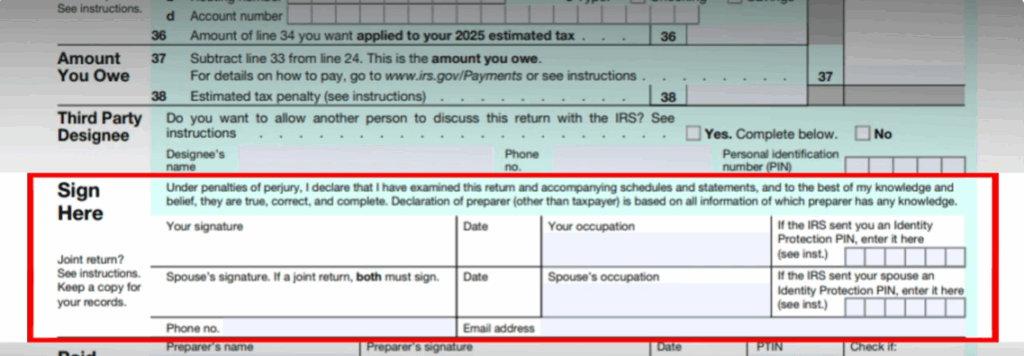
Step 8: Sign and Date
- Signature & Date – Required for filing.
- Occupation – Your job title.
- Identity Protection PIN – If provided by IRS.
- Spouse’s Signature – If filing jointly.
- Phone & Email – Optional contact details.
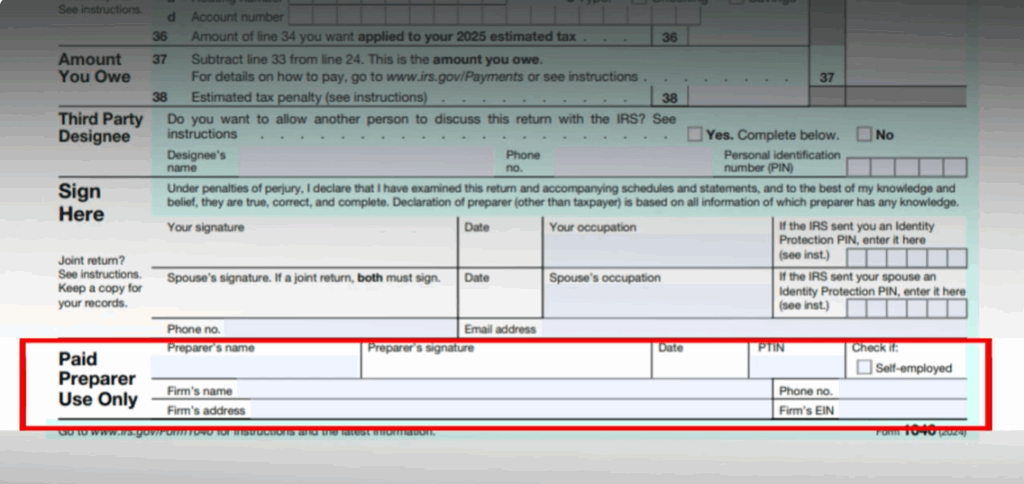
Step 9: Paid Preparer Section
If you used a tax professional, they must complete:
- Name, Signature, Date
- PTIN (Preparer Tax Identification Number)
- Self-Employed Box (if applicable)
- Firm Name, EIN, Address, Phone
Final Thoughts
That’s all for today’s guide! Filling out IRS Form 1040 may look overwhelming, but by breaking it down step by step, it becomes much easier.
I hope this walkthrough helped you understand the filing process. Make sure to subscribe and hit the bell icon to stay updated with more tutorials. Have a great day and see you in the next one!






