
Hi friends, welcome to my channel Tech Gitter. Today in this article we will learn how you can increase the speed of your Google Chrome and its download speed. It is easy to speed it up.
First of all, you have to open Google Chrome on your PC. After opening Google Chrome, type in the search bar chrome://flags. After typing this, press Enter.
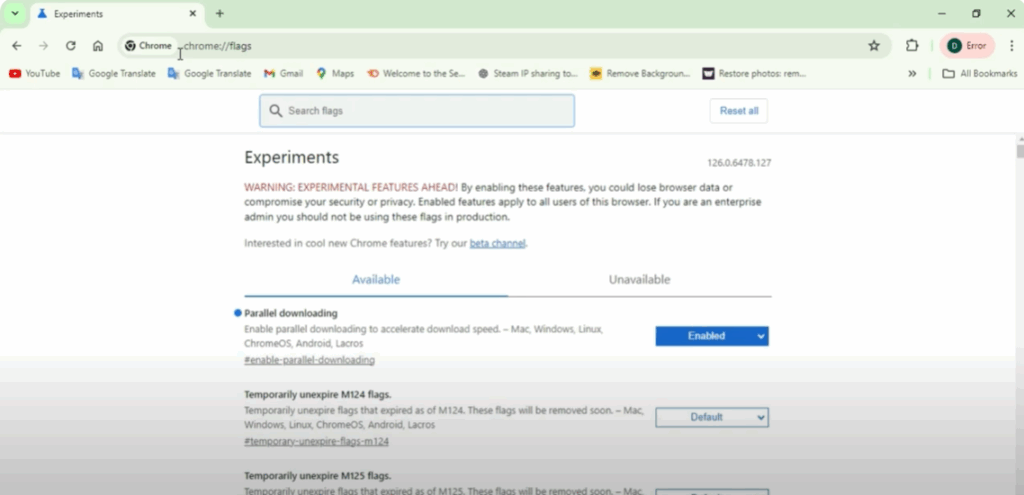
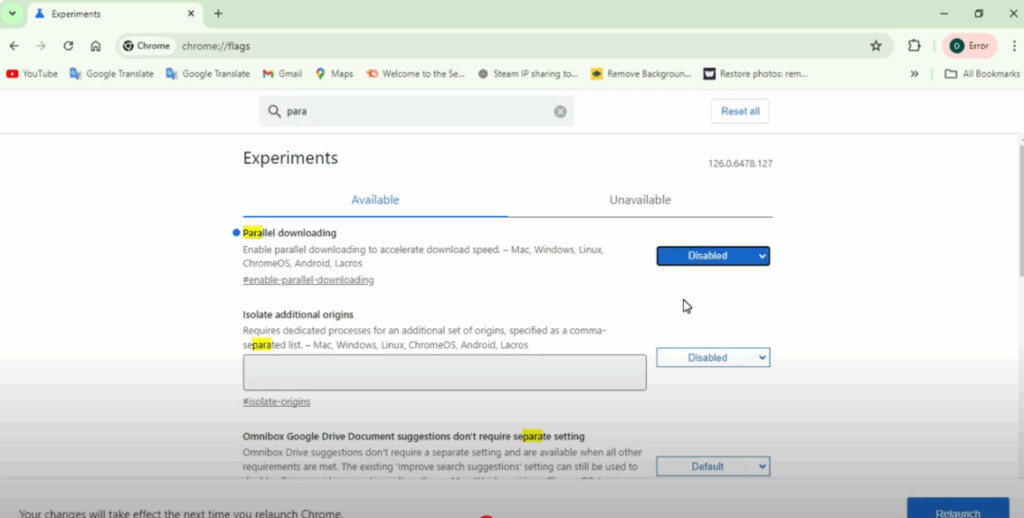
After this, in the search bar you have to type parallel. Once you type parallel, you will see an option named Parallel Downloading. You can see that the parallel downloading option is set to Default. You have to change it to Enabled. After changing it, click on Relaunch.
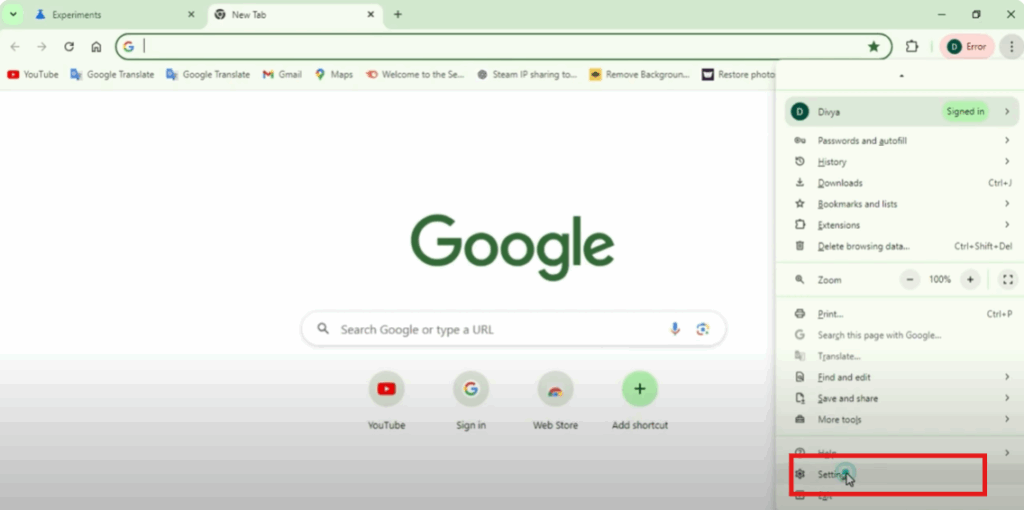
Once Chrome restarts, open it again and go to the three-dot menu button on the right side of your Chrome. From there, go to Settings.
In the settings, search for background in the search bar. Here, you will see the option Continue running background apps when Google Chrome is closed. You have to disable this option.
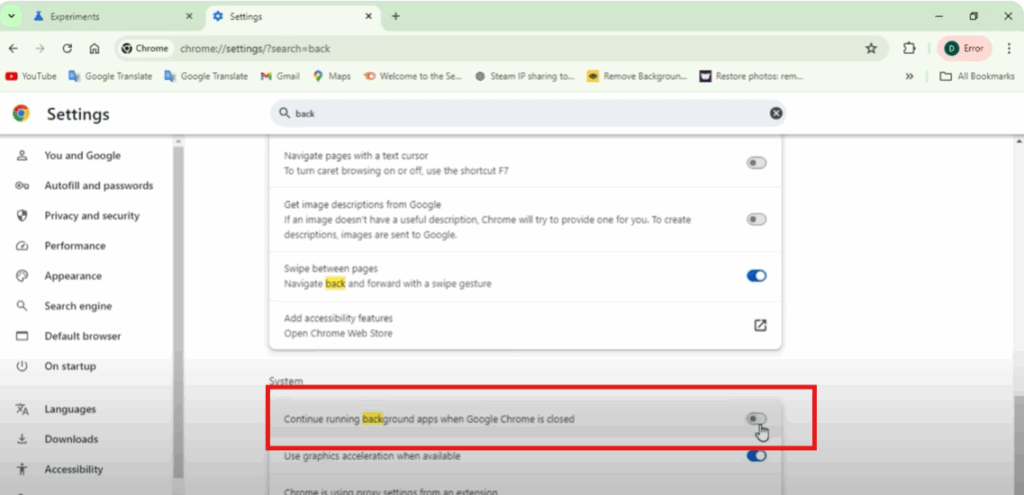
Below that, you will also see another option called Use hardware acceleration when available. You have to enable it.
So note that you have to disable the first option and enable the second option. After doing this, your Google Chrome speed will increase.
If you liked this article, don’t forget to like and share it. If you’re new to the channel, make sure to subscribe because we keep bringing such guides for you.






