
Windows activation error 0xC004C003 typically occurs when your digital license or product key cannot be properly verified. This commonly happens after installing certain versions of Windows or using an OEM key that has been deemed invalid.
Common Causes
- You’re running a preview or unsupported Windows build (e.g., January 2021 non-security preview), which can trigger this error.
- Your license is OEM-linked and not transferable, or the activation server cannot verify it.
- Activation servers might be temporarily overloaded or unreachable.
Fixes You Can Try
1. Update Windows to a Supported Build
If you’re on a preview or insider build, error 0xC004C003 may occur. Install the KB5000842 update or later via Windows Update to resolve compatibility issues.
2. Try Activation Again Later
Overloaded activation servers can cause temporary errors. Waiting and retrying activation after a few hours often works.
3. Verify Your Product Key or License Type
Ensure you’re using a valid, genuine, and compatible key. If it’s an OEM key, it may not work on different hardware configurations.
4. Use Command-Line Tools
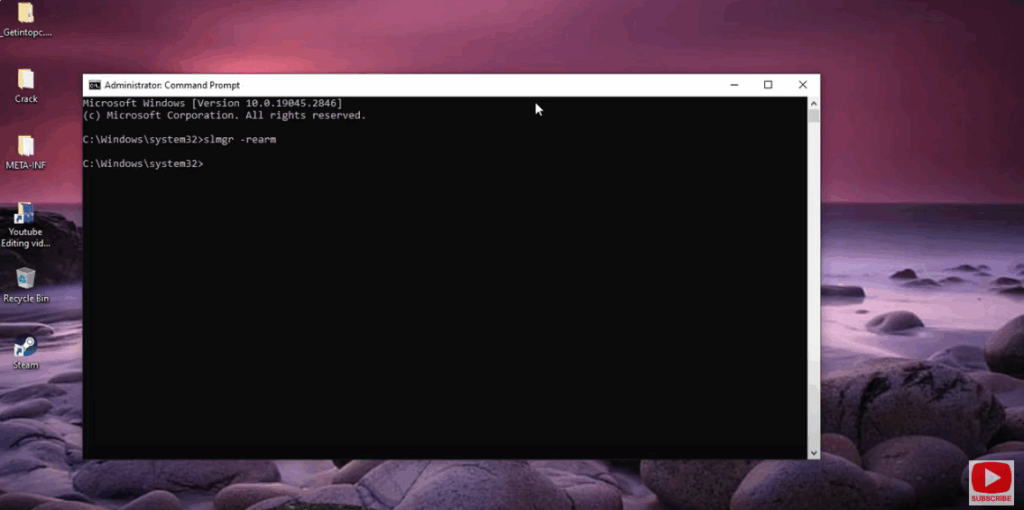
- Open Command Prompt as Administrator
- Run:
slmgr.vbs /rearmThis resets licensing status, which can help resolve activation glitches.
5. Reactivate via Phone
- Press Windows + R, type
slui 4, and follow the on-screen instructions. - You’ll receive a phone number and Installation ID to call. Provide the code and enter the Confirmation ID received.
6. Sign in with Your Microsoft Account
If your digital license is linked to your Microsoft account, signing in may restore activation automatically.
7. Contact Microsoft Support
If none of the above works, reach out to Microsoft Support. Explain the error and your circumstances—especially if you’ve changed critical hardware components like the motherboard.
Final Thoughts
Error 0xC004C003 is usually resolvable without drastic measures. Updating Windows, verifying your license, or reattempting activation usually clears the issue. If those don’t work, Microsoft support remains available to assist.






