

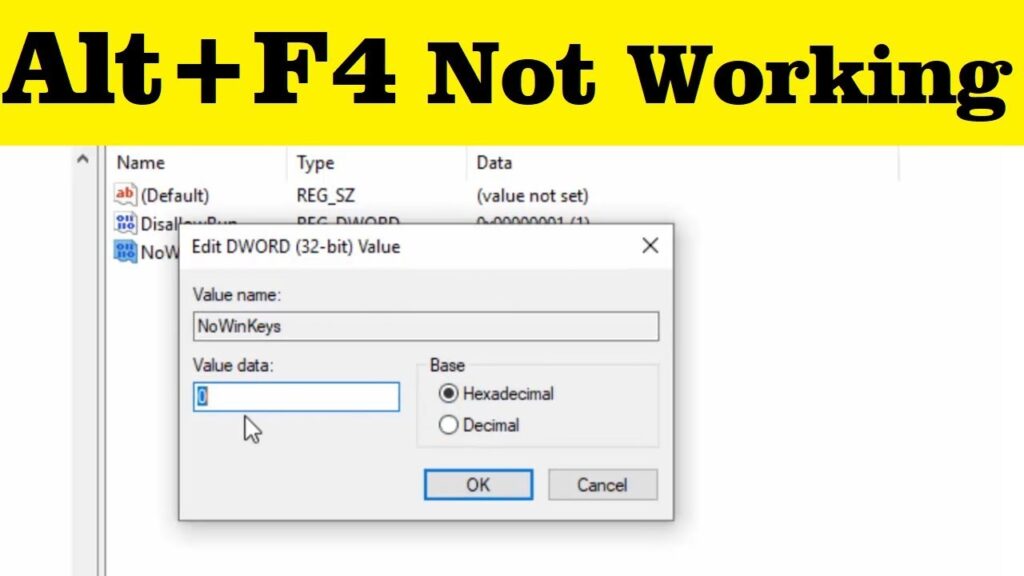
Hi friends, welcome to my channel Tech Gitter. If you’re also facing the problem of Alt + F4 not working on your PC, then its solution is given in this video. It is very easy, so watch the video completely.
Step 1: Open Registry Editor
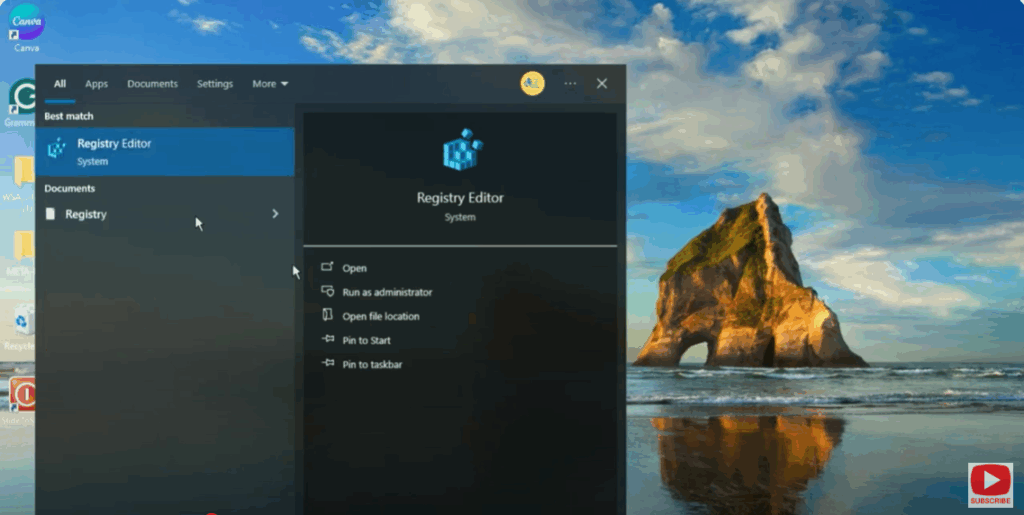
Go to the Windows Search menu, search for Registry Editor, and open it.
Step 2: Navigate to the Registry Path
Go to the following path:
- HKEY_CURRENT_USER
- Software
- Microsoft
- Windows
- CurrentVersion
- Policies
Step 3: Create a New DWORD Value
On the right-hand side, right-click and go to New → DWORD (32-bit) Value.
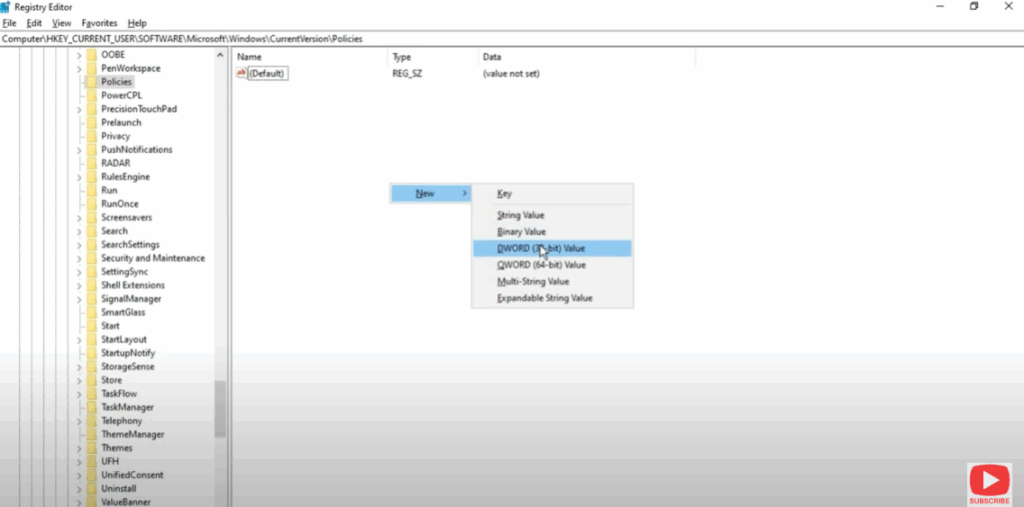
Here, type NoWinKeys and press Enter.
Step 4: Modify the Value
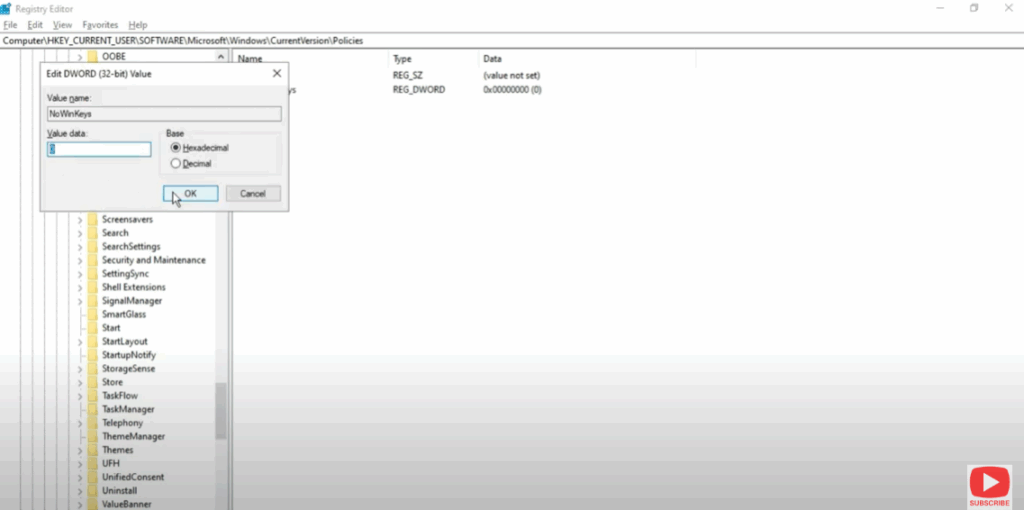
Now, right-click on the new entry and click on Modify.
Change the Value Data to 0 and click OK.
Step 5: Restart Your PC
Now close all the programs and restart your PC.
✅ Hope after watching this video you will get the solution to your problem.
👍 If you like the video, then please like and share it.
🔔 If you’re new to the channel, then please subscribe.
Thank you for watching the video. Have a nice day!






