
Hello friends, welcome to my channel Tech Gitter. In today’s video, I’ll walk you through the steps to verify your identity with USAA. Whether you’re setting up a new account or need to confirm your identity for security reasons, I’ve got you covered. Let’s get started!
Why is Identity Verification Important?
Before we begin, let’s quickly talk about why USAA requires identity verification:
- To comply with federal regulations.
- To protect your account from fraud and unauthorized access.
- To ensure that only you can manage your financial information.
Now let’s go over the different ways to verify your identity with USAA.
Method 1: Online or Mobile App Verification
- To verify insurance online, visit usaa.com on your web browser and log into your account.
- Go to the Property Insurance Coverage Verification page.
- Follow the on-screen prompts and enter the required information when asked.
- Enter details such as Company ID, house number, ZIP code, property address, and your USAA number.
- Enter the nine numbers before the letter “A” in your policy number.
- For example, if your policy number is 12345876958R, your USAA number would be 123456769.
- Confirm that the information you entered is correct and proceed to the security check.
- Type the characters you see in the text box, check the box to confirm, and click the green Submit button to agree to the terms and conditions.
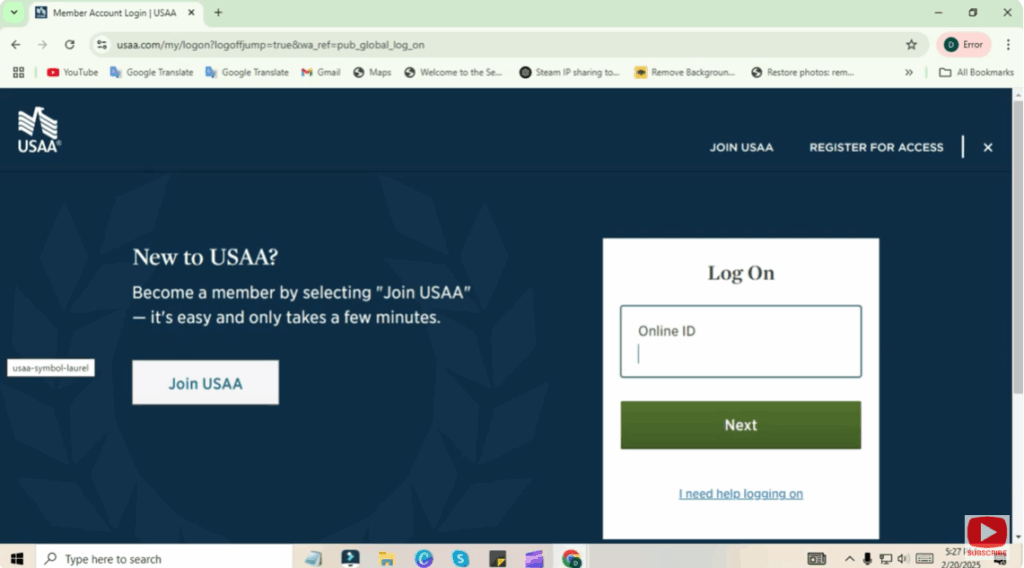
You will receive a notification upon successful verification of your insurance.
Method 2: Phone Verification
If you can’t verify your identity online, you can call USAA Member Services for assistance.
- Dial 1-800-531-8722 (available 24/7).
- A representative will ask you security questions related to your account.
- You may be asked to provide your Social Security Number (SSN), date of birth, or other identifying information.
- If additional verification is needed, USAA may send you a one-time passcode via text or email.
Method 3: In-Person Verification at a UPS Store
In some cases, USAA may require in-person verification at a UPS Store.
- USAA will send you an email with verification instructions.
- Visit a participating UPS Store and bring a valid photo ID.
- UPS staff will assist with the identity verification process.
- Once completed, USAA will update your account status.
(Note: Not all UPS stores offer this service, so check your USAA email for the nearest location.)
Conclusion
By following these steps, you can successfully verify your identity with USAA and keep your account secure.
If you found this video helpful, please like, share, and subscribe to Tech Gitter for more tech tutorials. Have any questions? Leave them in the comments and I’ll be happy to help.
See you in the next video!






