

Hello friends, welcome to my channel Tech Gitter. In today’s guide, I will show you how you can easily activate your American Express card—whether you’re using a computer, mobile app, or phone. If you just received your new card, stay tuned to learn how to get started.
Activating your American Express card is a quick and simple process that ensures you can start using your card immediately.
Before You Begin
Make sure you have your new American Express card ready. You’ll need:
- Card number
- Expiration date
- Security code (CVV)
Step 1: Online Activation
- Open your internet browser and go to www.americanexpress.com.
- Click Log In in the upper right corner of the screen.
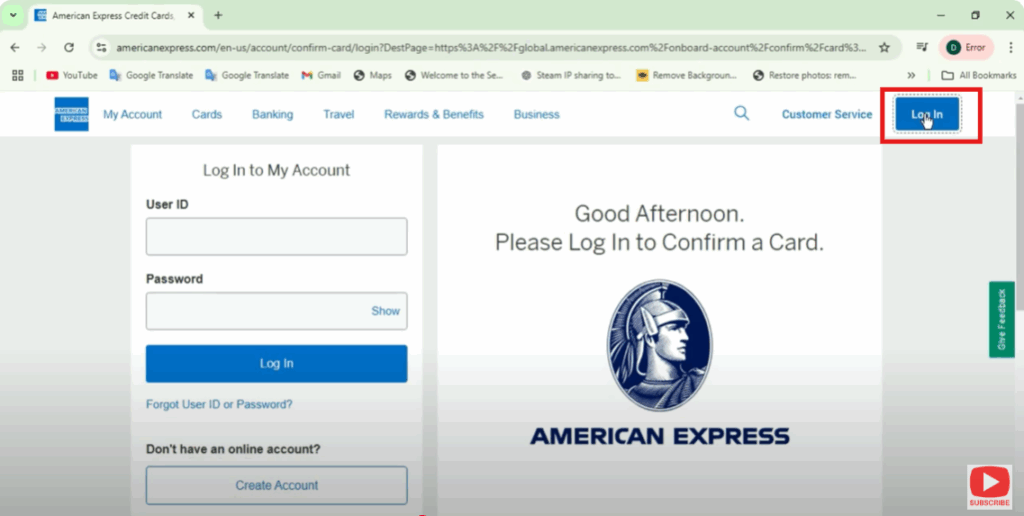
- Enter your username and password to access your account, then click Login.
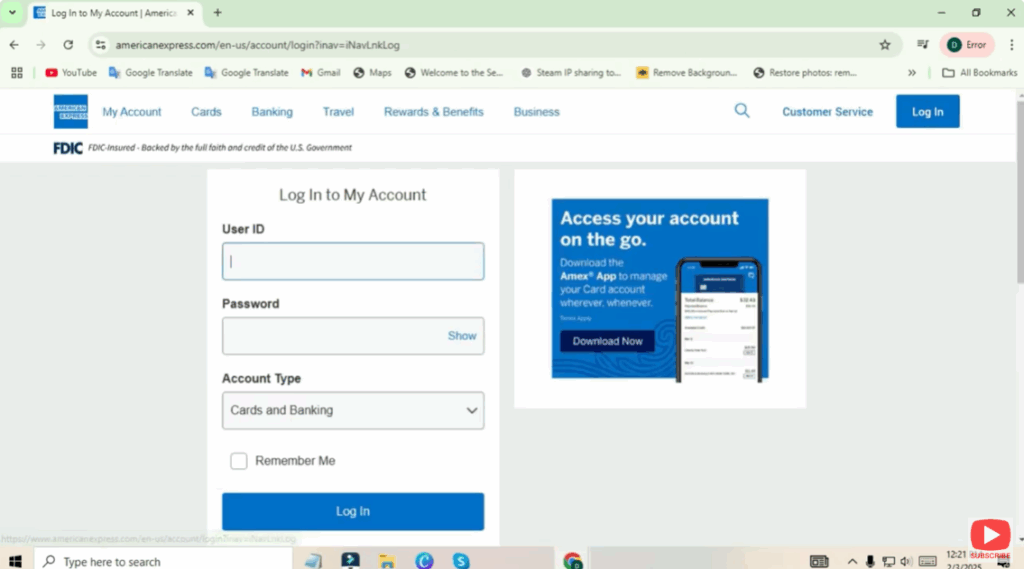
- Go to Account Services (or Card Services).
- Find and click the Activate Card option.
- Enter your card number, expiration date, and CVV (located on the back of your card).
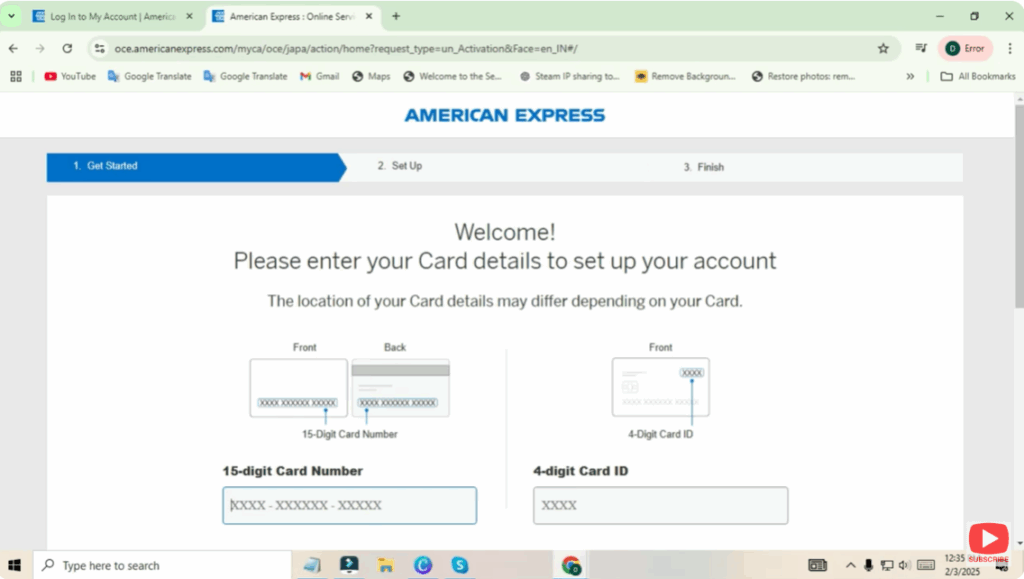
- Follow the prompts to confirm your identity.
- Click Activate.
✅ Your card is now activated, and you should receive a confirmation message.
Step 2: Activation Through the Mobile App
You can also activate your card using the American Express Mobile App.
- Download the app from the App Store (iOS) or Google Play Store (Android) if you don’t already have it.
- Open the app and log in with your username and password.
- Locate and tap on the Activate Card section.
- Enter your card details (number, expiration date, and CVV).
- Confirm and complete any security verification prompts.
- Tap Activate.
✅ Your card is now ready to use!
Final Words
That’s all for today! Activating your American Express card is fast and convenient, whether online or through the mobile app.
If you found this guide helpful, make sure to like and share it with others who might need it. And if you’re new here, don’t forget to subscribe so you don’t miss future content.
Thanks for reading, and have a fantastic day!






