
Hello friends, welcome back to Tech Gitter.
In this article, we will see how to fix issues with the Spacebar or Enter key on your Windows PC. Follow the steps below carefully to resolve the problem.
Step 1: Open Control Panel
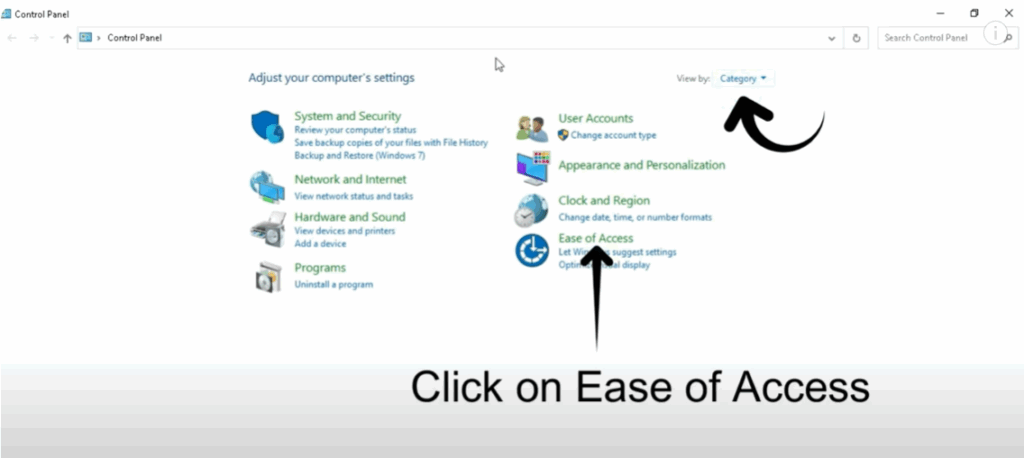
- Go to your Windows Control Panel.
- Select Categories view and click on Ease of Access.
Step 2: Ease of Access Settings
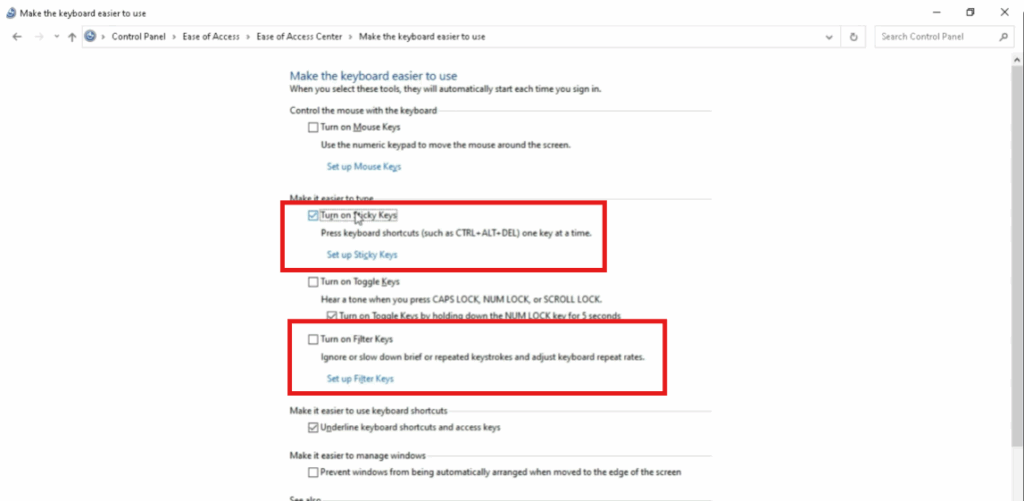
- Open the Ease of Access Center.
- Click on Make the keyboard easier to use.
- Here you will find options:
- Turn on Sticky Keys
- Turn on Filter Keys
- You can turn these options on or off depending on your need.
Step 3: Update Keyboard Driver
- Go back to your Windows PC Desktop.
- Open Device Manager.
- Expand the Keyboard option.
- Right-click on HD Keyboard Device and select Update driver.
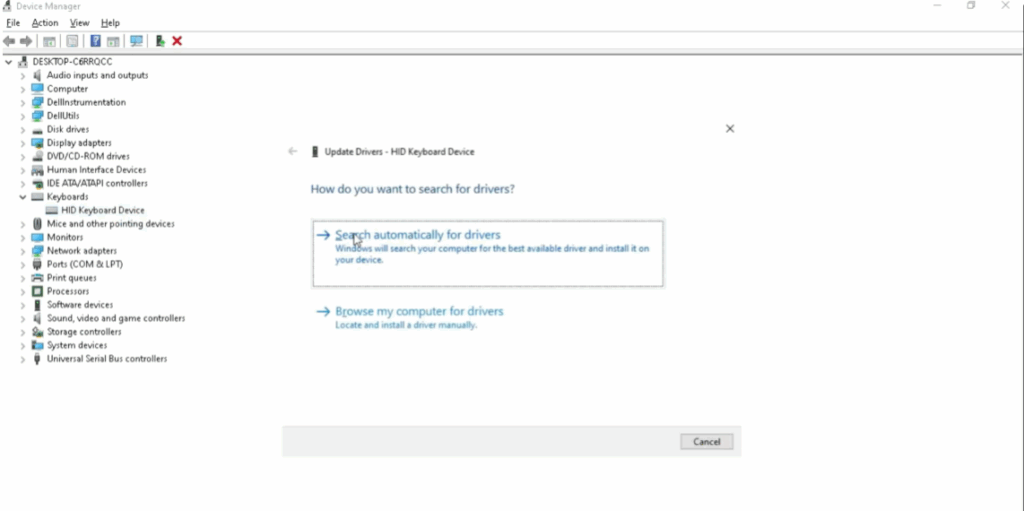
This process will update your keyboard driver and solve the issue with the Spacebar or Enter key.
Conclusion
By adjusting keyboard accessibility settings and updating the driver, the problem should now be fixed.
Thank you for following along with this guide.






