
![How to Fix Windows 10 Login Issues [2025 Guide]](https://techgitterofficial.com/wp-content/uploads/2025/09/How-to-Fix-Windows-10-Login-Issues-2025-Guide.jpg)
Hello friends, welcome back to my channel Tech Gitter Official. I’m going to show you today how to fix an issue where you’re unable to log into your Windows 10 laptop or PC. Maybe the screen is frozen, the password doesn’t seem to work, or it just keeps loading endlessly without letting you in. Now, don’t worry. I’ll show you a quick and simple method that can help you solve it and get your system back to normal.
Step 1: Refresh the Login Screen
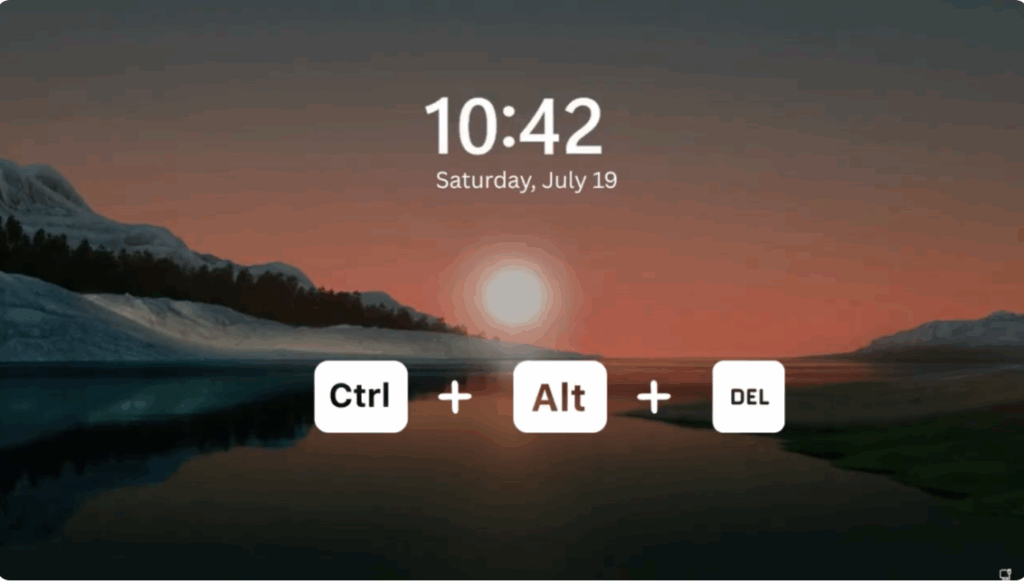
First, if your screen is stuck or not responding properly, try pressing Ctrl + Alt + Delete. This can sometimes refresh the login screen.
Step 2: Restart in Recovery Mode
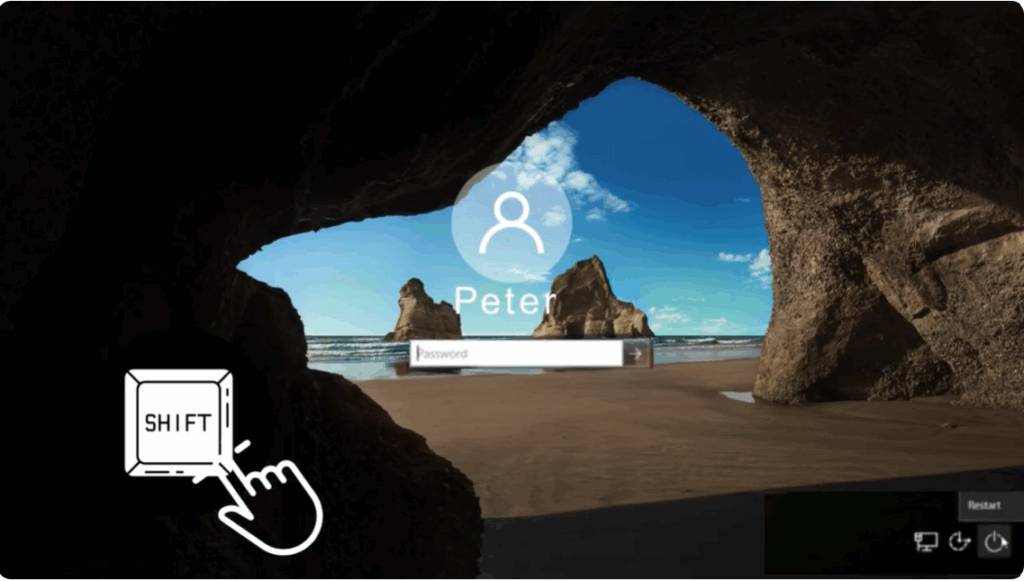
Now, look for the power icon in the bottom right corner of the login screen. Here’s the important part: hold down the Shift key on your keyboard and while holding it, click on Restart. You must do both at the same time — hold Shift and click Restart. This step is critical for the method to work.
Your computer will now restart into a special Windows recovery environment.
Step 3: Troubleshoot and Startup Settings
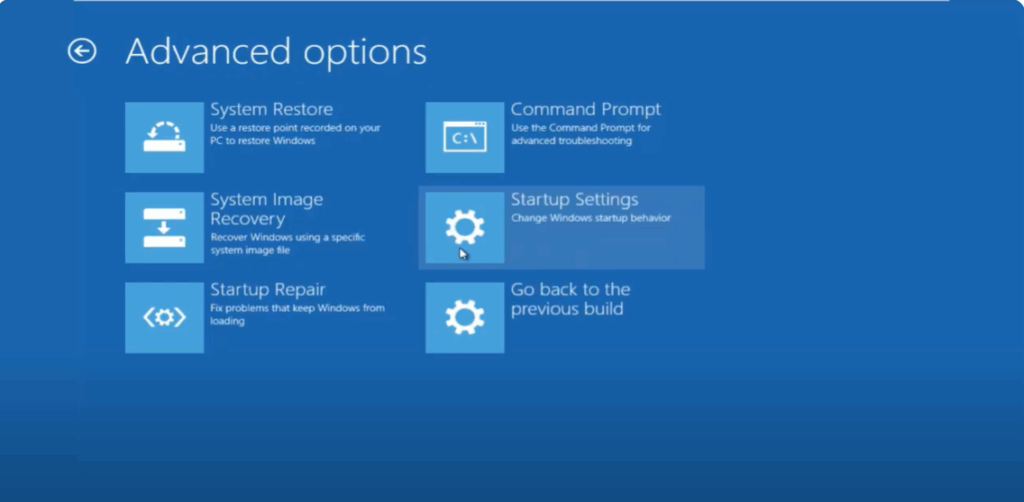
When the blue screen appears, choose the Troubleshoot option.
After that, go to Advanced options and then select Startup Settings.
From there, click Restart again.
Step 4: Enter Safe Mode
After the system restarts, you’ll see a list of options on your screen. Simply press the F5 key to enter Safe Mode with Networking.
You can choose any safe mode option, but F5 is usually the best choice.
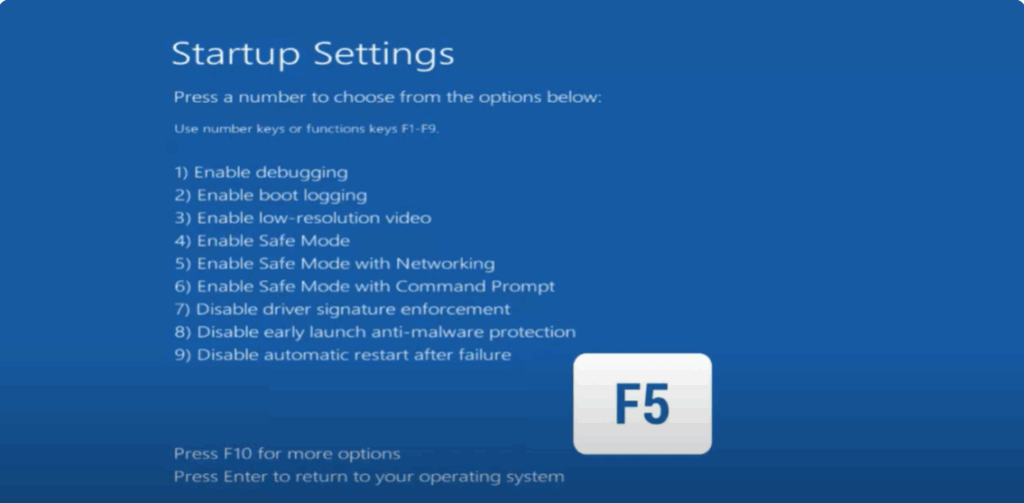
Once your computer starts in safe mode, try entering your password again. In most cases, it should work perfectly now. That’s because safe mode bypasses many of the background processes that may have been causing the issue.
Step 5: Restart Normally
If you’re able to log in successfully in safe mode, that’s a very good sign. All that’s left to do now is restart your computer normally.
Open the Start menu, click the power icon, and then click Restart. This time you don’t need to hold Shift. After your PC boots back into normal mode, try logging in once more.
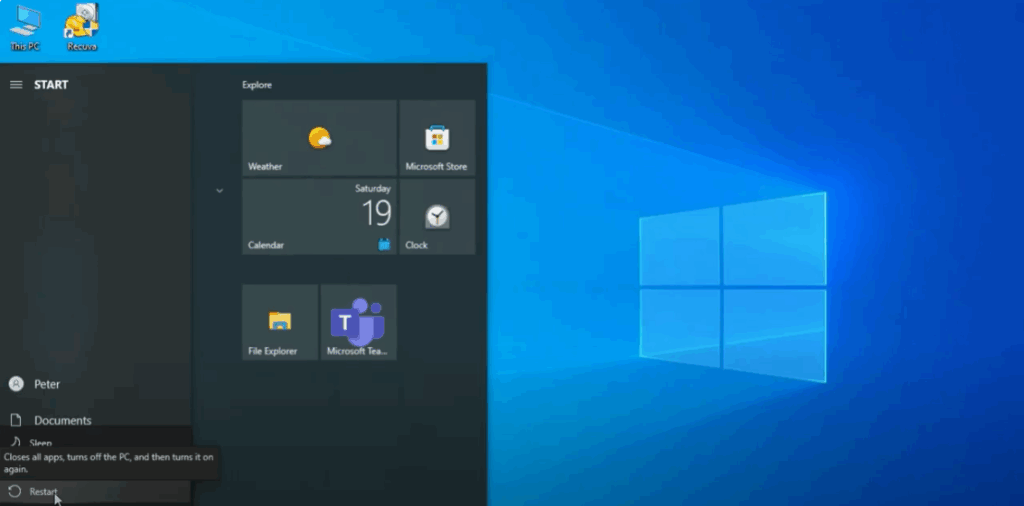
And just like that, you should be able to access your desktop without any issues.
✅ A quick and effective solution to fix login issues on Windows 10 or 11.
❌ No data loss.
❌ No complicated steps.
❌ No need to reset your system.
Thanks for watching. Don’t forget to like, share, and subscribe to Tech Gitter Official.






