
Hello friends, welcome back to my channel. In today’s video, I’m going to show you how to stop those annoying ads on Firefox, especially the ones that play before and during YouTube videos. If you’re tired of getting interrupted every time you try to watch something, this video is just for you.

When you open Firefox and in YouTube you play a video, as you can see, an ad starts playing either before the video begins or sometimes even in the middle. These ads can be really frustrating, especially when you’re in the middle of watching something important or entertaining. But don’t worry, there’s a simple and effective way to block these ads completely.
Step 1: Open the Firefox Menu
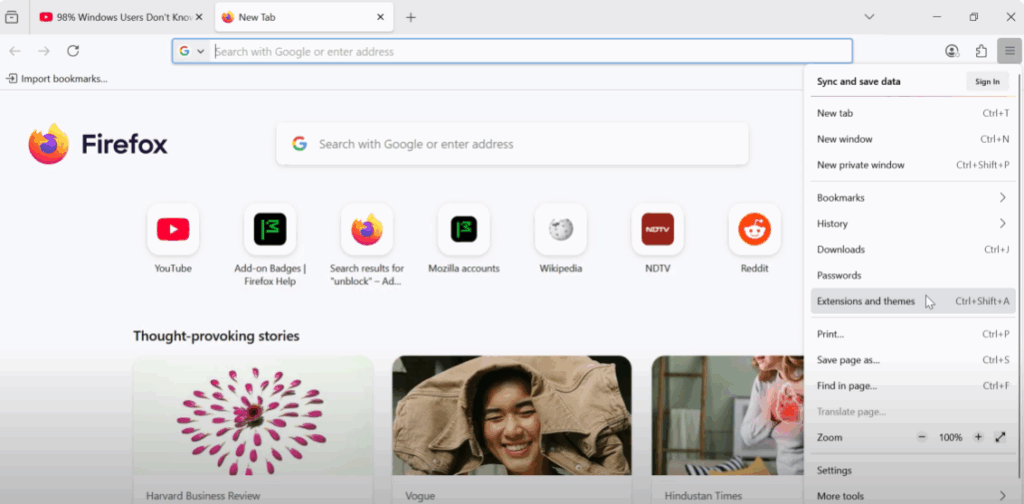
Here’s what you need to do. Open a new tab in Firefox. On the top right corner of your browser, you’ll see three horizontal lines. This is the Firefox menu. Click on that and from the drop-down, select Extensions and Themes. This will open the Firefox add-ons manager.
Step 2: Search for Ublock Origin
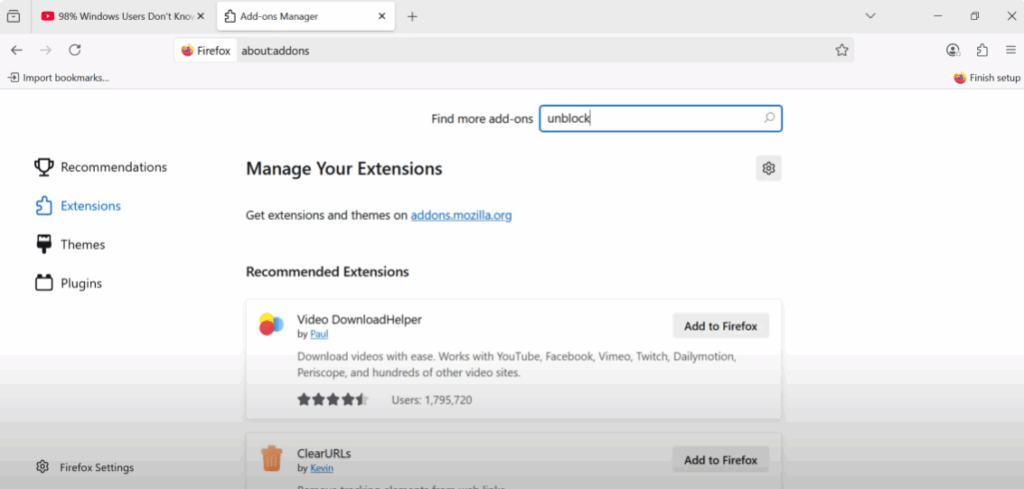
Now in the left sidebar, click on Extensions. At the top of this page, there’s a search bar. In that search bar, type Ublock. It’s one of the most trusted and powerful ad blockers available. And best of all, it’s completely free.
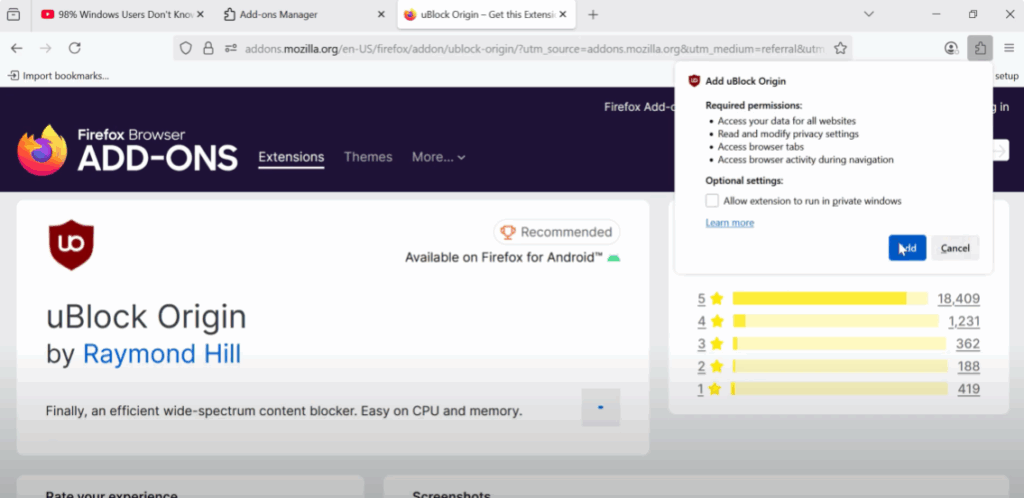
Once you see Ublock Origin in the search results, click on it. Now, click on the Add to Firefox button. Firefox will ask you for a few permissions. Just click Add to confirm. That’s it. Ublock Origin is now installed and activated in your browser.
Step 3: Test the Ad Blocker
Now, let’s test it. Go back to the desktop and refresh again. Open Firefox and go back to YouTube, search for a video, and click play. This time, you’ll notice that the ads are completely gone. The video plays directly without any interruptions.
Extra Benefit
This extension doesn’t just block YouTube ads. It also removes ads from most websites you visit. So, if you’re someone who watches a lot of YouTube or spends time online, this one small step can make a big difference in your experience.
Thanks for watching. If you found this video helpful, don’t forget to subscribe to the channel for more useful tips and tech tutorials.






