
![VAN9003 Valorant Error in Windows 10 | Vanguard Out of Compliance [2025]](https://techgitterofficial.com/wp-content/uploads/2025/09/VAN9003-Valorant-Error-in-Windows-10-Vanguard-Out-of-Compliance-2025.jpg)
Hello friends, welcome back to my channel Tech Gitter Official. If you’re trying to open Valorant on Windows 10 and getting this error: “This build of Vanguard is out of compliance with current system settings” or VAN 93, then this guide is for you. This issue usually happens when Secure Boot or UEFI is disabled on your PC. In this article, I’ll show you step by step how to fix it 100% successfully.
Step 1: Check Secure Boot and BIOS Mode
First, let’s check if Secure Boot and UEFI are enabled on your system:
- Click the search bar on your Windows taskbar and type msinfo.
- Open the System Information app.
- Look for these two key fields:
- BIOS Mode – it should say UEFI
- Secure Boot State – it should be On
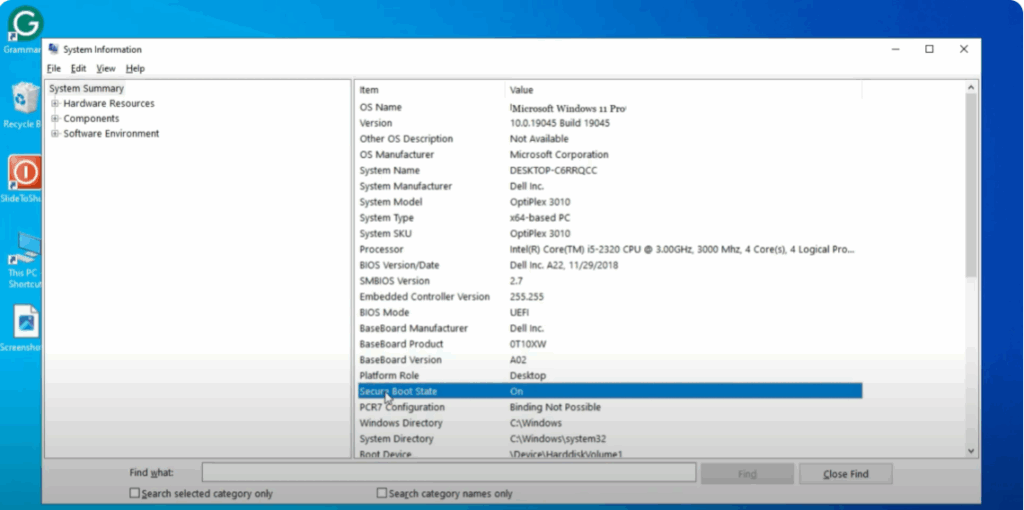
If BIOS Mode shows Legacy or CSM, and Secure Boot State is Off, you’ll need to enable them from your BIOS settings.
Step 2: Enable Secure Boot and UEFI
To enable these features, follow these steps:
- Open BIOS on your PC.
- First, find the BIOS key for your PC.
- For laptops, search for the BIOS key for your specific laptop model.
- For custom-built PCs, search for the BIOS key for your motherboard. A quick Google search will help.
- Close all programs and restart your PC.
- While restarting, press the BIOS key (for example, F2) when you see your manufacturer’s logo to load BIOS.
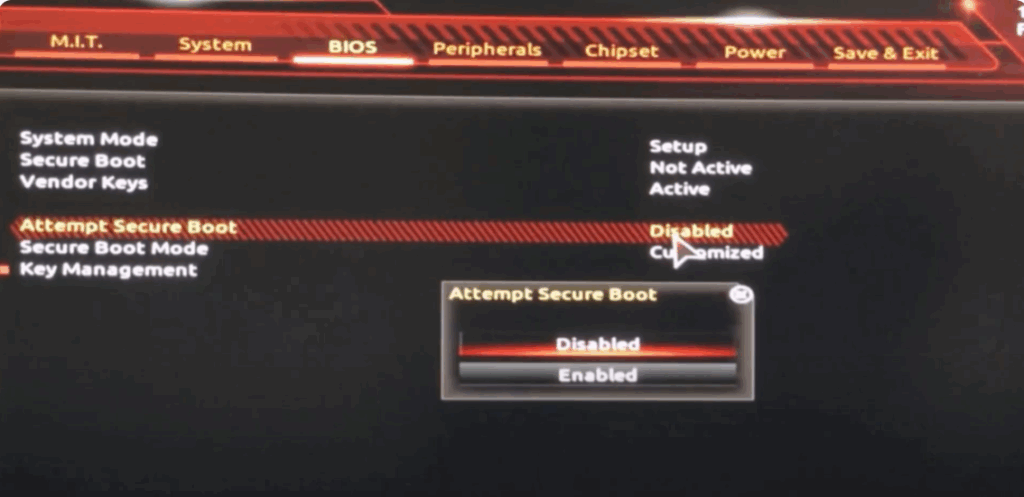
- Navigate to the BIOS tab.
- Scroll down to Secure Boot, click on it.
- Head over to Team Secure Boot and enable it.
- Once enabled, save and exit BIOS to apply the settings.
After completing these steps, launch Valorant again. You should no longer see the VAN 93 error.
Following this method, you can fix the VAN 93 error on Windows 10 and get back to playing Valorant without any issues. I hope this guide helped you out. If it did, make sure to like and subscribe for more helpful tech tutorials. Also, tap the bell icon so you never miss an update. Thanks for reading, and see you in the next tutorial!






