
Welcome back to my channel Tech Gitter Official. In today’s video, we will learn the complete process of filling out IRS form 1040 for 2025. Whether you’re filing for the first time or just need a refresher, this guide will help you stay on track. So, let’s begin.
If you are a US citizen or resident alien and meet the IRS income limits, you must file form 1040. This form reports your income such as wages, dividends, retirement distributions, and more. Filing ensures you remain compliant and allows you to claim deductions or credits that reduce your tax bill.
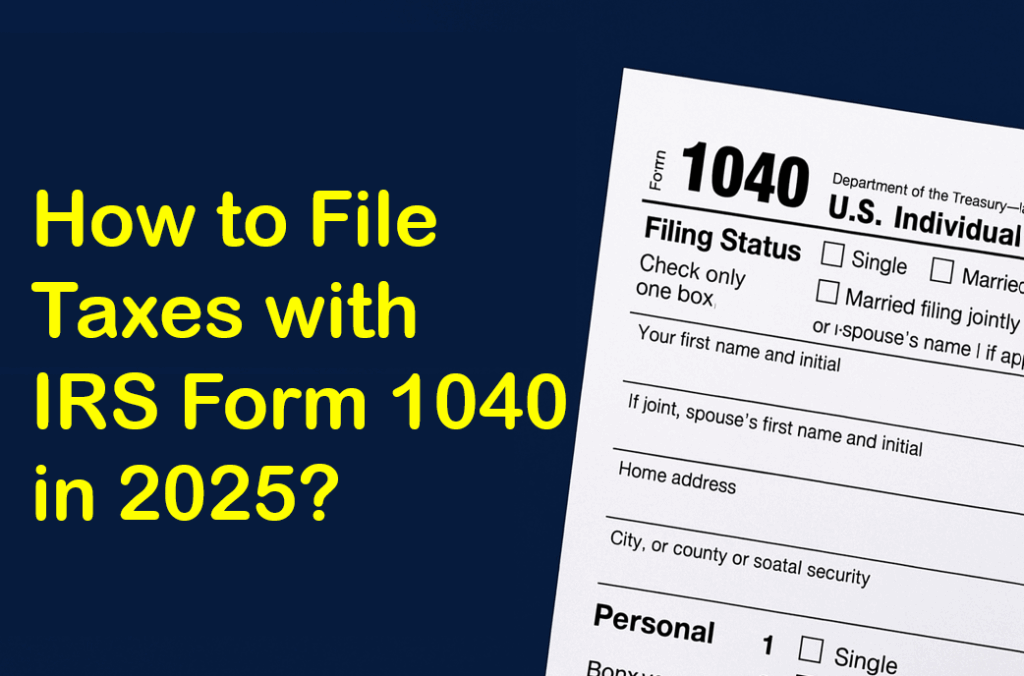
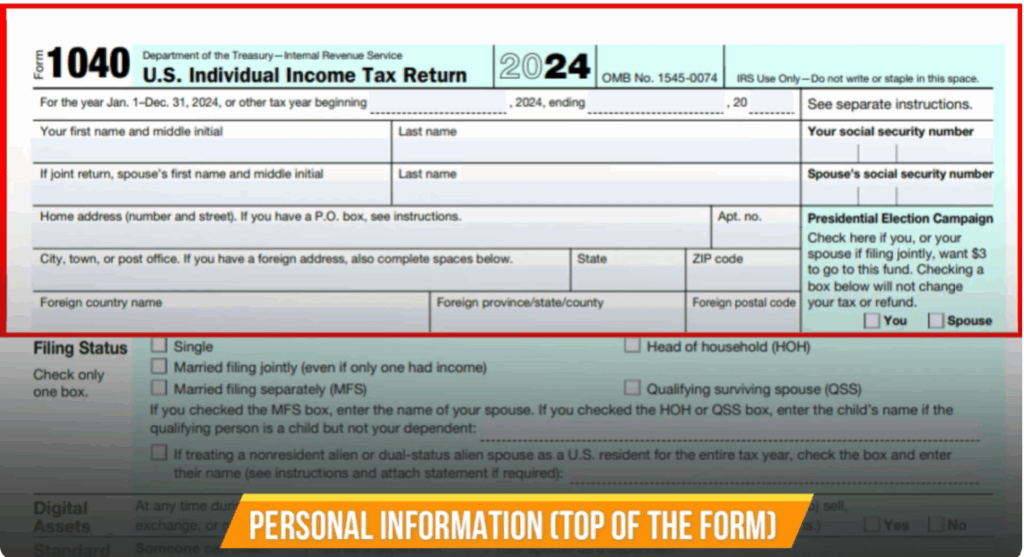
Step 1: Personal Information
At the top of the form, enter your full legal name, social security number, and current address. If filing jointly, include your spouse’s details as well.
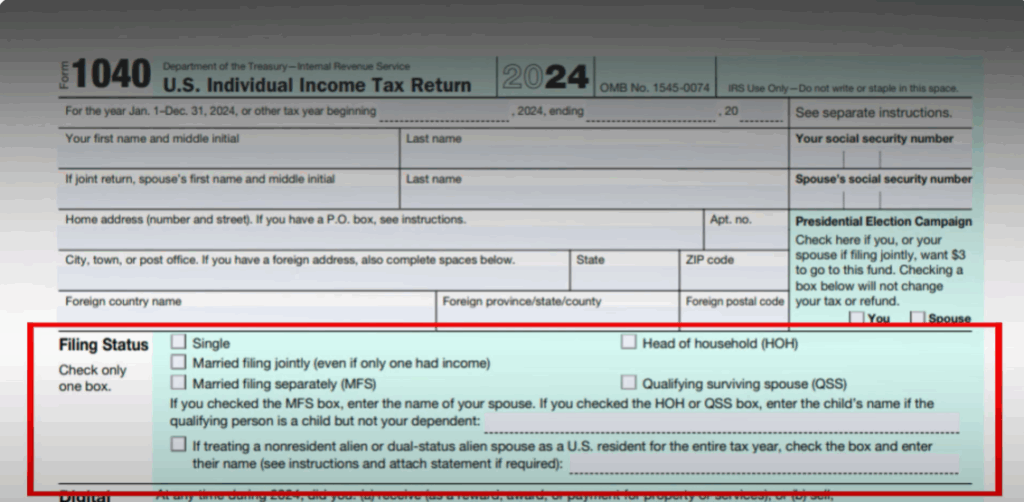
Step 2: Filing Status
Then choose your filing status: Single, married filing jointly or separately, head of household, or qualifying widow. Pick the option that matches your situation.
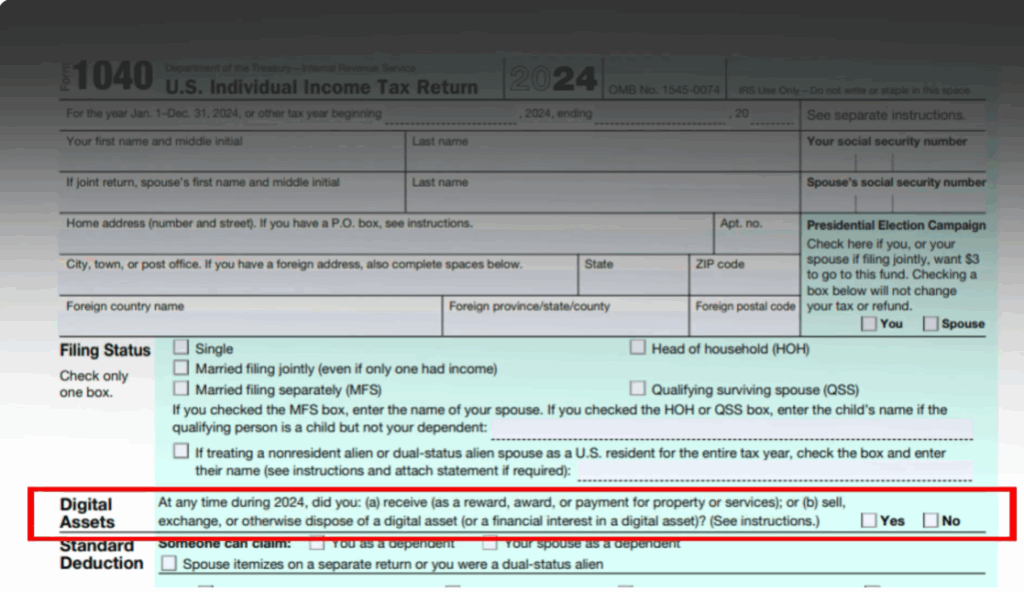
Step 3: Digital Assets
Next, you’ll see questions about digital assets like crypto or NFTs. If you bought, sold, or exchanged digital assets, check “Yes” and be prepared to file additional schedules. Otherwise, check “No.”
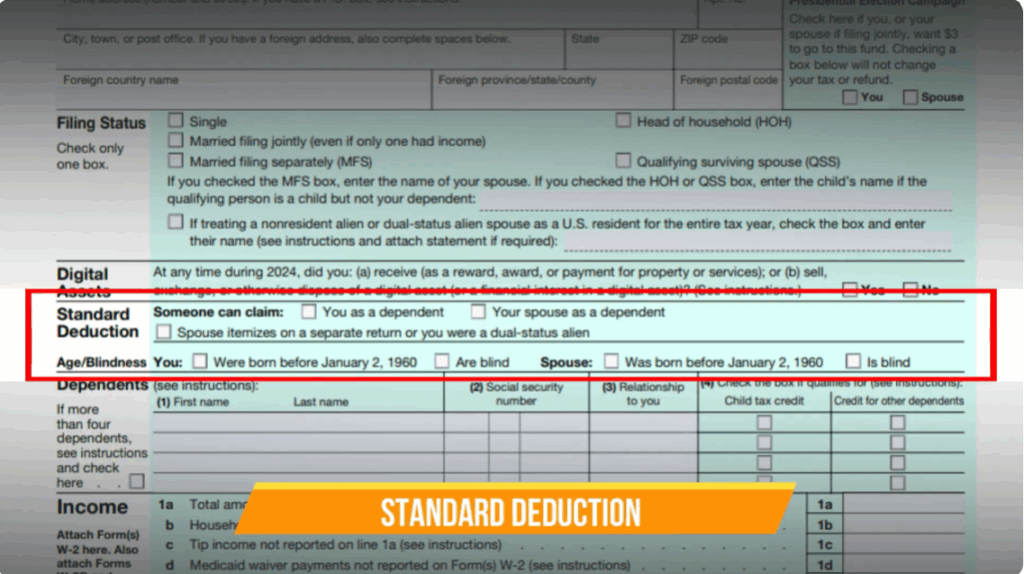
Step 4: Standard Deduction and Dependents
Fill the option which matches your situation of dependency. After that, fill in details about age and blindness. Then comes dependents. If you are claiming more than four dependents, follow the instructions on the form to add extra dependents and include them in the correct section.
Each dependent listed will need their name, social security number, and relationship to you. Additionally, if you’re claiming a dependent, you’ll need to check boxes to see if they qualify for credits like the Child Tax Credit or Other Dependent Credit.
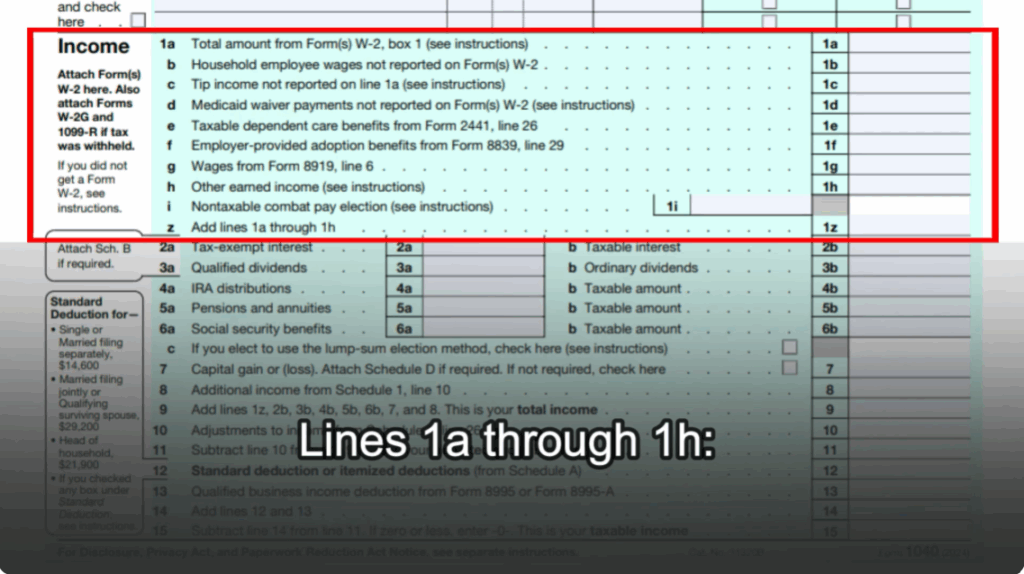
Step 5: Income Section
- Line 1A – 1Z: Report wages, tips, Medicaid waiver payments, and other earned income.
- Line 2A & 2B: Tax-exempt and taxable interest income.
- Line 3A & 3B: Qualified and ordinary dividends.
- Line 4A & 4B: IRA distributions and taxable portion.
- Line 5A & 5B: Pensions and annuity income.
- Line 6A & 6B: Social Security benefits, noting taxable portion.
- Line 7: Capital gains or losses.
- Line 8: Additional income (via Schedule 1).
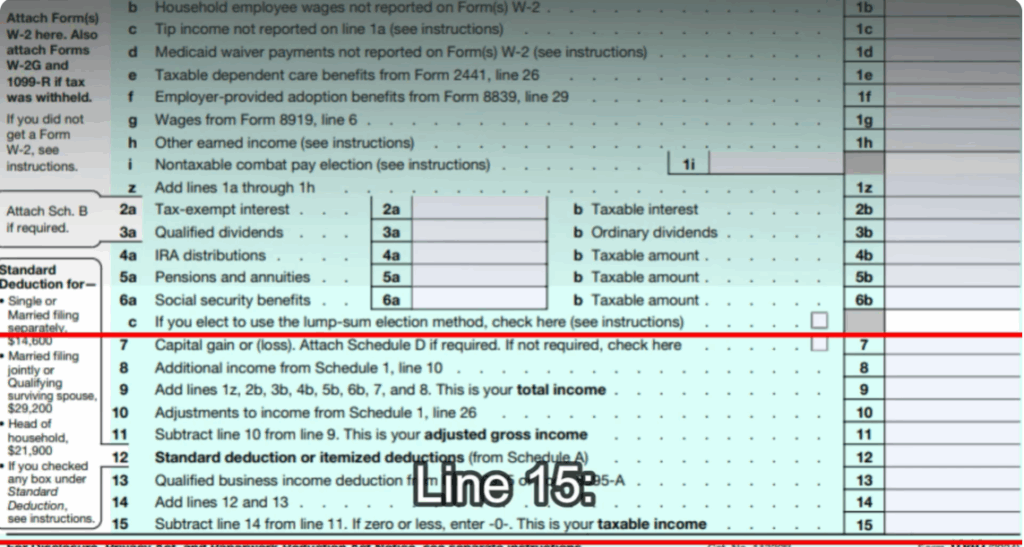
Step 6: Adjustments and Deductions
- Line 10: Report adjustments to income.
- Line 11: Calculate Adjusted Gross Income (AGI).
- Line 12: Standard or itemized deductions.
- Line 13: Qualified Business Income (QBI) deduction if eligible.
- Line 14: Add deductions.
- Line 15: Taxable income (AGI – deductions).
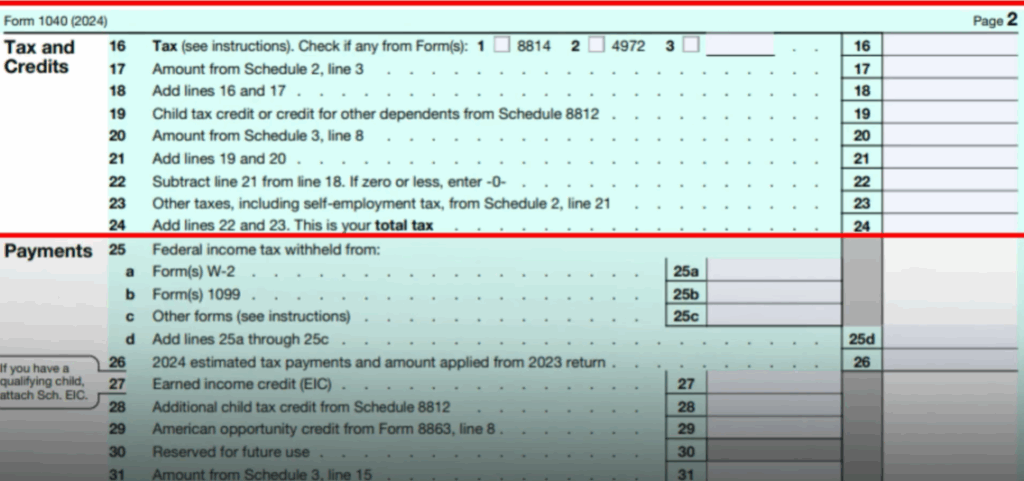
Step 7: Tax and Credits
- Line 16: Enter total tax.
- Line 17: Additional taxes from Schedule 2.
- Line 18: Total tax before credits.
- Line 19: Child tax credit or dependent credit.
- Line 20–22: Other credits (education credits, etc.), subtract from tax liability.
- Line 23–24: Additional taxes and total tax liability.
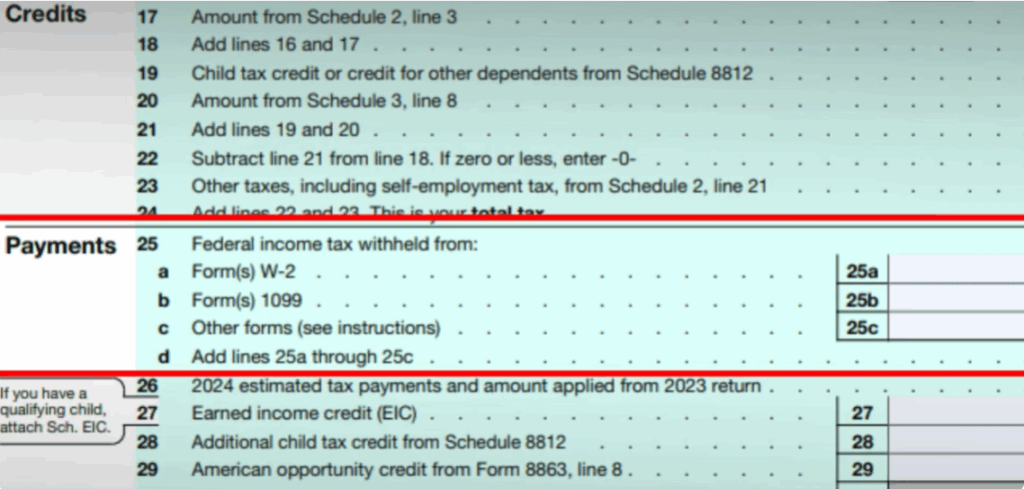
Step 8: Payments
- Line 25A – 25D: Federal tax withheld (W2, 1099, 1098-T).
- Line 26: Estimated tax payments.
- Line 27: Earned Income Credit (EIC).
- Line 28: Additional Child Tax Credit.
- Line 29: American Opportunity Credit.
- Line 30–31: Other credits and payments.
- Line 32: Total refundable credits.
- Line 33: Total payments.
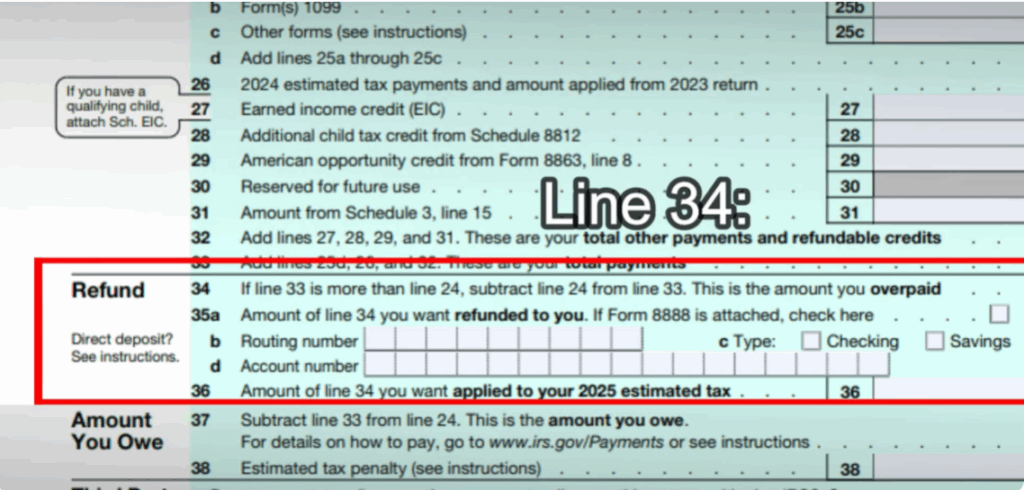
Step 9: Refund or Amount Owed
- Line 34: Overpayment.
- Line 35A–35D: Refund details and bank account info.
- Line 36: Apply refund toward next year’s taxes.
- If line 24 is greater than line 33, the difference is the amount you owe.
- Fill in estimated tax penalty if applicable.
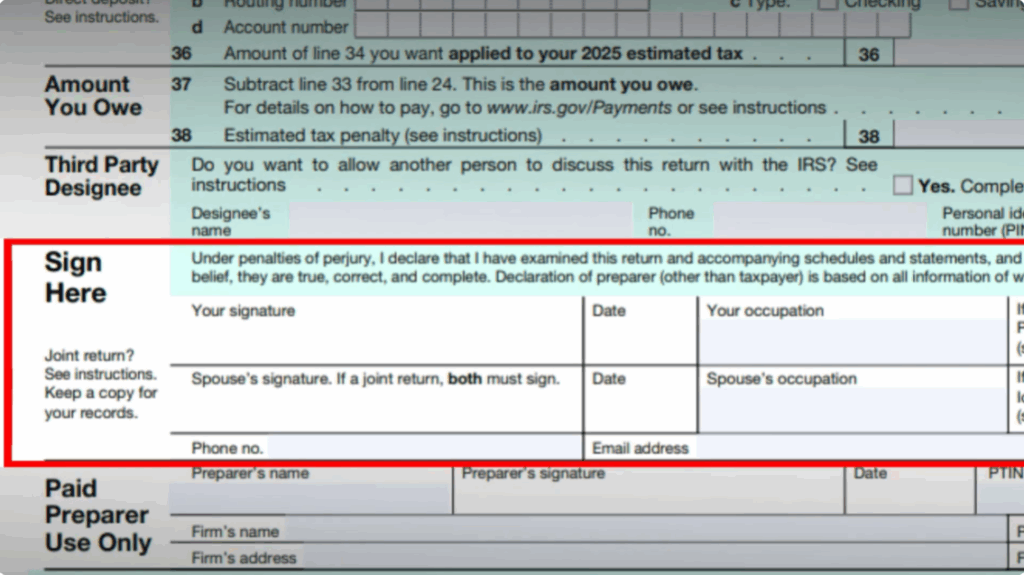
Step 10: Sign and Submit
If you allow a third-party designee, mention their name, phone number, and PIN. Finally, sign and date the form. If filing jointly, your spouse must also sign. If you used a paid preparer, they must complete the “Preparer Use Only” section.
Filing form 1040 might look intimidating, but once you break it into sections, it becomes manageable. Double check your entries, attach schedules if required, and you’ll be good to go.
Thanks for watching. Don’t forget to like this video, share it with friends, and subscribe to Tech Gitter.






