
Watching videos on Facebook is fun, but sometimes you may want to save them on your computer to watch later without the internet. The good news is that in 2025, downloading Facebook videos on your PC has become easier than ever. You don’t need complicated software or paid tools—just a few simple steps can help you save your favorite clips quickly. In this guide, we’ll show you the easiest method to download Facebook videos on your PC so you can enjoy them anytime, anywhere.
Step 1: Find the Facebook Video
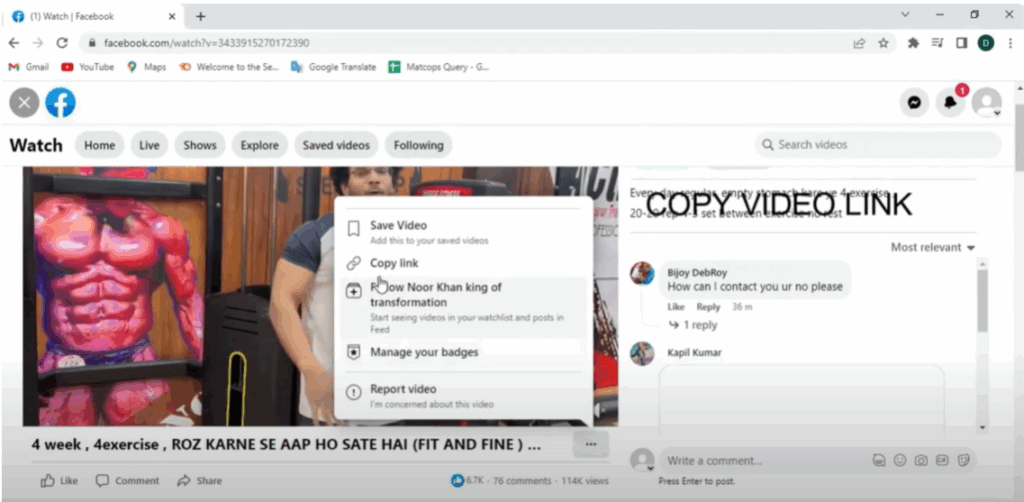
First, open Facebook and find the video you want to download. Click on the three dots next to the video. A list of options will appear. Now click on Copy Link.
Step 2: Open the Video in Chrome
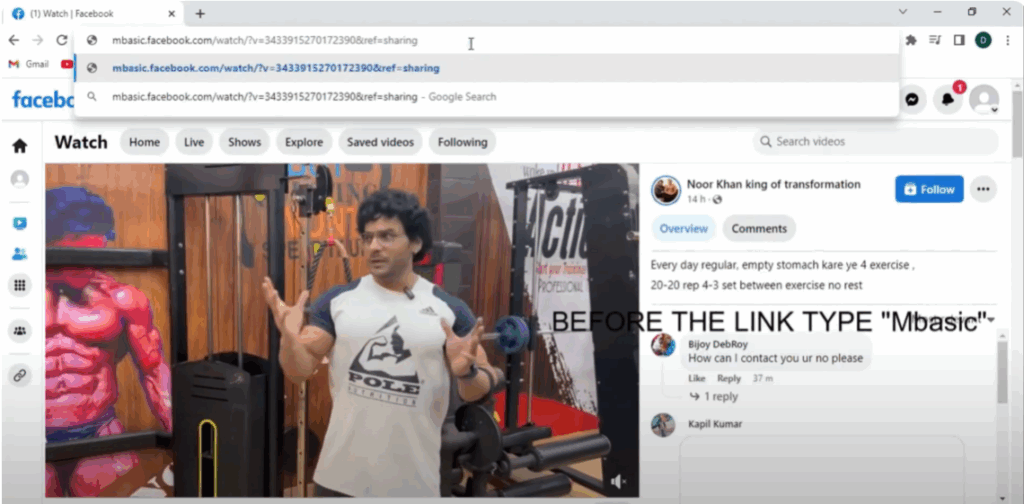
Next, open Google Chrome and in the search bar, paste the link (you can use Ctrl + V) and then hit Enter. The same Facebook video will now open in a new tab.
Step 3: Edit the Video Link
Go to the URL in the address bar and carefully remove everything before facebook.com (like https/www).
Replace it with mbasic.facebook.com.
So the full link should start with:mbasic.facebook.com/...
Then press Enter.
Step 4: Load the Video in Simple Layout
Now the same video will load in a simpler layout. Click on the video, and it will open in a new page.
Step 5: Download the Video
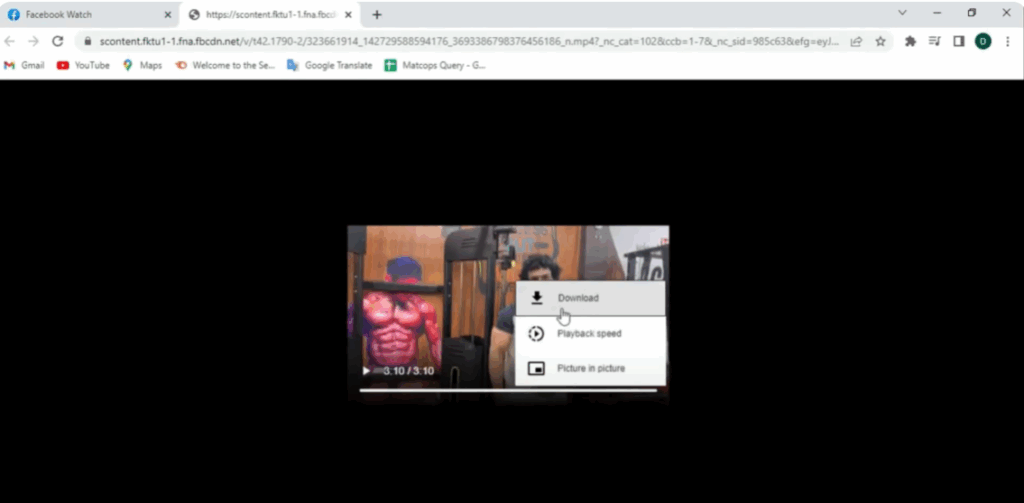
Right click on the video or click the three dots, and choose the option Download Video.
Your browser will start downloading the video immediately.
Step 6: Check Your Downloads Folder
Once downloaded, you can check it in your Downloads folder, and it’s done!






