
If your YouTube homepage is suddenly blank — showing no recommended videos and your watch history has disappeared — don’t worry! This is a common issue that many users face. In this step-by-step guide, we’ll show you how to fix the “Blank YouTube Homepage” problem easily.
🧭 Step 1: Check Your Watch History Settings
- Open YouTube on your browser or app.
- Click your profile icon → Go to Settings.
- Select History.
- Click on Manage all history.
- Now open Not saving your YouTube history.
- Ensure “Youtube History” is turned ON.
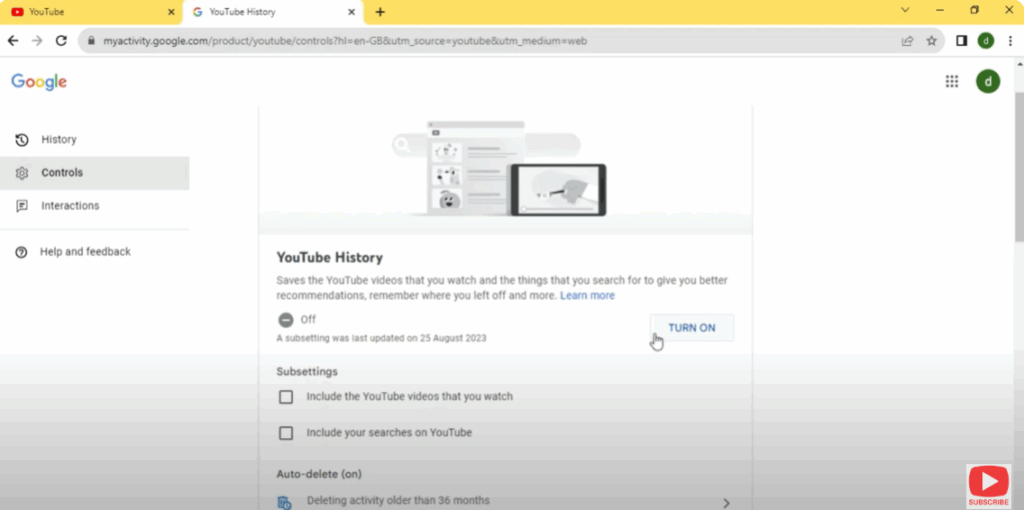
- Tap on the button Turn on.
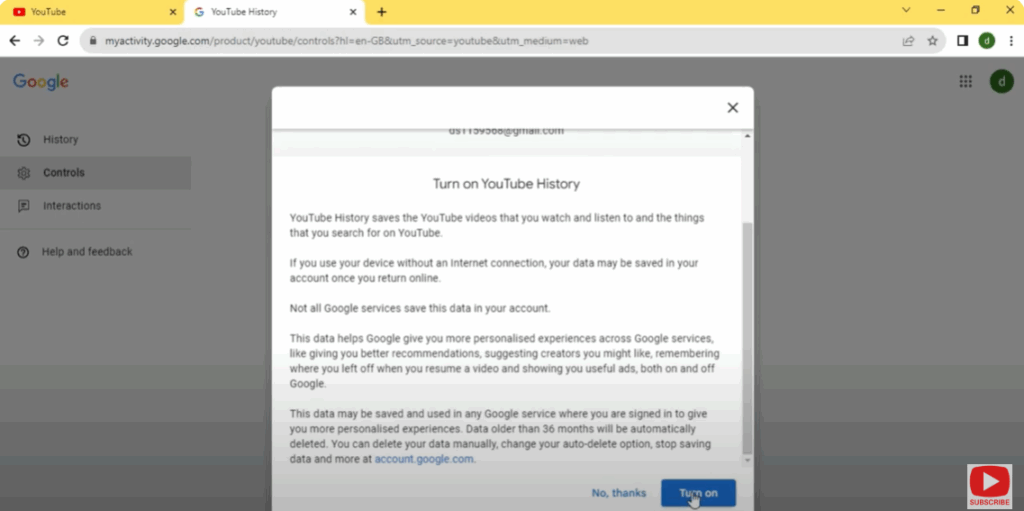
➡️ This will allow YouTube to start recommending videos again.
✅ Conclusion
By checking your watch history, clearing cache, and ensuring you’re signed in, you can fix the Blank YouTube Homepage issue in minutes. It’s usually caused by paused history or browser interference — both easy to fix!






