
If your backup or restore operation fails on Windows 11 with error code 0x80070057, you’re not alone—this is a common issue that can happen due to incorrect settings, corrupted files, or disk problems. When this error appears, Windows usually says “The parameter is incorrect,” making it hard to complete your backup or restore tasks. Fortunately, there are some easy fixes that can help resolve the error and get your backup running smoothly again. In this guide, you’ll learn simple steps to fix error 0x80070057 and safely back up or restore your Windows system without frustration.
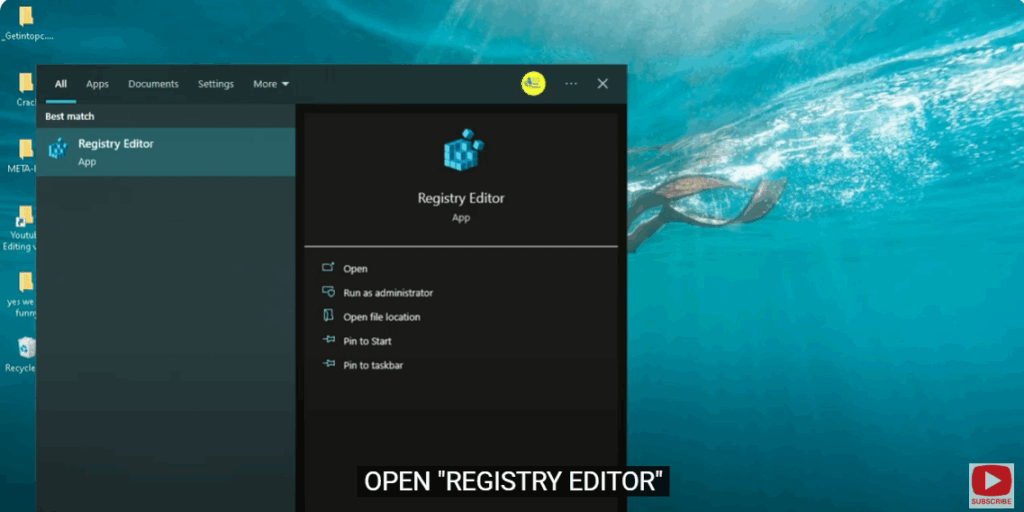
Step 1: Open Registry Editor
Open “Registry Editor”.
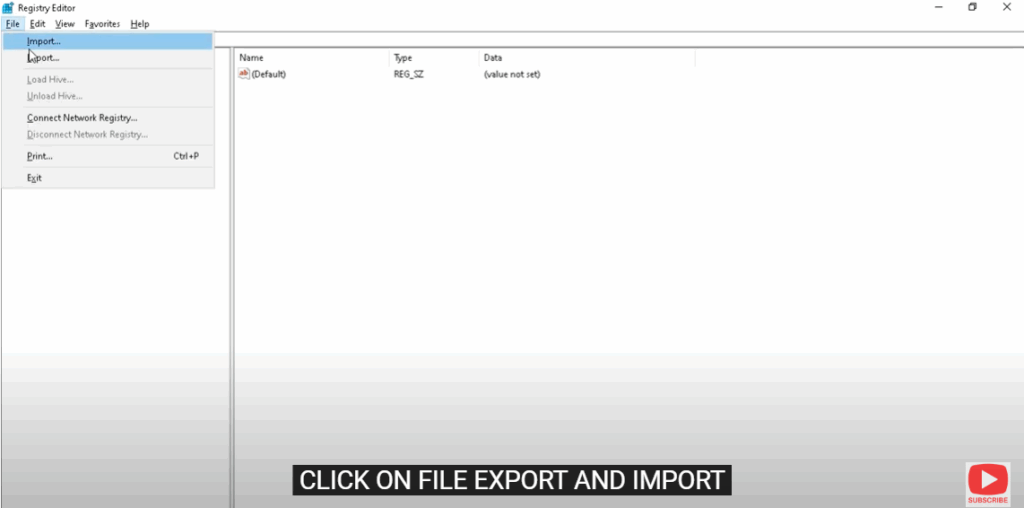
Step 2: Export and Import Registry
Click on File → Export and Import.
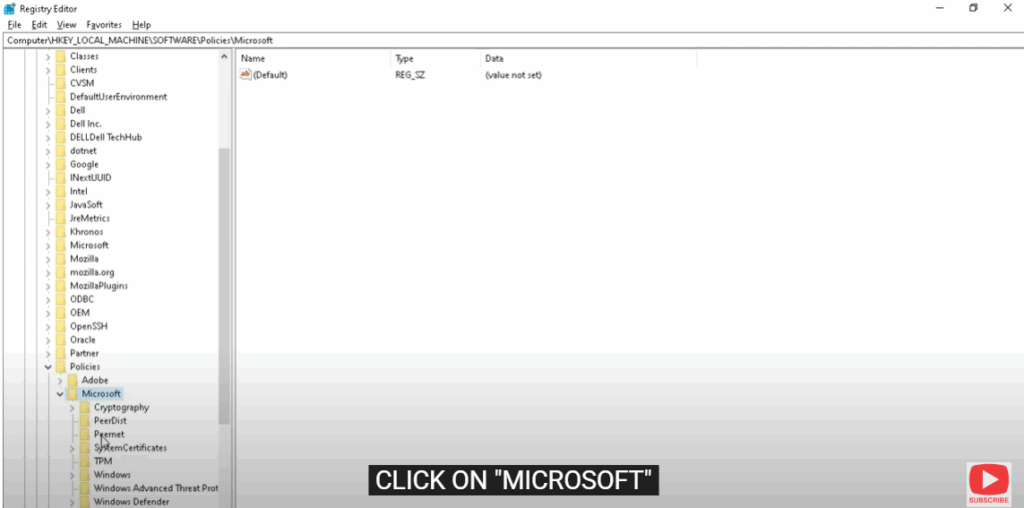
Step 3: Navigate to the Microsoft Key
Click on “HKEY_LOCAL_MACHINE”
→ Click on “SOFTWARE”
→ Click on “POLICIES”
→ Click on “MICROSOFT”
Step 4: Create a New Key
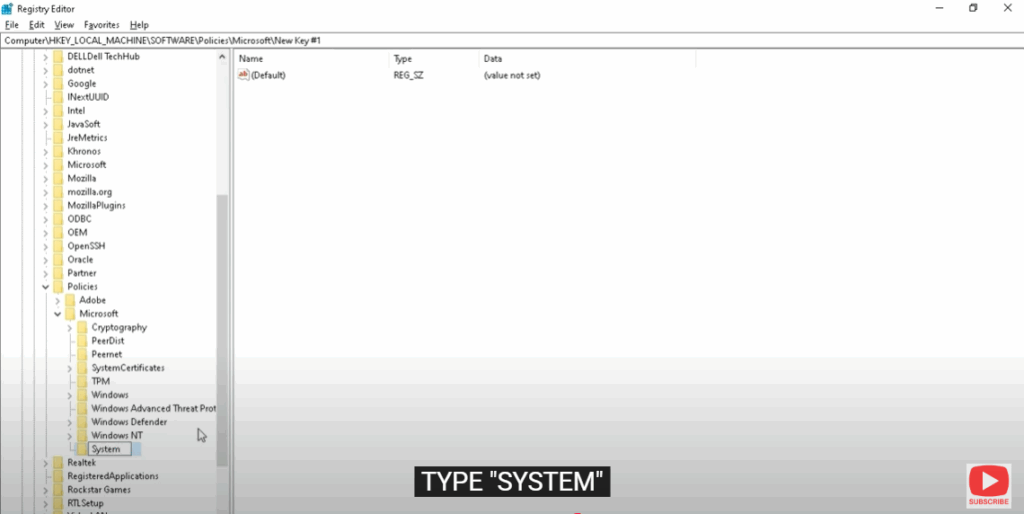
Right-click on “MICROSOFT”, press New → Key.
Type “SYSTEM”.
Step 5: Create a New Value
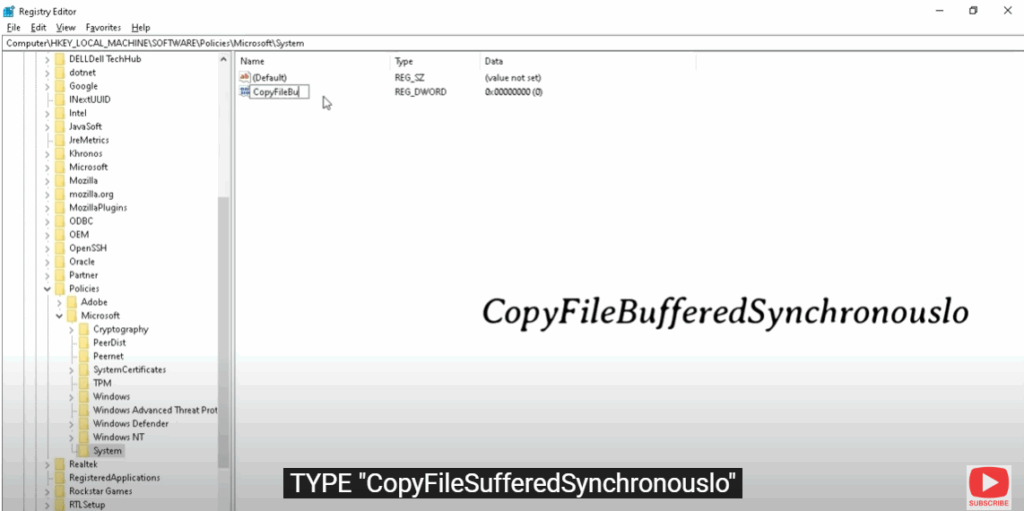
Right-click on the screen → New → Value.
Type “CopyFileSufferedSynchronousIo”.
Step 6: Edit the Value
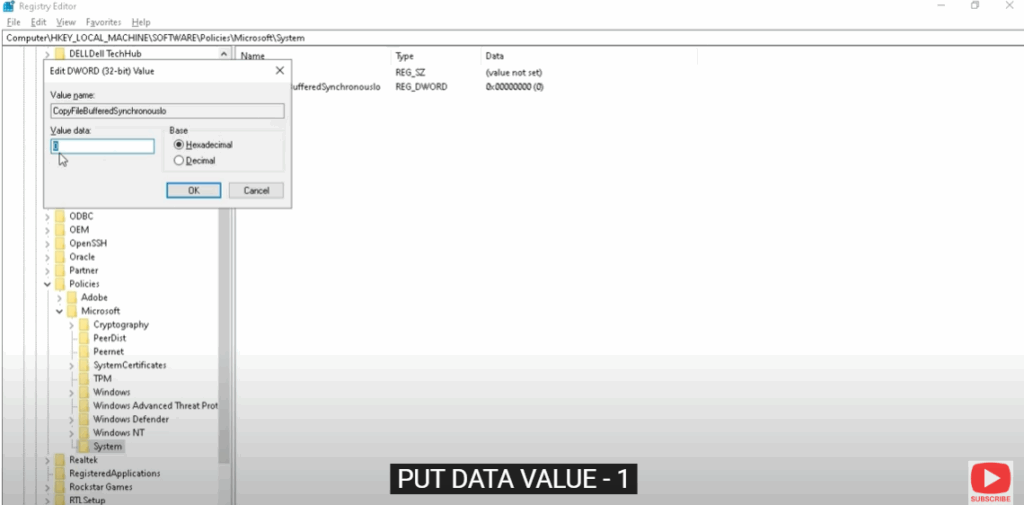
Double-click on “CopyFileSufferedSynchronousIo”.
Put Data Value – 1.
Press “OK”.
Step 7: Final Step
Close this and now restart your PC.






