

Setting Google Chrome as your default browser ensures that all links you click automatically open in Chrome instead of other browsers like Edge or Firefox. This makes browsing faster and more convenient, especially if you already use Chrome on your phone or other devices. The process is simple—whether you’re using Windows 10, Windows 11, or macOS, you can do it directly from Chrome settings or through your system’s default app options. In this blog, you’ll learn easy step-by-step methods to make Google Chrome your default browser so you can enjoy a smoother and more personalized web experience.
✅ Method 1: Set Chrome as Default Browser from Chrome Settings
- Open Google Chrome on your computer.
- Click the three dots (⋮) in the top-right corner.
- Select Settings.
- From the left menu, click Default Browser.
- Click on the button “Make Default”.
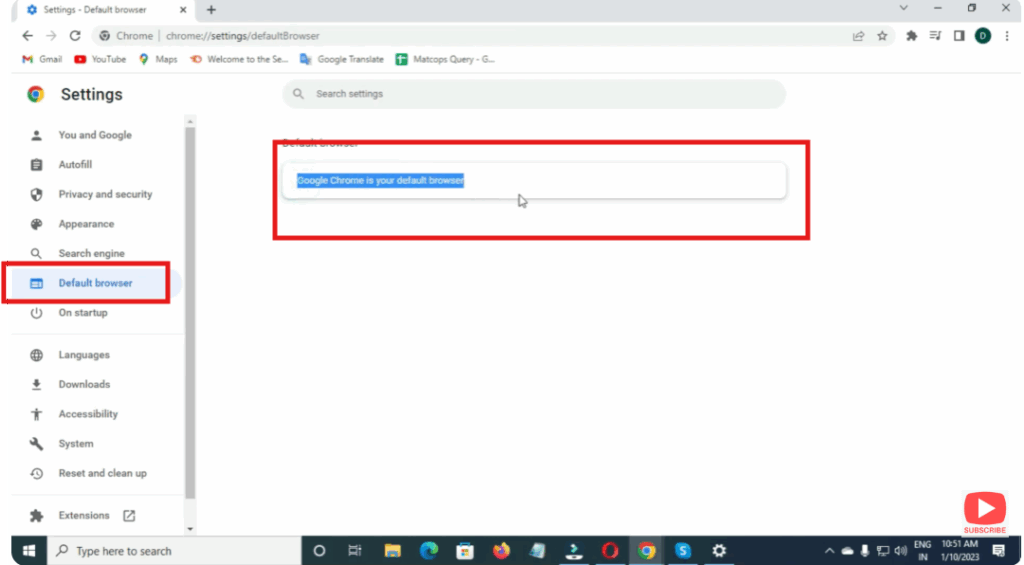
That’s it! Chrome is now your default browser.
✅ Method 2: Set Chrome as Default Browser from Windows Settings
- Click the Start Menu.
- Open Settings (⚙️).
- Click on Apps.
- Select Default Apps.
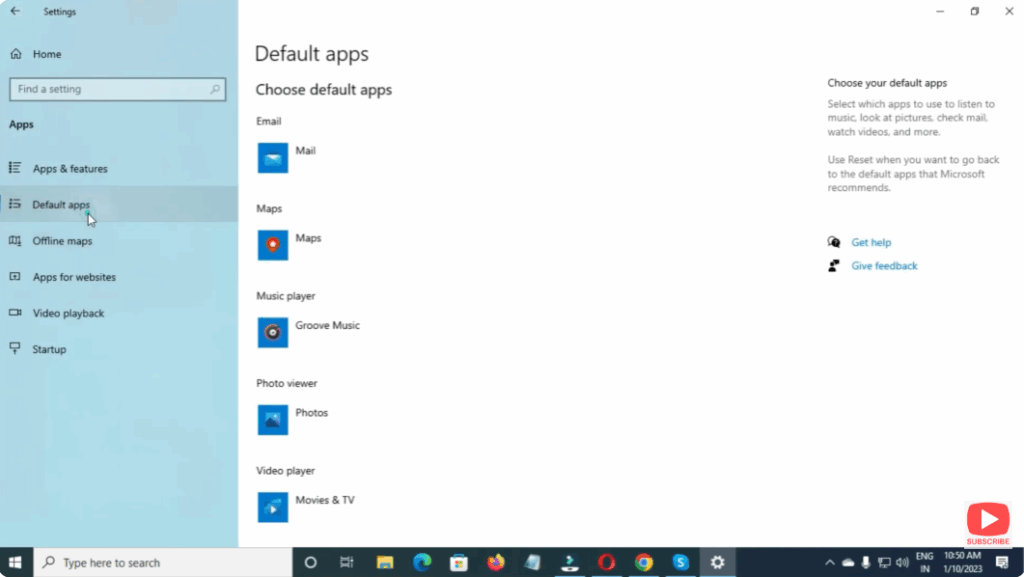
- Scroll down and click on Google Chrome.
- Change Web Browser to Google Chrome.
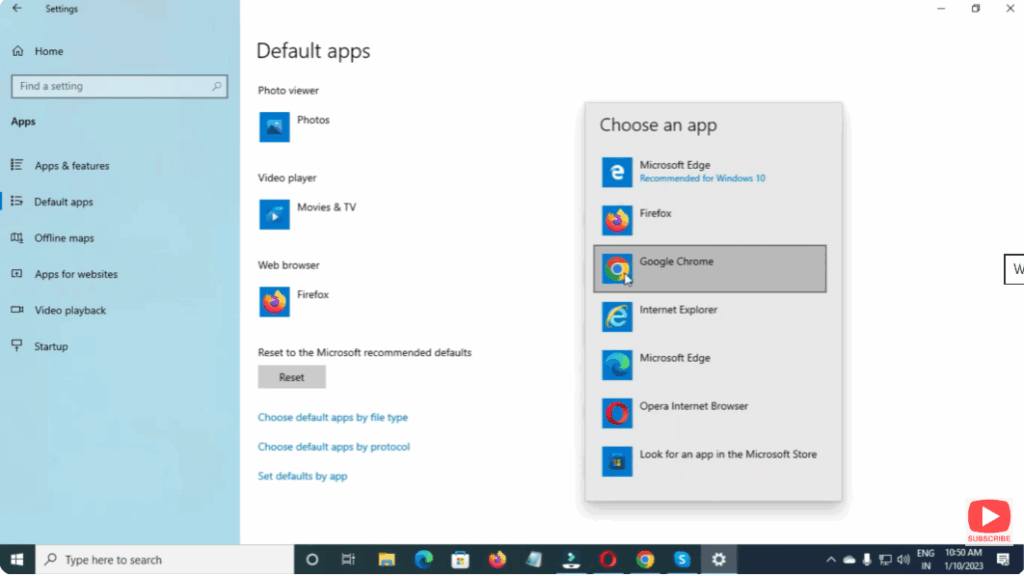
Now all web links will open in Chrome automatically.
📌 Final Words
Making Google Chrome your default browser allows for quicker and smoother browsing. Whether you browse for office work, studies, or personal use, Chrome gives you an easy and reliable experience. Just follow the steps above and enjoy seamless browsing.






