

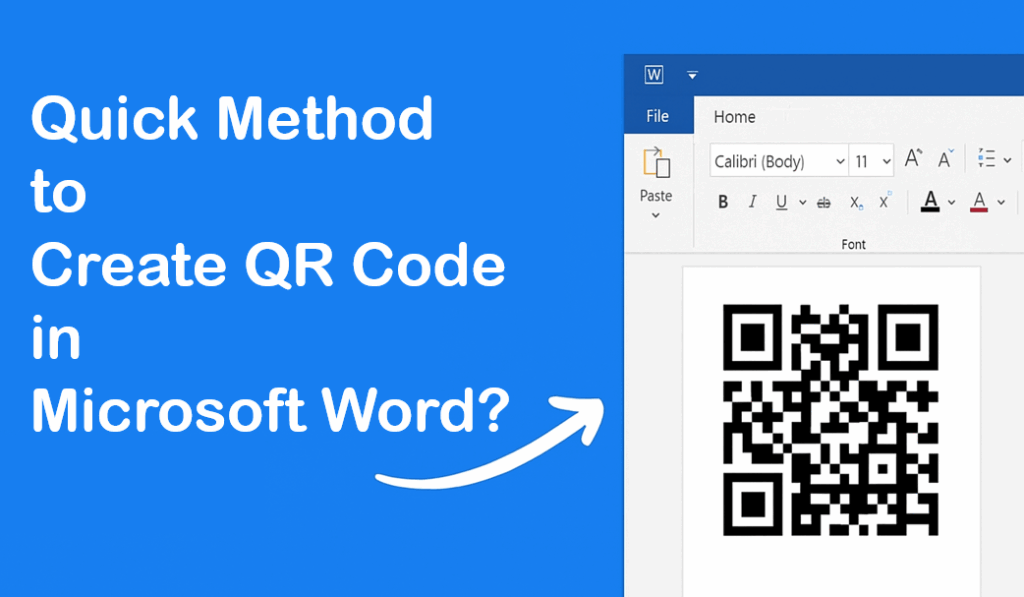
Creating a QR code in Microsoft Word is fast and easy, even if you’re not a tech expert. With just a few clicks, you can use a free add-in or a built-in tool to generate a QR code for your links, contact details, or document info and place it anywhere in your Word file. This method saves time and lets you share important details with others in a modern, scannable format. In this blog, you’ll learn the quickest way to make QR codes in Word so you can upgrade your documents and make sharing hassle-free.
Step-by-Step Guide to Create QR Code in MS Word
- Open Microsoft Word
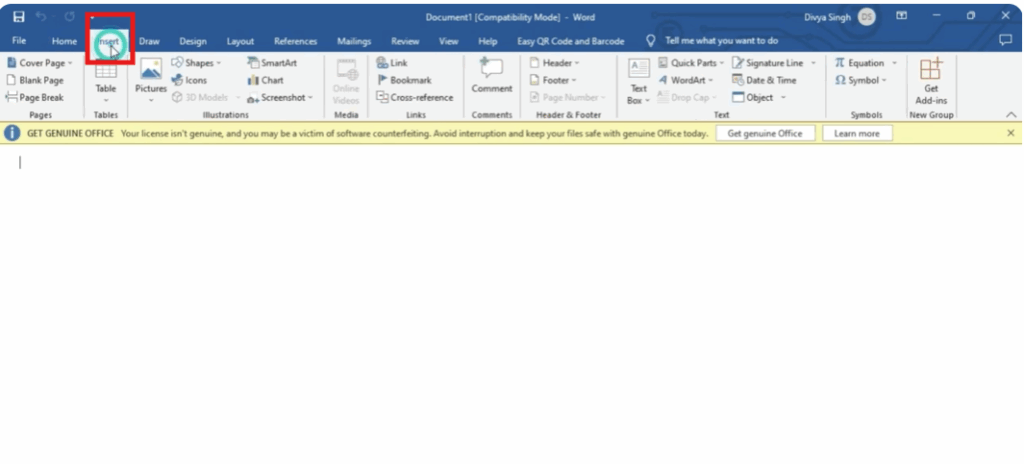
Start by opening Microsoft Word and creating a new blank document. - Go to the Insert Tab
On the top menu bar, click the Insert tab.
- Click on “Get Add-ins”
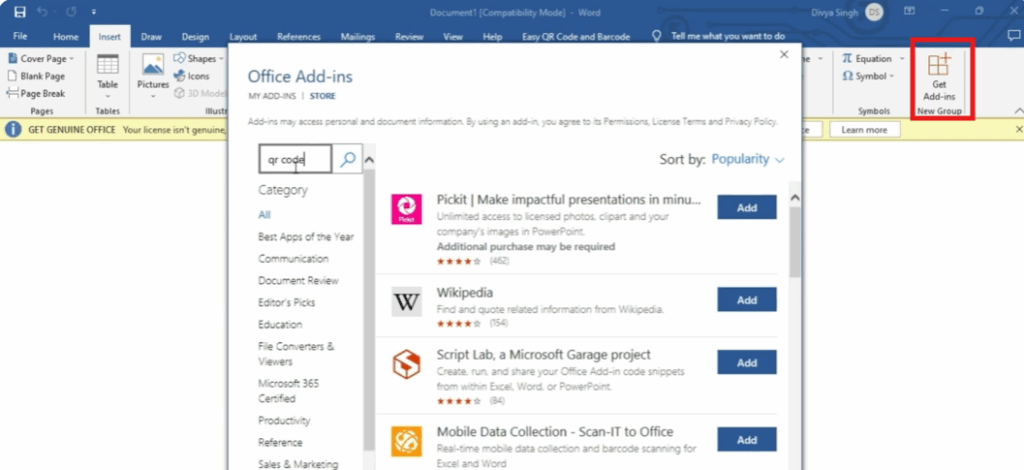
In the Insert menu, find and click on the Get Add-ins option to open the Add-in store window. - Search for “QR Code” Add-in
In the search bar, type QR4Office and press Enter.
This is a free add-in that allows you to generate QR codes directly in Word.
- Add the Add-in
Click Add and accept the permission request.
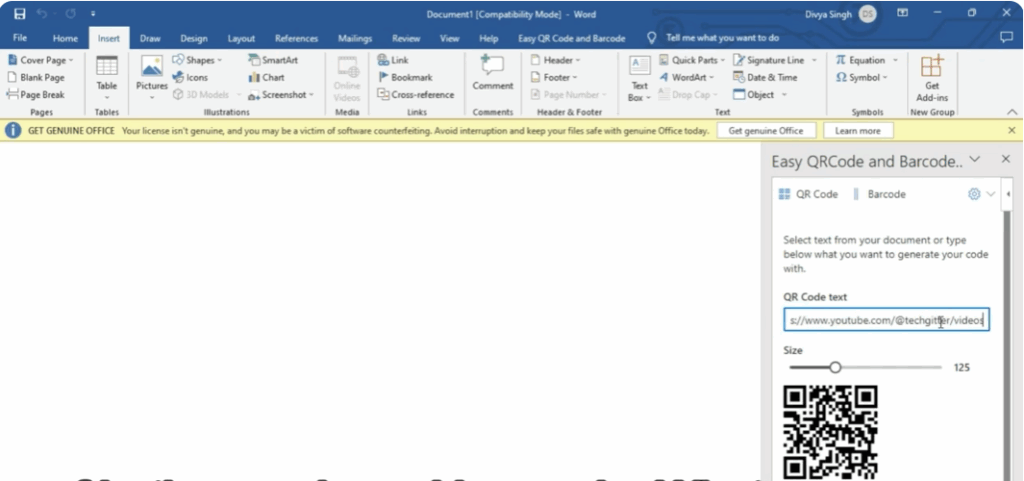
It will now appear in the right panel of your Word document. - Enter the Text or Link for QR Code
In the QR4Office panel, type the link, text, or information that you want your QR code to contain. - Customize Your QR Code (Optional)
You can adjust:- The size of the QR code
- The color
- Error correction level
- Insert the QR Code in Your Document
Once ready, click Insert and the QR code will appear in your document.
You can resize or move it anywhere in your document as needed.






