
The Review tab in Microsoft Excel is like your toolbox for checking and protecting your work. It helps you spot mistakes, add comments, track changes, and even lock your sheet so others can’t edit it without permission. Whether you’re working alone or sharing your file with a team, the Review tab makes collaboration easier and keeps your data safe. In this blog, we’ll walk you through the main features of the Review tab and show you how to use them step by step.
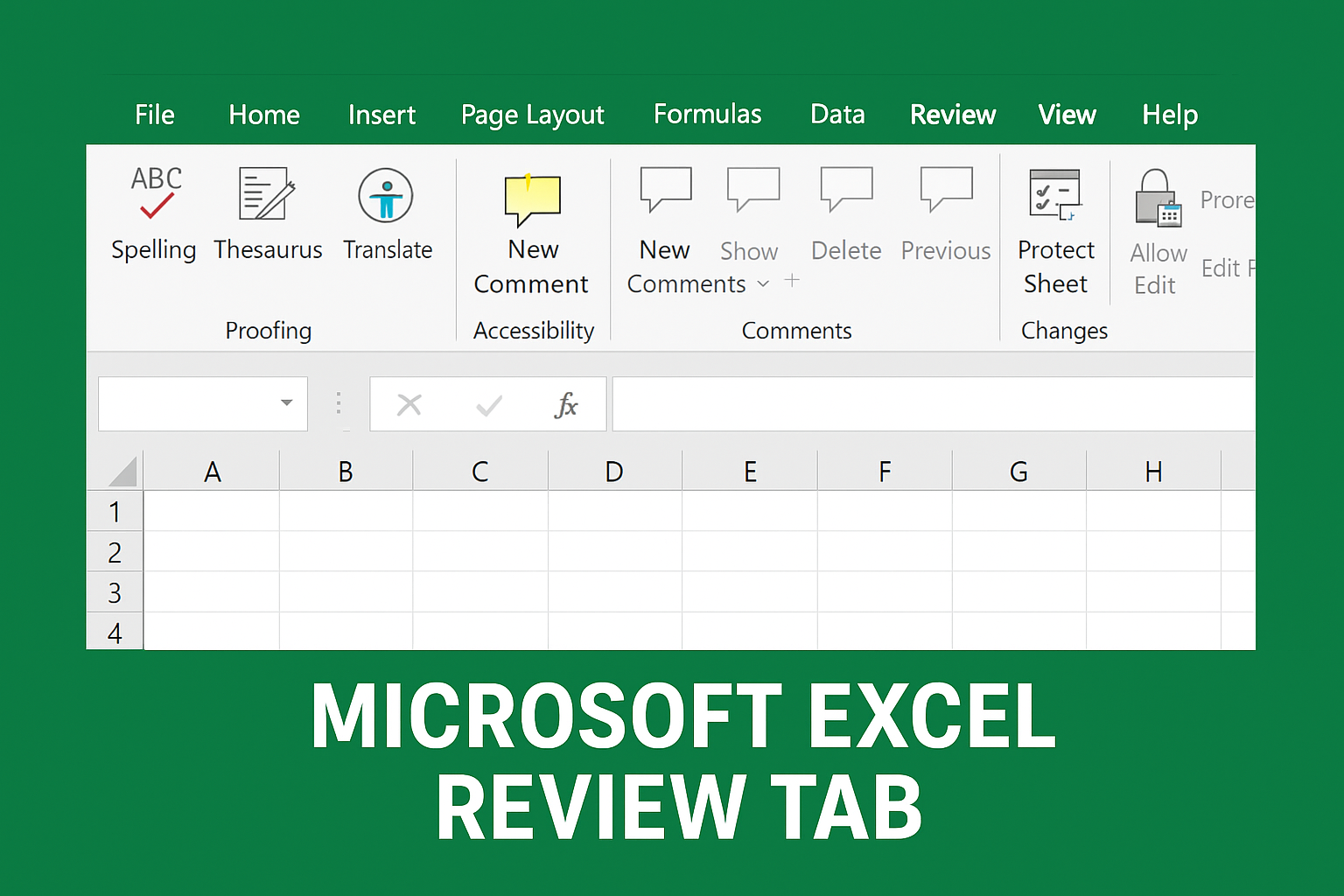
Key Features in the Review Tab
Let’s go through the important options available:
1. Proofing Tools
These tools help you correct mistakes in your worksheet.
- Spelling: Checks spelling errors in your sheet.
- Thesaurus: Suggests synonyms to improve your text.
- Translate: Translates selected text into different languages.
Tip: This is extremely useful when preparing professional reports.
2. Accessibility Checker
This tool checks if your spreadsheet is easy to read and understand for all users, including people with disabilities.
It gives suggestions on how to improve accessibility.
3. Comments
The Review Tab allows you to communicate directly inside your spreadsheet.
- New Comment: Add comments to cells for notes or instructions.
- Show/Hide Comments: View or hide comments.
- Delete Comment: Remove unwanted comments.
- Next/Previous Comment: Navigate through comments easily.
Perfect for team collaboration!
4. Notes
Notes are similar to comments but are simpler and used for personal reminders.
- You can insert, edit, or convert notes into comments.
5. Workbook Protection
Security is crucial when sharing important data.
You can:
- Protect Sheet: Restrict changes in a worksheet.
- Protect Workbook: Prevent structure modification.
- Allow Edit Ranges: Give permission to specific users to edit certain cells.
This ensures that your data stays safe and cannot be altered accidentally.
6. Track Changes (Share Workbook)
This feature is used in shared work environments.
- Tracks edits made by different users.
- Helps in reviewing who changed what and when.
Useful for team-based editing and audits.
Conclusion
The Microsoft Excel Review Tab is a highly valuable feature, especially when working on collaborative projects. With options like comments, proofing, protection, and change tracking, it makes reviewing and securing data both simple and efficient.






