
Hello friends, and welcome to Tech Gitter Official!
Today’s guide is very useful for anyone who wants to recover deleted WhatsAp Chat using only their phone — no third-party apps needed. Yes, that’s right! Sounds interesting? Let’s dive into it.
Before You Start:
If you’re new here, don’t forget to subscribe to our channel Tech Gitter Official to stay updated with the latest tech tips and tutorials.
Can You Really Recover Deleted WhatsApp Messages?
This is a common question. The truth is, there’s no official way provided by WhatsApp to fully recover deleted chats unless you’ve previously enabled backups. However, there are three simple methods you can try using just your phone — no extra apps or PC required.
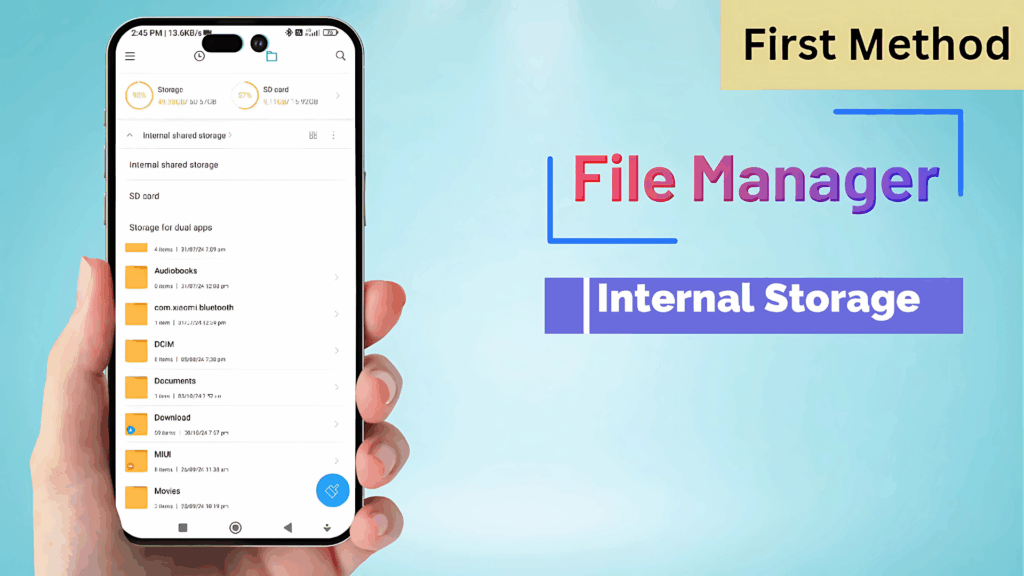
Method 1: Using File Manager (Hidden Files)
- Open your File Manager (My Files).
- Go to Internal Storage.
- Tap the three dots and enable ‘Show hidden files’.
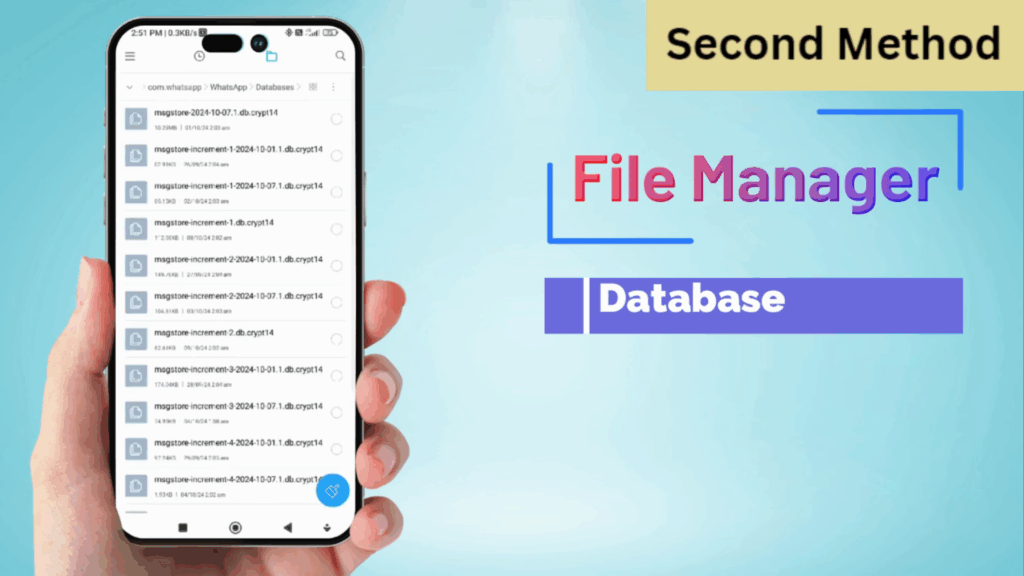
- Navigate to:
Android > Media > com.whatsapp > WhatsApp > Databases - You’ll see several files (e.g.,
msgstore.db.crypt14). - Long-press any file → choose More → Rename the file.
- Change the name slightly (e.g., add
_oldat the end) and confirm.
This method might allow WhatsApp to read an older backup file during reinstallation, but it’s not guaranteed to recover deleted messages.
Method 2: Copy & Paste Database Files
- Again, go to My Files and access the same directory:
com.whatsapp > WhatsApp > Databases - Select the database file, then tap More > Copy.
- Go to the Backup folder and Paste the copied file there.
This method gives WhatsApp access to your copied database in a new location, which may help during reinstallation — but again, recovery is not guaranteed.
Method 3: Google Drive Backup Reinstall
- Open Google Drive on your phone.
- Tap the three-line menu → go to Backups.
- Look for your WhatsApp backup, tap the three dots, and delete it.
- Uninstall WhatsApp from your phone.
- Reinstall WhatsApp from the Play Store.
- During setup, it will ask for backup recovery. If available locally, WhatsApp may try restoring from your device.
Important:
If you delete your Google Drive backup and don’t have a local backup, you could lose your data permanently. Also, media files (photos, documents) may not be recovered.
The Reality: Is Recovery 100% Possible?
Unfortunately, no. WhatsApp does not yet offer a full recovery system for deleted messages unless you have backups enabled. These methods might work in certain cases, but they’re not foolproof.
We do not recommend relying on these methods, especially if your chats or media are very important. In fact, using them incorrectly might lead to further data loss.
Until WhatsApp introduces an official recovery feature, these are the only manual options available. If WhatsApp adds such an update in the future, we’ll cover it right away.
If you found this article helpful, don’t forget to like, share, and subscribe to our YouTube channel Tech Gitter official for more tech solutions.
Have a nice day, see you in the next article!






