

Got a Steam Gift Card and excited to use it? 🎮 Redeeming one is super simple and lets you add funds to your Steam Wallet, which you can then spend on games, software, or in-game items. Whether you’re new to Steam or just haven’t used a gift card before, the process only takes a few minutes. In this blog, we’ll walk you through easy steps to redeem a Steam Gift Card, so you can start shopping and playing right away!

🛠 Step-by-Step Guide to Redeem Your Steam Gift Card
- Log in to your Steam account
Open the Steam client or visit the Steam website and sign in with your account. - Go to the redeem page
Navigate to “Redeem a Steam Gift Card or Wallet Code”. On the web version you can reach it directly via the redeem page.
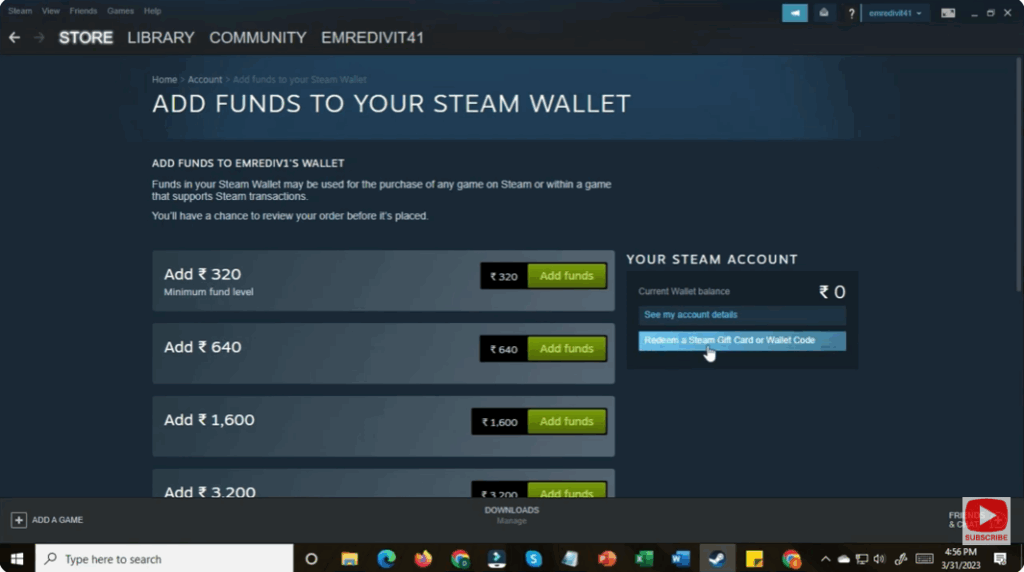
- Enter the code
Carefully type (or copy/paste) the 15-character code from your gift card into the field provided. Make sure to enter it exactly.
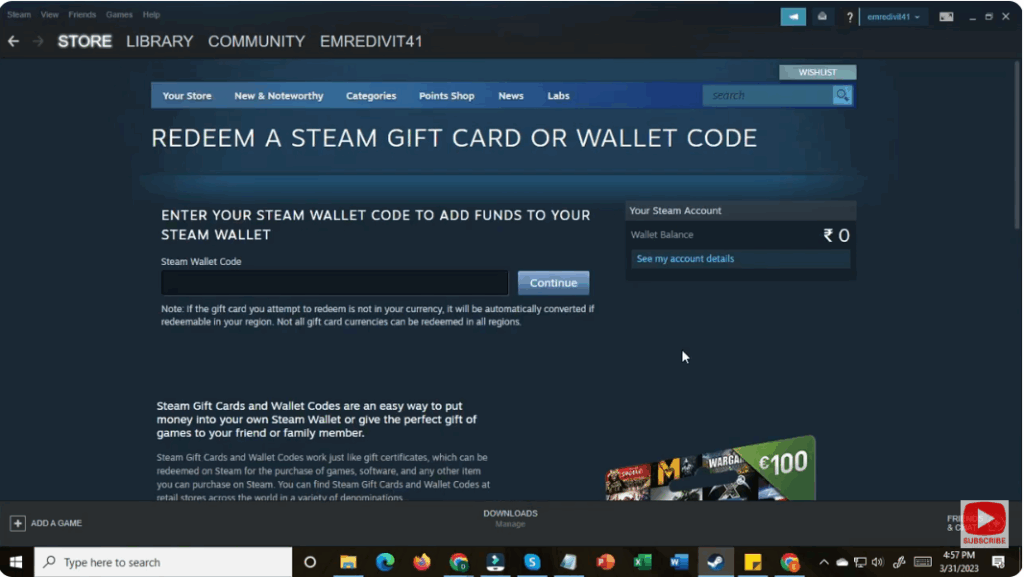
- Confirm and add funds
After entering the code, click “Continue” (or the equivalent button). Your Steam Wallet will be credited with the amount. The funds will be in your local currency as per your region. - Use your funds
Once the balance appears in your account, you can browse the Steam Store and use the funds to purchase games, DLC, or other eligible items.
📝 Summary
Redeeming a Steam Gift Card is simple: log in → navigate to the redeem page → input your code → confirm the funds have been added → start shopping. With these easy steps, you’ll be ready to dive into your next game purchase in no time.






