
A computer virus can slow down your system, corrupt files, or even steal important data. Many people think detecting a virus requires complicated tools, but the truth is—it can be done in a very simple way. With just one click, you can quickly check if your computer is infected and take action before the problem gets worse. In this blog, we’ll explain in easy language how to detect computer viruses in one click (Ek Click Mein Pata Lagaye Computer Virus), so you can keep your PC safe and running smoothly.

Here we will detect computer virus in one click.
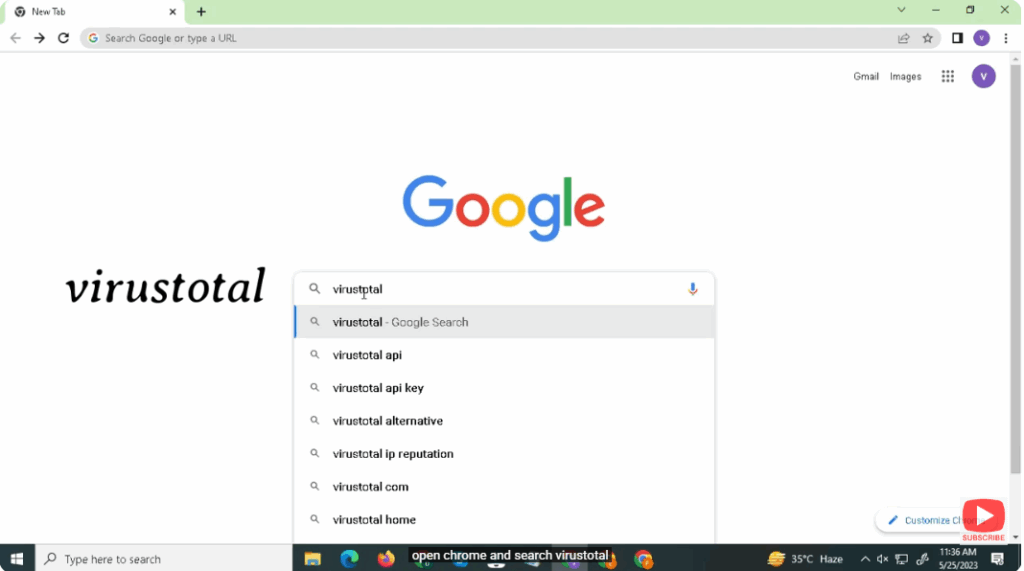
Open Chrome and search virustotal.
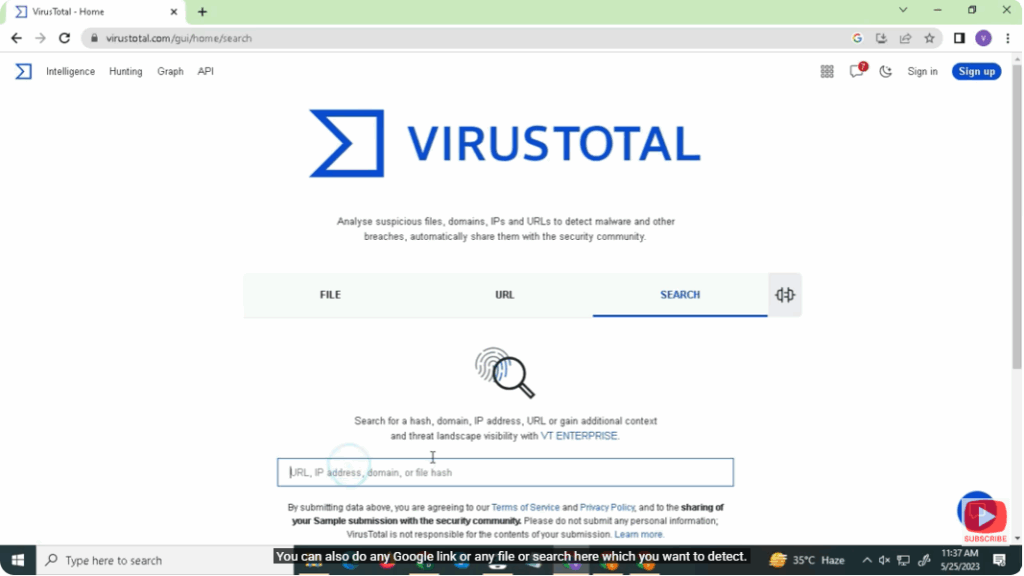
You can also do any Google link or any file or search here which you want to detect.
If you want, you can also upload any file from your device.
It will detect that file and give you whether there is any virus in that file.
Conclusion
Detecting a computer virus in one click makes protecting your PC simple and stress-free. Instead of wasting time with complicated steps, you can quickly check your system’s health and take action before any damage occurs. By using easy tools and methods, you ensure your computer stays fast, secure, and reliable. Remember, regular checks are the key to preventing bigger problems—so make it a habit to scan your PC and keep it safe with just one click.






