
Sometimes, VLC media player shows error 0xc00d36c4 because it can’t play certain video formats. This happens when the file format is not supported or the required codecs are missing. In this blog, you’ll learn easy ways to fix this unsupported format problem, like updating VLC, converting video files to a supported format, installing missing codecs, or using repair tools so you can enjoy your videos without any interruptions.
Let’s start with the easiest method first.
Method 1: Repairing the File Using VLC
VC media player can repair certain types of video corruption. So we’ll try that first.
- Open VC media player.
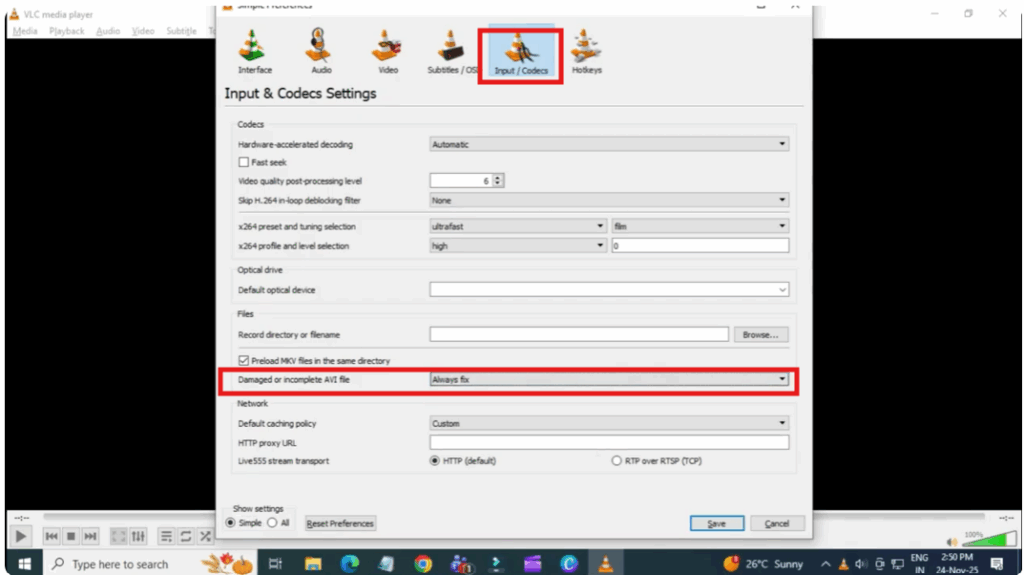
- Go to tools and click on preferences.
- Now click on input/codeex.
- Find this option damaged or incomplete AVI file.
- Change it to always fix.
After doing this, make a copy of your corrupt file.
Rename the copy from ov to Aavi.
Try opening the converted video in VC.
If your corruption is minor, VC will rebuild the index and the video should play again.
Method 2: Professional Video Repair (Deep Fix)
If VC couldn’t repair your file, it means the corruption is more serious. For more serious repairs, you’ll need a dedicated video repair tool.
You can use any reliable video repair software such as:
• 4DDG Video Repair
• Stellar Video Repair
• Wondershare Repairit
Choose one you trust. These tools fix formats like MP4, AVI and more.
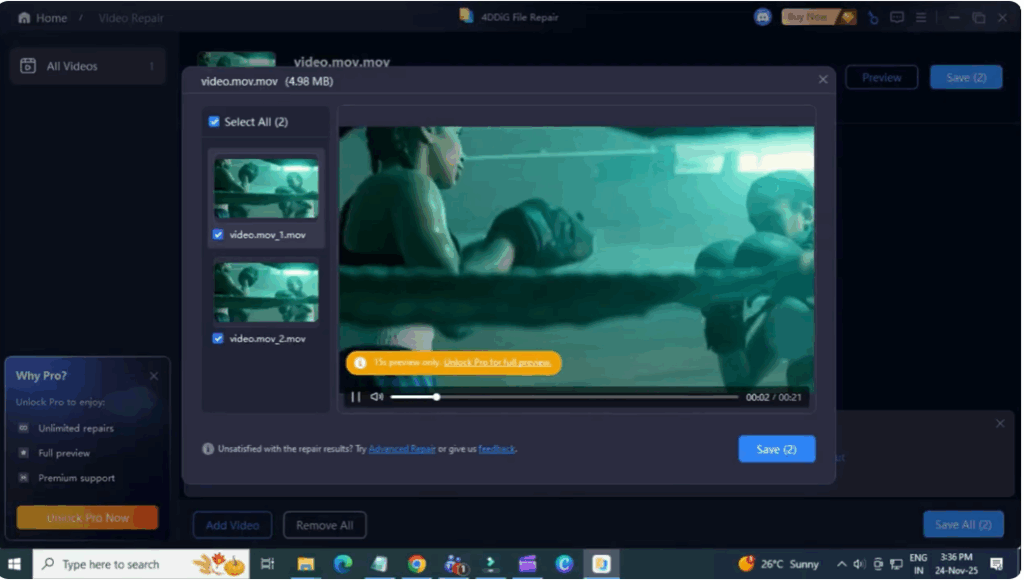
Steps:
- Install any repair software.
- Select video repair.
- Add corrupted files.
- Click start repair.
- Wait for the scan to finish.
- Preview the repaired video.
- Export the repaired file to your PC.
These tools rebuild broken video headers, frames, audio tracks, and metadata, making even severely damaged files playable again.






