

Writing the squared (²) symbol in Excel is very useful when you’re working with numbers, formulas, or even simple text like area measurements (for example, m² or cm²). Many beginners get confused because the squared symbol isn’t directly available on the keyboard. The good news is, Excel gives you easy ways to insert it—whether you’re typing it as part of text or using it with numbers. In this beginner-friendly blog, we’ll explain in simple language how to write the squared symbol in Excel step by step, so your data looks neat and professional.
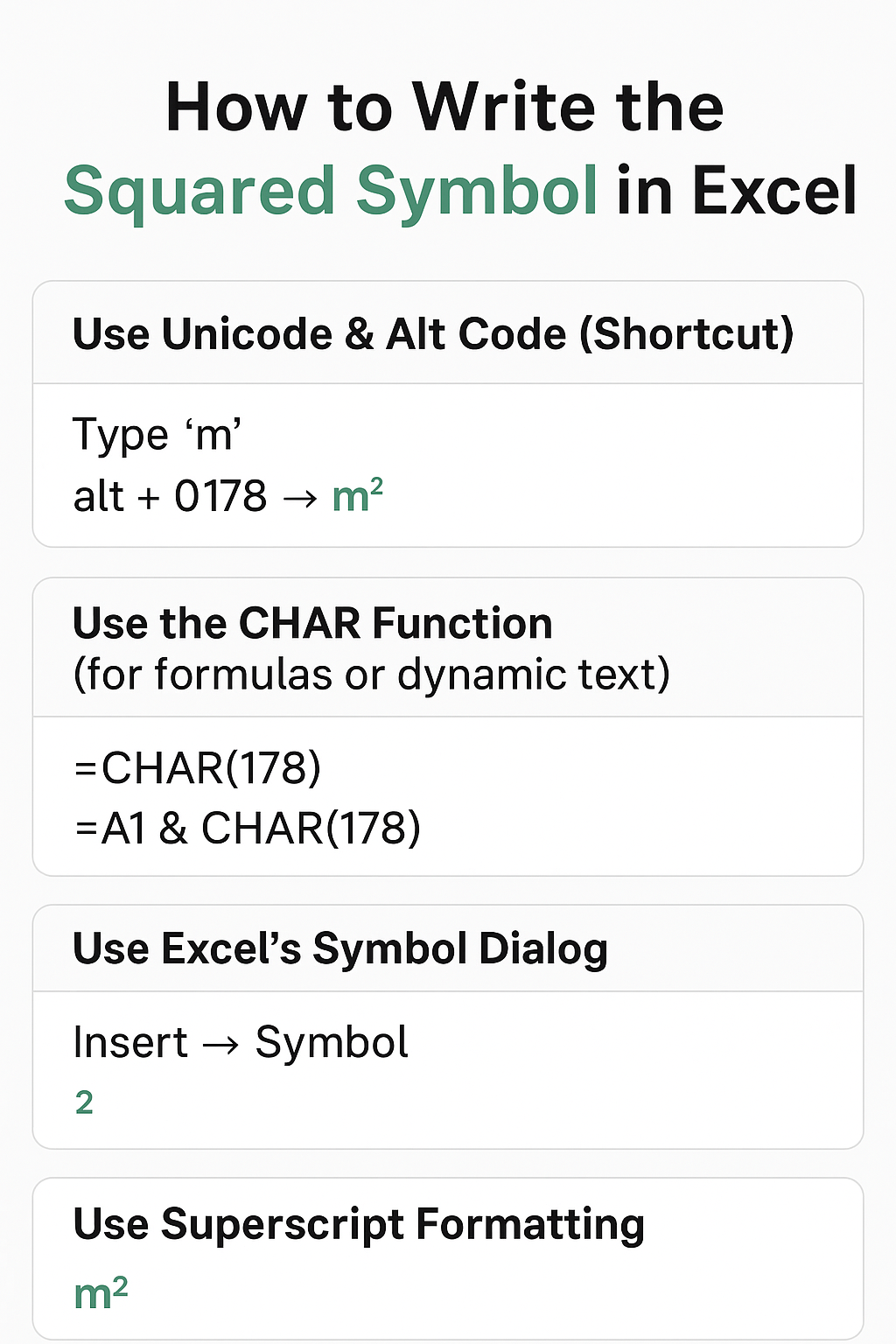
Method 1: Use Excel’s Symbol Dialog
- Select the cell → go to Insert → Symbol.
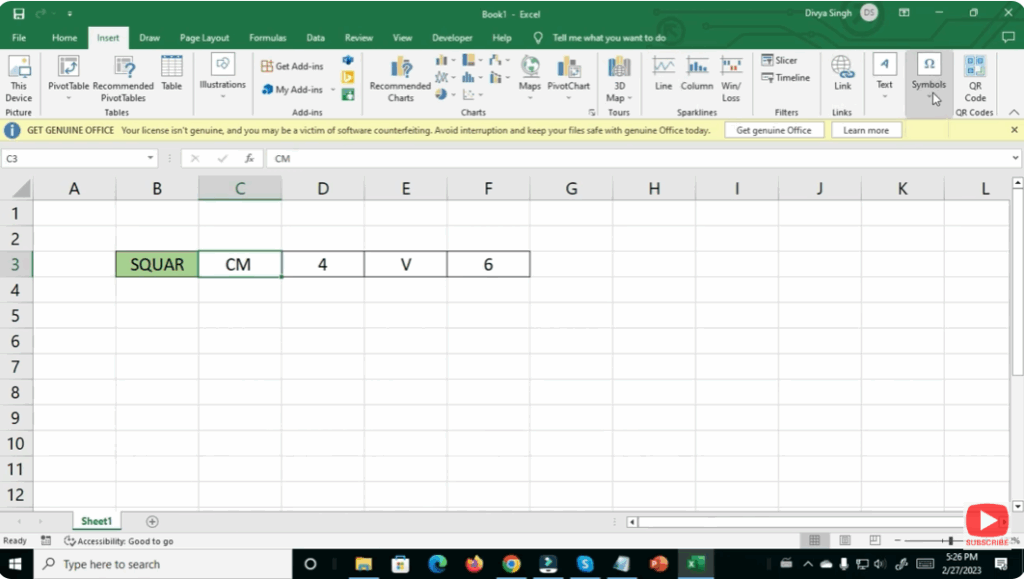
- In the Symbol window, choose a common font (e.g. Calibri, Arial).
- In the “Subset” dropdown, select Superscripts and Subscripts (or Latin-1 Supplement if you don’t see superscripts).
- Find and select the squared symbol
²→ click Insert → then Close.
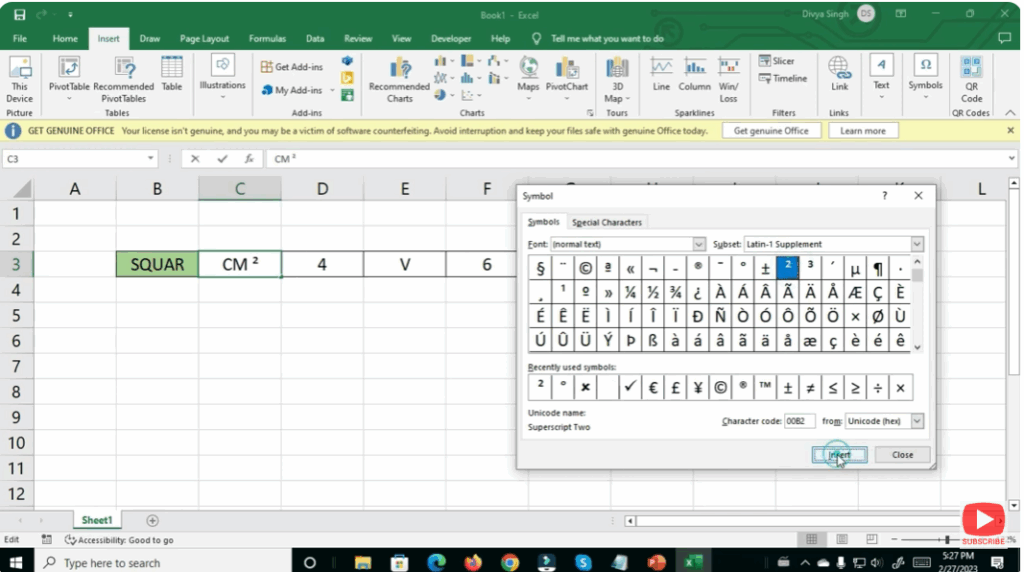
- Now your cell displays the squared symbol — append it to your text/number as needed (e.g.
cm²).
This is useful when you want a more visual method, or if you don’t remember the Alt code.
Conclusion
Writing the squared symbol in Excel is straightforward once you know your options. Whether you use the Symbol dialog you can reliably get ² — and even format it properly. Choose the method best suited to your workflow, and you’ll avoid messy workarounds or mismatched formatting.






