---Advertisement---

There Was Some Problem Installing Updates In Windows FIX || Fix Windows 10 Updates Failed

Published On: September 2, 2025
Installing Updates In Windows
---Advertisement---

Hi Friends, welcome to my channel Tech Gitter.

Here we fix some problems installing updates in Windows 10.
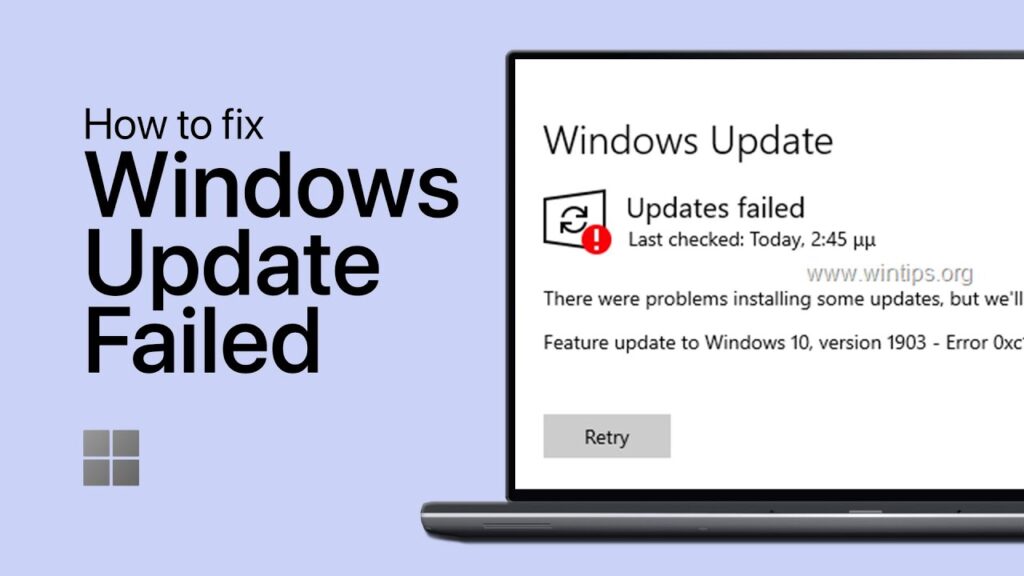
Fix Windows 10 Updates Failed

First, in your system, open “Troubleshoot Settings”.

You can now view the “Additional Troubleshooters” – click on this.
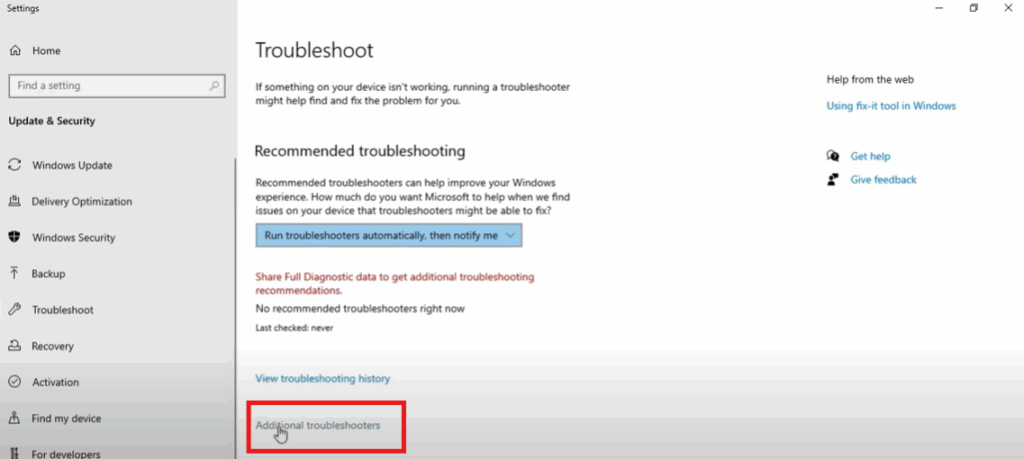
Additional Troubleshooters

Here are some options, we have to update Windows, then click on it. A Run Troubleshooter option will appear, click on it.
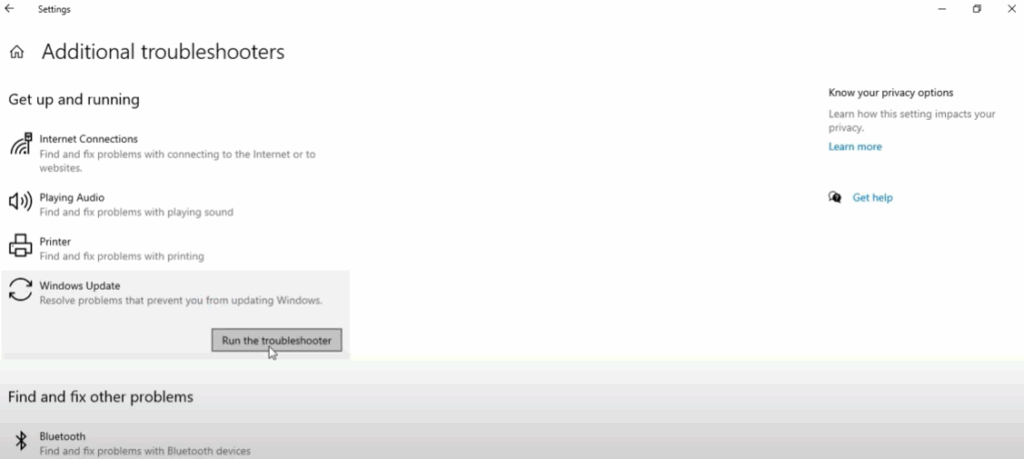
Run Troubleshooter

Now open CMD and enter code to fix the problem.

Type the command:

sfc /scannow
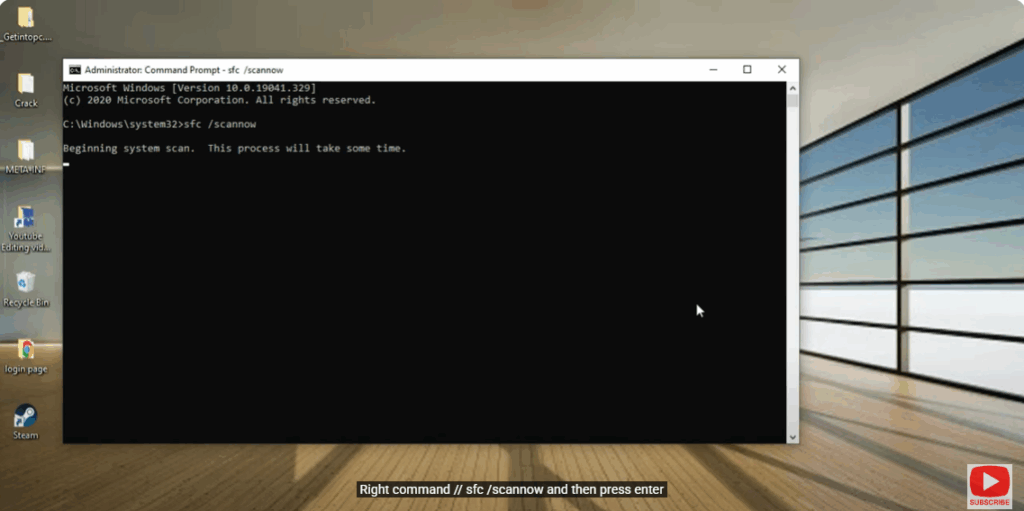
sfc /scannow

and then press Enter.
This process will take some time.

Next, type the command:

dism /online /cleanup-image /restorehealth
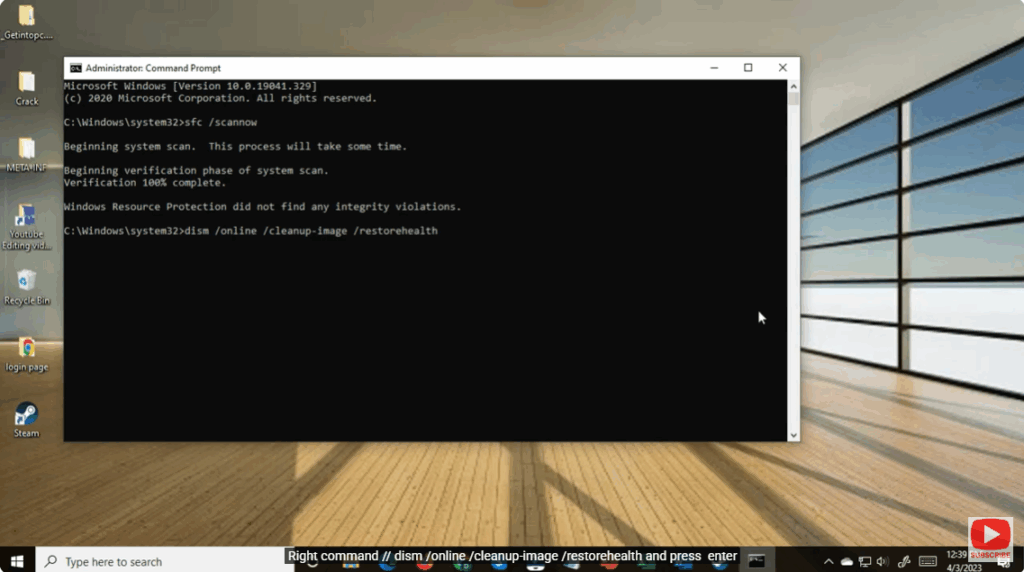
restorehealth

and press Enter.

The process will complete. Now close it and restart your PC.

Thank you for watching this video.

---Advertisement---

Related Post

Enable New Windows 11 25H2 Features After December Update (KB5070311)
Enable/Disable Steam Networking IP Sharing – Step-by-Step Guide
Valorant Stuck on Loading Screen? Fix It Now!
Tips

Valorant Stuck on Loading Screen? Fix It Now!

By Tech Gitter
|
December 31, 2025
How to Increase or Decrease Font Size in Google Chrome
Solutions

How to Increase or Decrease Font Size in Google Chrome

By Tech Gitter
|
December 29, 2025

Leave a Comment

Join WhatsApp Join Telegram





