---Advertisement---

How to BACKUP Whatsapp Chats in 30 Seconds or Less? | whatsapp Backup |

Published On: September 3, 2025
How to BACKUP Whatsapp Chats in 30 Seconds or Less whatsapp Backup
---Advertisement---

Hello friends, welcome back to my channel Tech Gitter.

To take a WhatsApp chat backup from your internal storage quickly, follow these steps. Here’s a quick guide to take a WhatsApp backup in just 30 seconds:

  1. Launch WhatsApp on your device.
  2. Tap the three dots menu in the top right corner, or tap Settings at the bottom.
  3. Tap on Chats.
  4. In the Chats menu, tap Chat Backup.
  5. Tap Backup Now and wait for the backup.
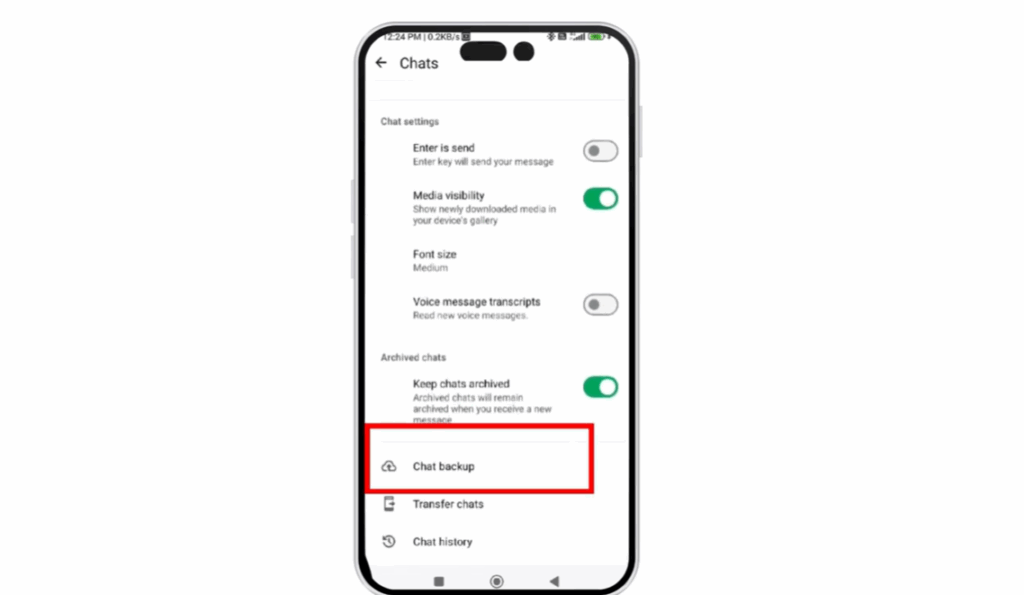
Chat Backup

The backup will start immediately. It may take a few seconds to complete depending on the size of your chats, but it should be finished in under a minute.

Thanks for watching, and have a fantastic day!

---Advertisement---

Related Post

Enable New Windows 11 25H2 Features After December Update (KB5070311)
Enable/Disable Steam Networking IP Sharing – Step-by-Step Guide
Valorant Stuck on Loading Screen? Fix It Now!
Tips

Valorant Stuck on Loading Screen? Fix It Now!

By Tech Gitter
|
December 31, 2025
How to Increase or Decrease Font Size in Google Chrome
Solutions

How to Increase or Decrease Font Size in Google Chrome

By Tech Gitter
|
December 29, 2025

Leave a Comment

Join WhatsApp Join Telegram





