
Hello friends, welcome back to my channel Tech Gitter.
To take a WhatsApp chat backup from your internal storage quickly, follow these steps. Here’s a quick guide to take a WhatsApp backup in just 30 seconds:

- Launch WhatsApp on your device.
- Tap the three dots menu in the top right corner, or tap Settings at the bottom.
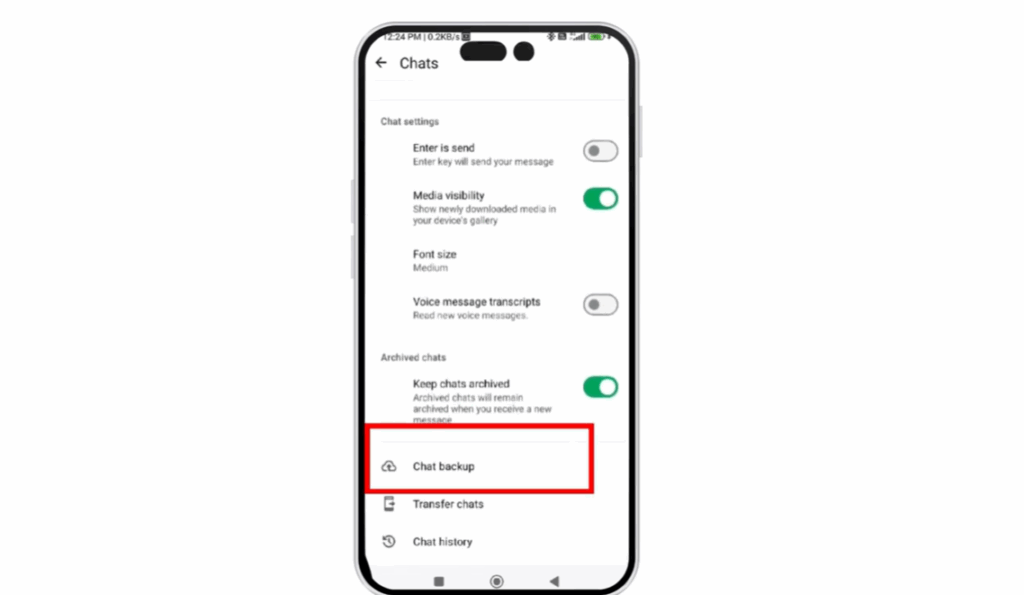
- Tap on Chats.
- In the Chats menu, tap Chat Backup.
- Tap Backup Now and wait for the backup.
The backup will start immediately. It may take a few seconds to complete depending on the size of your chats, but it should be finished in under a minute.
Thanks for watching, and have a fantastic day!






