
Hello friends, welcome to my channel Tech Gitter. In today’s guide, we will discuss the steps to activate your United Healthcare OTC card for use at Walmart.
You will usually need to follow the steps provided by the card issuer. First, make sure you have received your UHC card and that it is the one you want to use for shopping at Walmart. UHC cards may be associated with different health plans or benefits, so verify that it is the right one for your needs, such as HSA, FSA, or other eligible accounts.
Step 1: Review Activation Instructions
United Healthcare usually includes activation instructions with your card. Read them carefully. Activation may require you to:
- Call the phone number on the back of your card, or
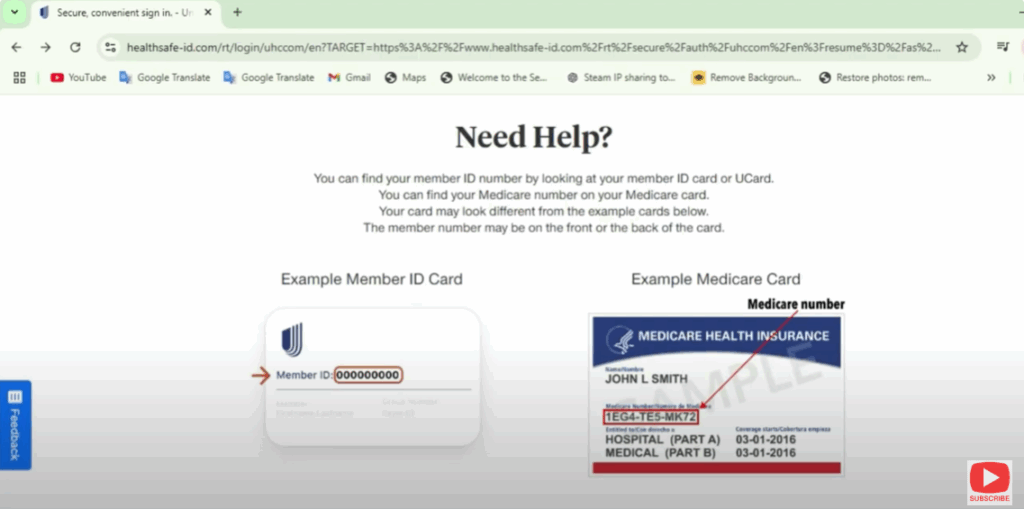
- Visit the UHC member website: www.uhc.com and click Sign In for card activation.
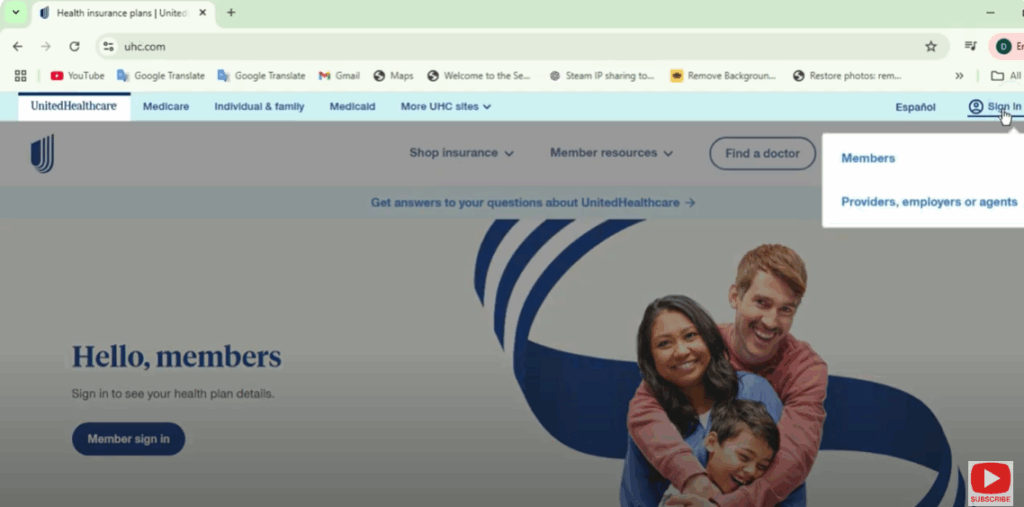
If you already have an account, simply log in using your username and password.
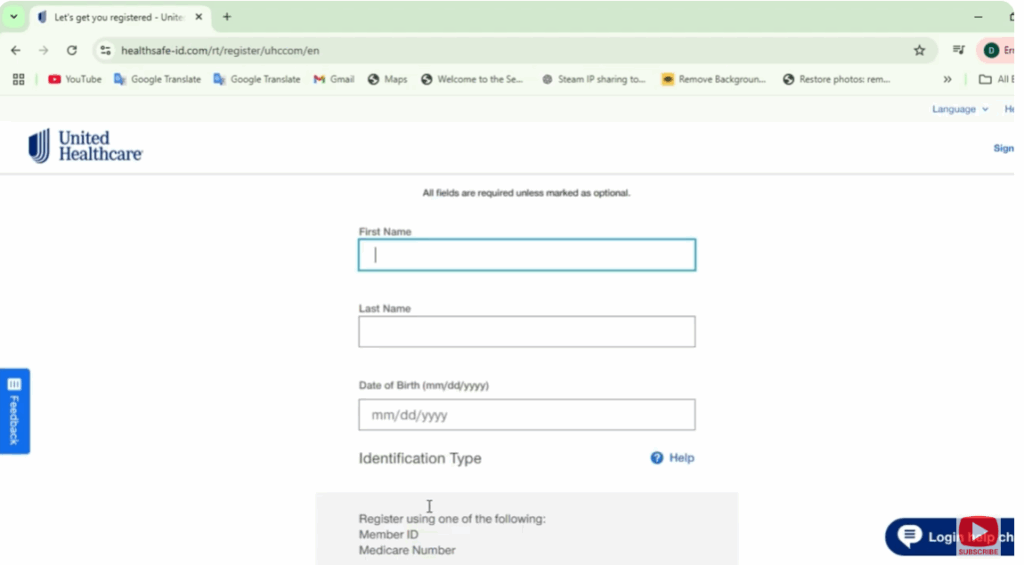
If you haven’t registered yet, click Register Now and follow these steps:
- Enter your first name and last name.
- Provide your date of birth.
- Register using either your Member ID or Medicare number.
- Click Continue to complete the process.
You can also use the United Healthcare mobile app to activate your card by logging in and following the on-screen prompts.
If you encounter any problems during activation, contact UHC customer service. The phone number is printed on the back of your card.
Once activated, your card will be ready to use at Walmart or another eligible provider.
Step 2: How to Use Your UHC OTC Card at Walmart
Using your activated United Healthcare OTC card at Walmart is simple and works like a debit or credit card:
- Select eligible items under OTC health and wellness that are covered by your UHC plan.
- Go to the cashier and inform them that you will use your United Healthcare OTC card for payment.
- Swipe or insert your card at the terminal.
- Enter your PIN to complete the transaction.
Step 3: Check Your UHC OTC Card Balance
To track your card balance:
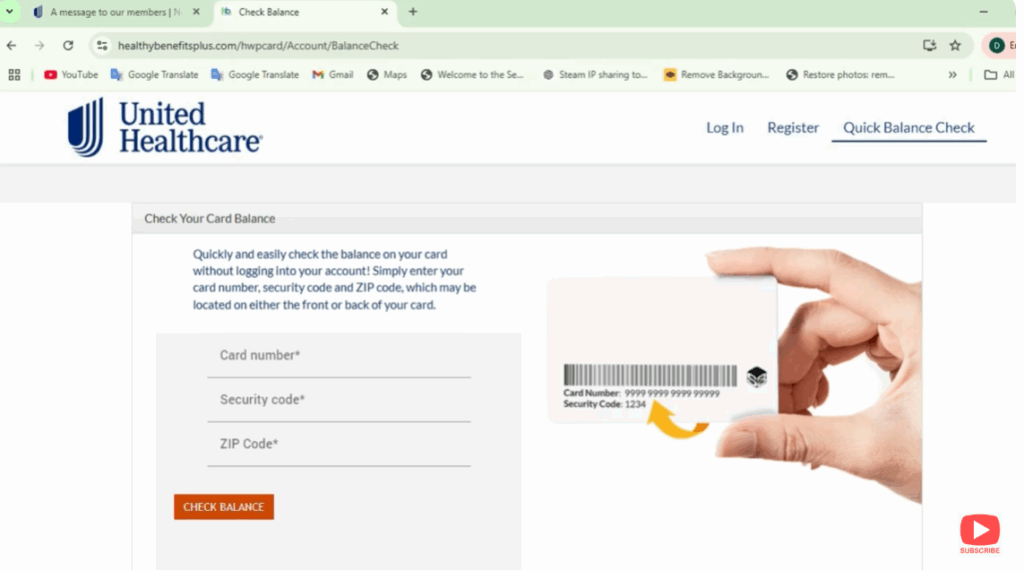
- Visit the United Healthcare OTC card website (the web address is usually listed on the back of your card).
- Log in with your account credentials.
- Follow the prompts to verify your card and check the available balance.
Final Words
With your card activated and ready, you can enjoy convenient shopping at Walmart for all eligible OTC items.
If you enjoyed this guide, don’t forget to like and share it. And if you’re new to the channel, make sure to subscribe for more helpful tutorials.
Thanks for watching, and have a wonderful day!






