
Learning computer shortcut keys in MS Office is the fastest way to work smarter and save time, whether you’re writing, making a spreadsheet, or preparing a presentation. These handy keyboard shortcuts let you quickly copy, paste, format, switch windows, and do dozens of other everyday tasks—without touching your mouse. In this blog, you’ll find a complete list of the most useful shortcut keys for Word, Excel, PowerPoint, and Outlook so you can boost your productivity and get work done more efficiently in any Microsoft Office program.
📘 MS Word Shortcut Keys
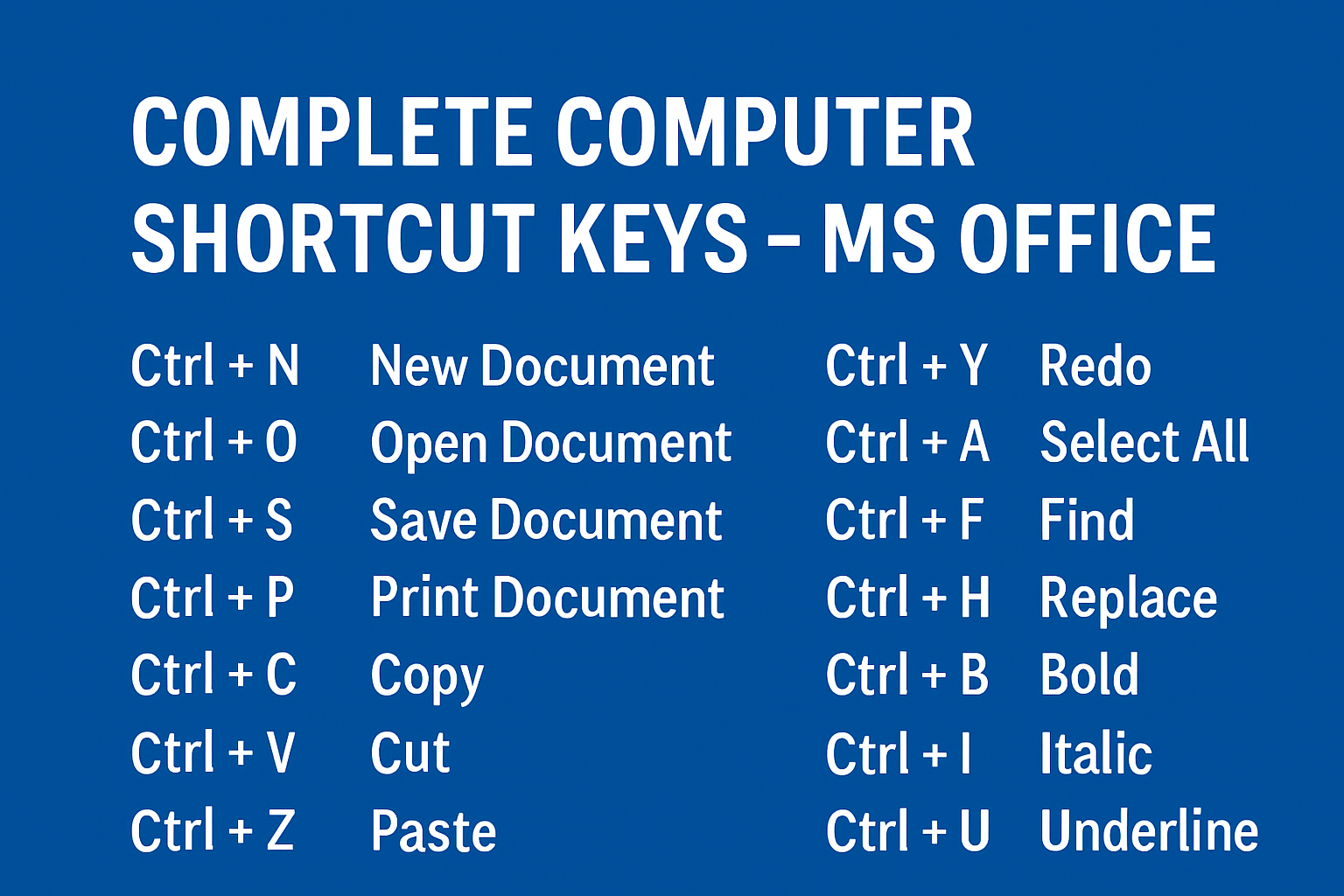
- Ctrl + N – New Document
- Ctrl + O – Open Document
- Ctrl + S – Save Document
- Ctrl + P – Print Document
- Ctrl + C – Copy
- Ctrl + X – Cut
- Ctrl + V – Paste
- Ctrl + Z – Undo
- Ctrl + Y – Redo
- Ctrl + A – Select All
- Ctrl + F – Find
- Ctrl + H – Replace
- Ctrl + B – Bold
- Ctrl + I – Italic
- Ctrl + U – Underline
- Ctrl + P – Open Print Dialogue
- Ctrl + F2 – Print Preview
- Ctrl + F3 – Cut to the Spike
- Ctrl + F4 – Close the Active Document
- Ctrl + F5 – Restore the Document Window Size
- Ctrl + F6 – Switch Between Open Documents
- Ctrl + F7 – Activate the Spelling and Grammar Check
- Ctrl + F8 – Extend a Selection
- Ctrl + F9 – Insert an Empty Field
- Ctrl + F10 – Maximize the Document Window
- Ctrl + F11 – Lock a Field
- Ctrl + F12 – Open the “Save As” Dialogue Box
📊 MS Excel Shortcut Keys
- Ctrl + Arrow Keys – Move to the Edge of Data Region
- Ctrl + Space – Select Entire Column
- Ctrl + Shift + Plus (+) – Select Entire Row
- Ctrl + Minus (–) – Insert New Worksheet
- Ctrl + Shift + $ – Apply Currency Format
- Ctrl + Shift + % – Apply Percentage Format
- Ctrl + Shift + # – Apply Date Format
- Ctrl + D – Paste Special
- Ctrl + R – Fill Right
🖼️ PowerPoint Shortcut Keys
- Ctrl + Enter – Insert a New Slide
- Ctrl + M – Insert a New Slide in Slide Sorter View
- Alt + Shift + Left Arrow – Promote a Paragraph
- Alt + Shift + Right Arrow – Demote a Paragraph
- Ctrl + Shift + Plus (+) – Insert a New Slide
- Ctrl + D – Duplicate the Selected Slide
- Ctrl + E – Center Align Text
- F5 – Start the Presentation
- Ctrl + F5 – Start the Presentation from the Current Slide






