
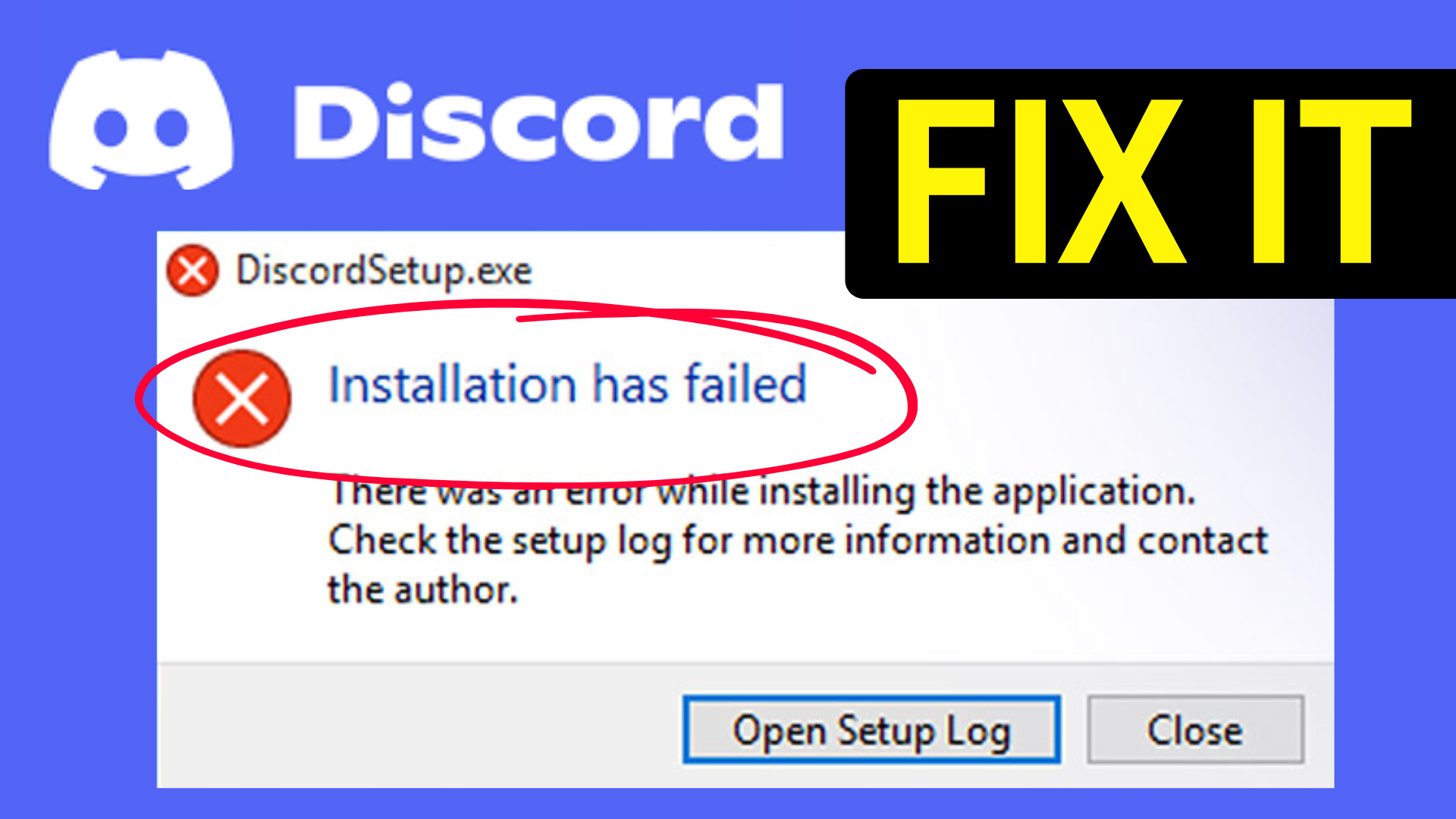
If you’re having trouble installing Discord on Windows 10 or 11 with an error saying “Installation Failed,” don’t worry—it’s a common issue and can be fixed with some simple steps. This blog will guide you through easy solutions like running the installer as an administrator, clearing Discord’s cache files, temporarily disabling antivirus, and using Microsoft’s troubleshooter to get Discord up and running smoothly again fast.
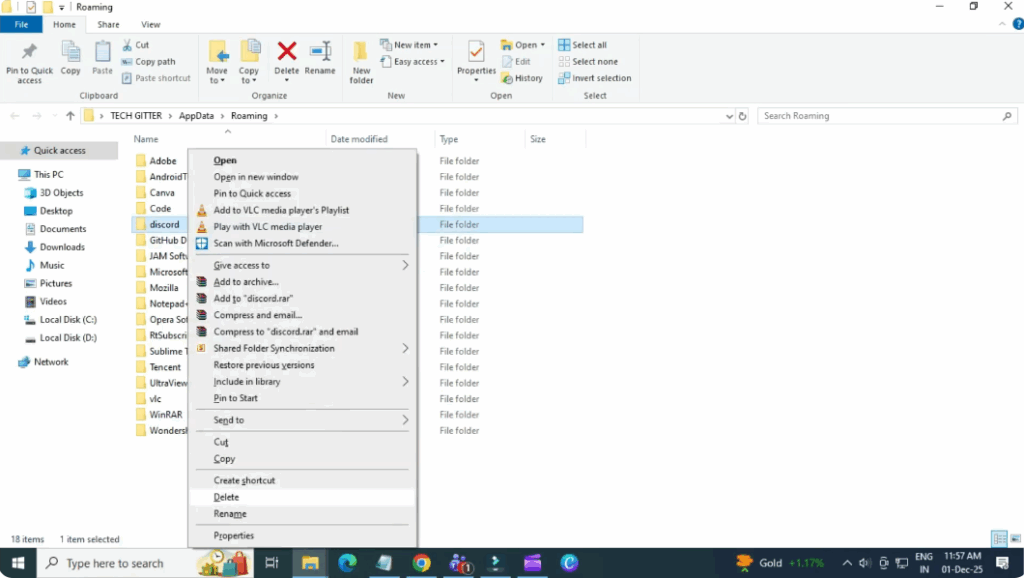
Delete old Discord files
Click on the start menu and search for run. Open it and type percent app data percent. Press enter. Scroll down and look for the Discord folder. Right click it and delete it.
Now repeat the same thing. Open run again. Type percent local app at a percent. Delete the Discord folder if it appears.
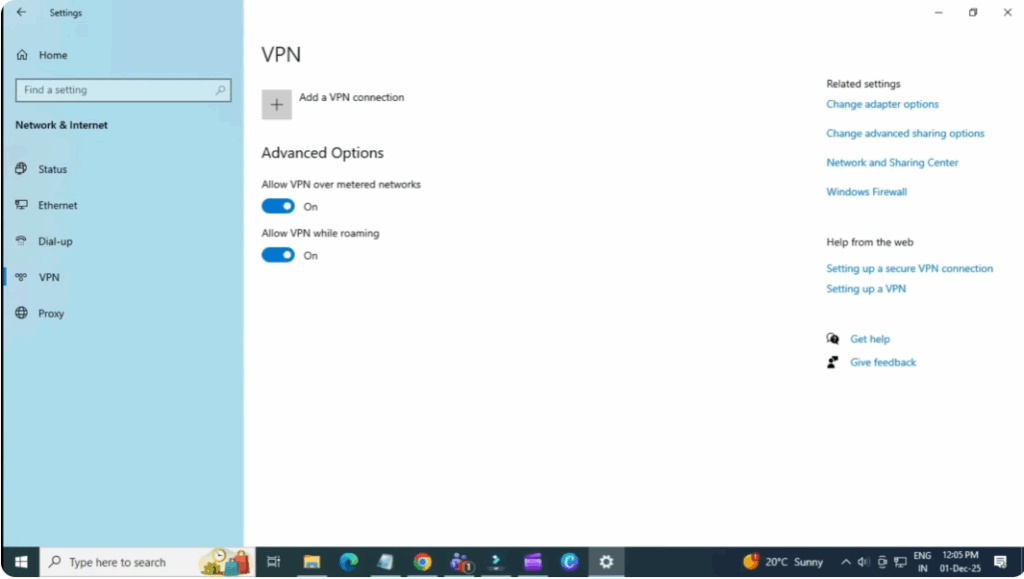
Check VPN settings
Open settings and go to network and internet. Click VPN. If you’re connected to a VPN, disconnect it. If you have a VPN installed but not connected, try connecting and then reinstalling Discord.
Close background processes
Open your task manager. Find Discord in the process list. If it appears, rightclick it and select end task.
Download a new installer
Open your browser and go to discord.com/download. Download Discord setup.exit.
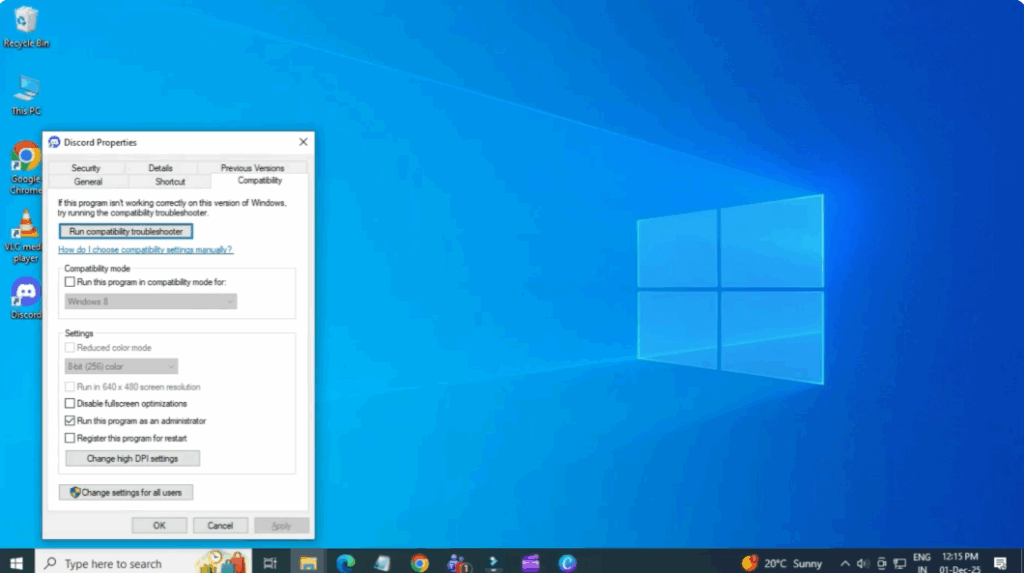
Right click on the downloaded file and go to properties. Click compatibility. Check run this program as administrator. Apply then okay. Try launching the installer again.
Start the Windows installer service
Go to the start menu and search for services. Scroll down and find Windows Installer. Double click it. If the service is stopped, click start, then press okay.
Reset Windows Installer
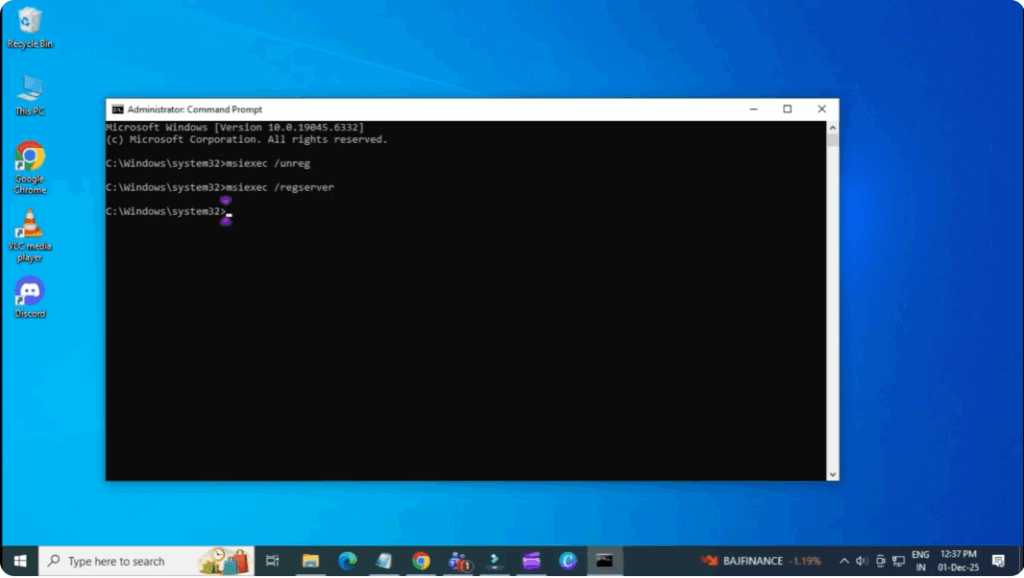
Search for cmd in the Start menu. Right click and select run as administrator. Now type the following commands one by one.
Seekx/unregx/redge server.
Restart your PC and then try installing Discord again.
And that’s it. One of these methods should fix the Discord installation problem.






