
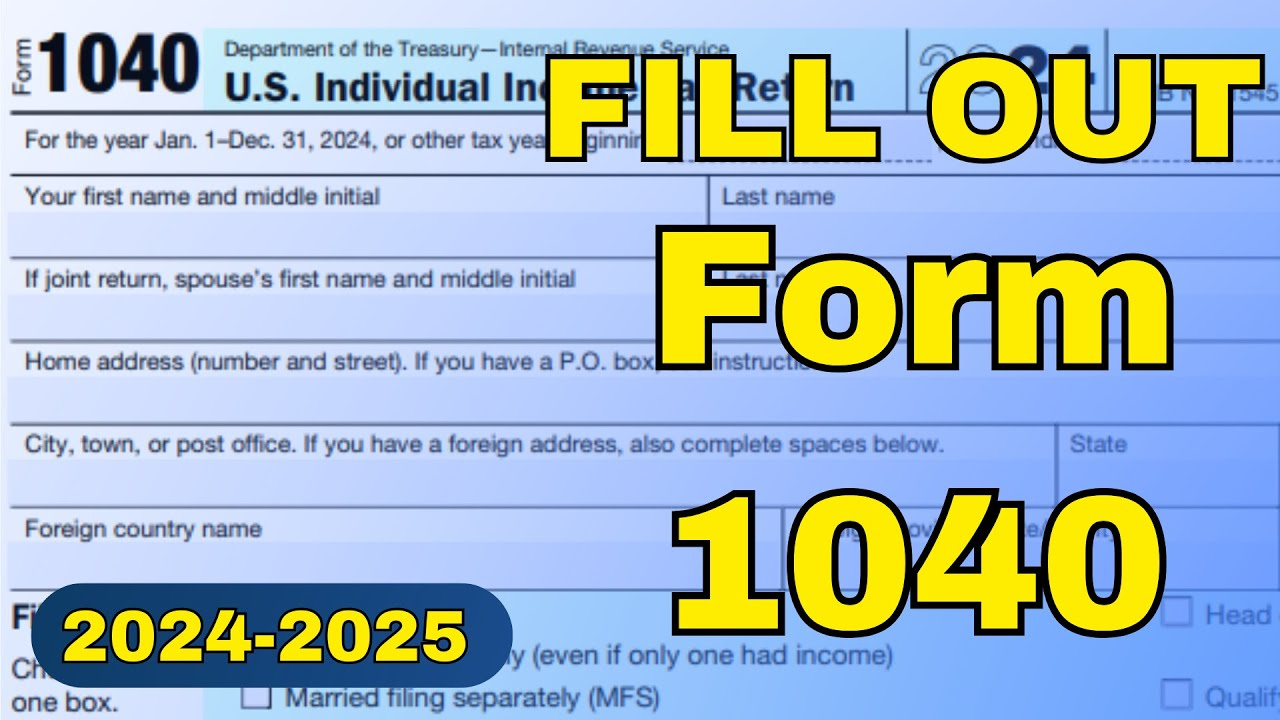
Hey friends, welcome back to my channel Tech Gitter. In today’s article, we are going to tell you about IRS Form 1040.
Filling out IRS Form 1040 reports your income, claims deductions, and calculates your tax liability. Below is a step-by-step guide to help you complete Form 1040 for your tax return.
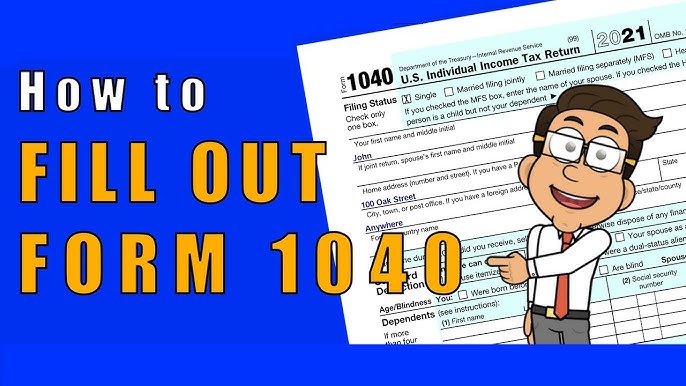
Step 1: Provide Personal Information
At the top of the form, enter your full name, address, and Social Security Number (SSN).
- If you are married and filing jointly, enter your spouse’s name and SSN.
Filing Status: Choose your filing status. There are six options:
- Single
- Married Filing Jointly
- Married Filing Separately
- Head of Household
- Qualifying Surviving Spouse
- If treating a non-resident alien or dual status
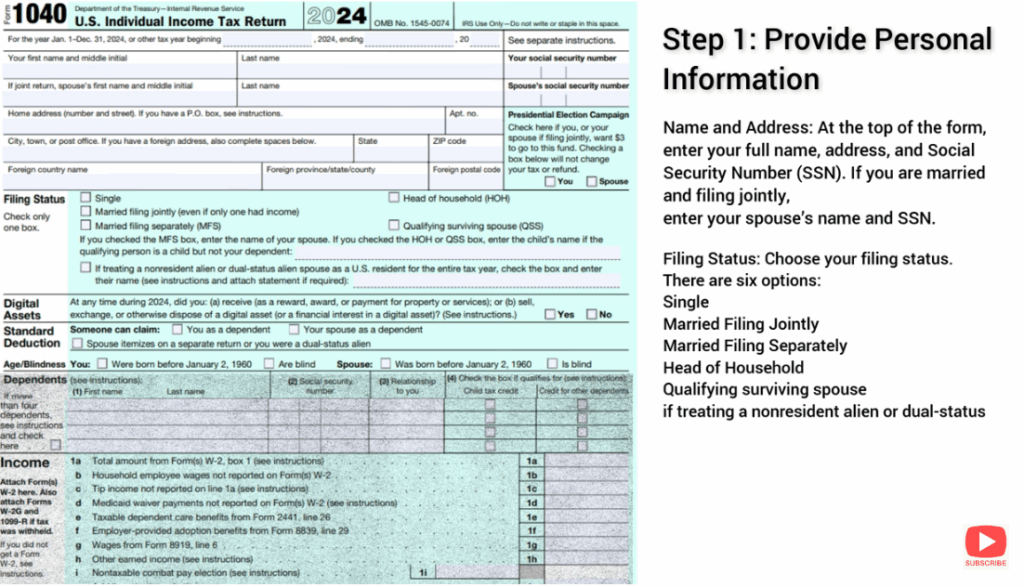
Step 2: Report Your Income
- Line 1a: Total amount from Forms W-2, Box 1
- Line 2a: Tax-exempt interest
- Line 3: Qualified dividends
- Line 4a: IRA distributions
- Line 5a: Pensions and annuities
- Line 6a: Social Security benefits
Step 3: Adjustments to Income
- Line 10: Adjustments to income from Schedule 1
- Line 26: Total adjustments
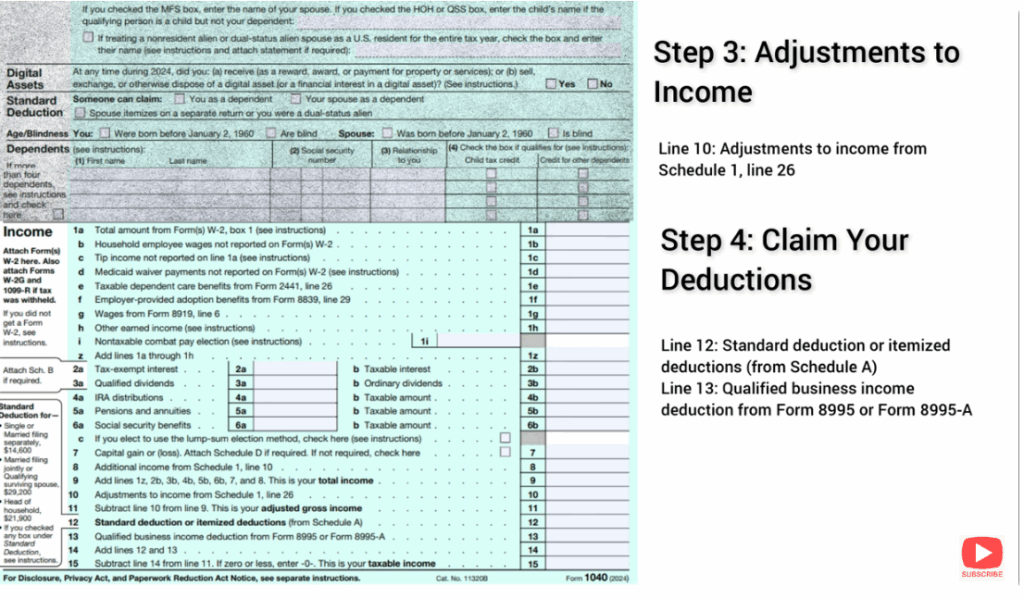
Step 4: Claim Your Deductions
- Line 12: Standard deduction or itemized deductions from Schedule A
- Line 13: Qualified Business Income Deduction from Form 8995
Step 5: Calculate Your Taxable Income
- Line 15: Subtract Line 14 from Line 11. If zero or less, enter “0.”
This is your taxable income.
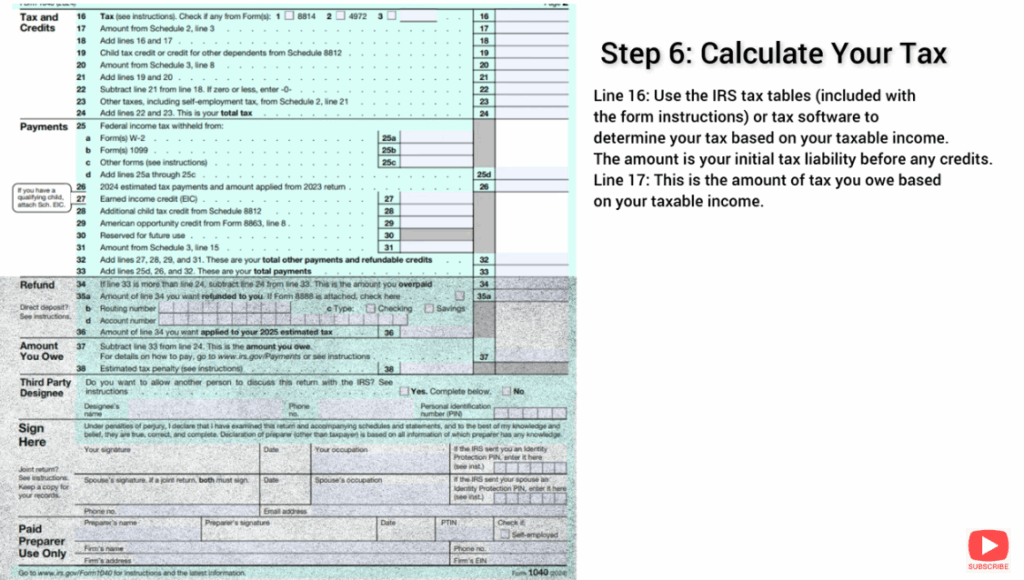
Step 6: Calculate Your Tax
- Line 16: Use the IRS tax tables included with the form instructions or tax software to determine your tax based on taxable income. This is your initial tax liability before credits.
- Line 17: This shows the amount of tax you owe based on taxable income.
Step 7: Claim Tax Credits
- Line 19: Child Tax Credit or Credit for Other Dependents from Schedule 8812.
Step 8: Additional Taxes (If Applicable)
- Line 23: Add any additional taxes such as self-employment tax, additional tax on IRAs or retirement plans, and household employment taxes. These are reported on Schedule 2.
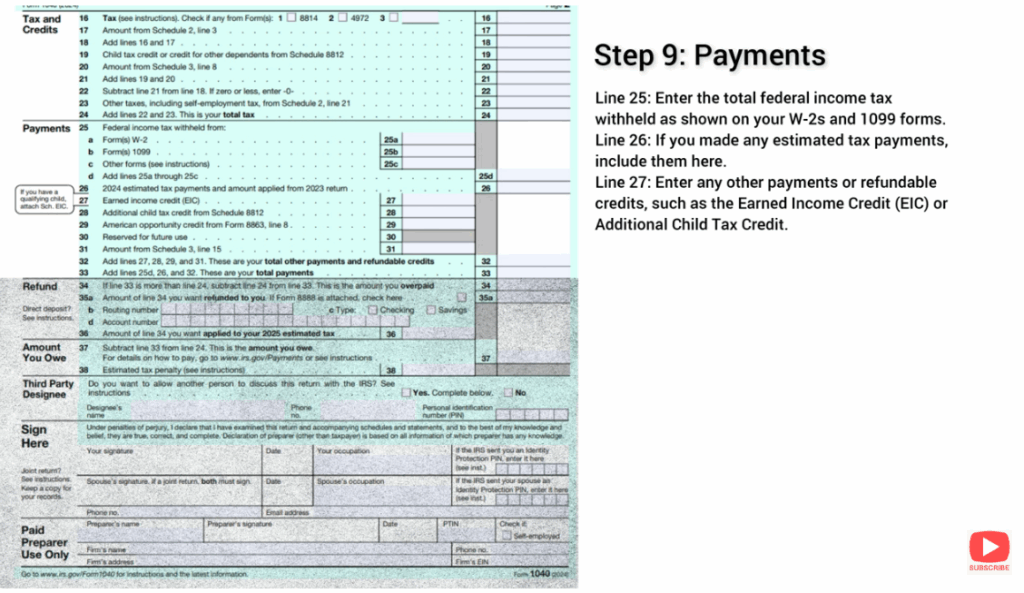
Step 9: Payments
- Line 25: Enter total federal income tax withheld (from W-2 and 1099 forms).
- Line 26: Include any estimated tax payments made.
- Line 27: Enter other payments or refundable credits such as the Earned Income Credit (EIC) or Additional Child Tax Credit.
Step 10: Determine Refund or Amount Owed
- Line 34: If total payments and credits exceed tax liability, you are due a refund. Enter refund amount.
- Line 37: If tax liability exceeds payments, you owe money. Enter the amount you owe here.
Step 11: Sign and File the Form
- Sign the Form: Both you and your spouse (if filing jointly) must sign and date the form.
- Direct Deposit Information: If you’re owed a refund, provide your bank account number and routing number for direct deposit.
- Mailing the Form: If filing by paper, mail the completed Form 1040 to the IRS address listed in the instructions. Alternatively, you can file electronically (e-file) for faster processing.
Final Note
Thanks so much for reading! If you enjoyed this guide, don’t forget to like, share, and subscribe to the channel for more content. Your support means a lot. Have a wonderful day!






