
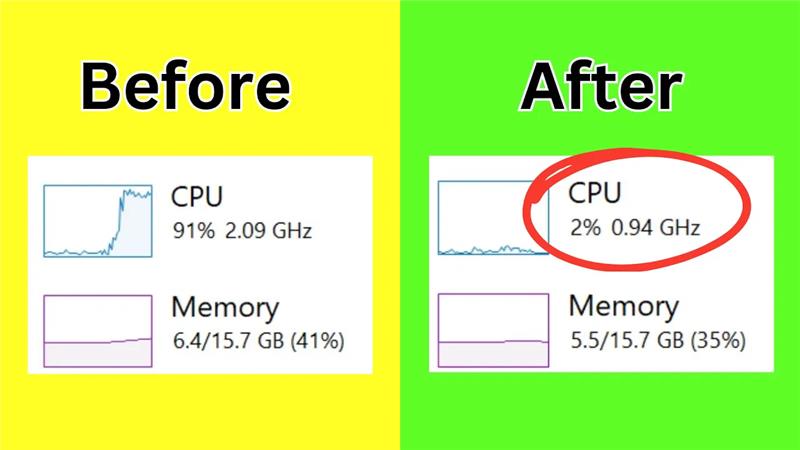
Hello friends how are you all. Welcome back to my channel Tech Gitter. In today’s video you will see how we can fix 100% disk and CPU usage and also how to increase FPS so that you can play the game without any lag.
Let’s start the video.
Step 1: Open Device Manager
- Come to your Windows screen, go to the Start Menu, and search for Device Manager.
- Open it.
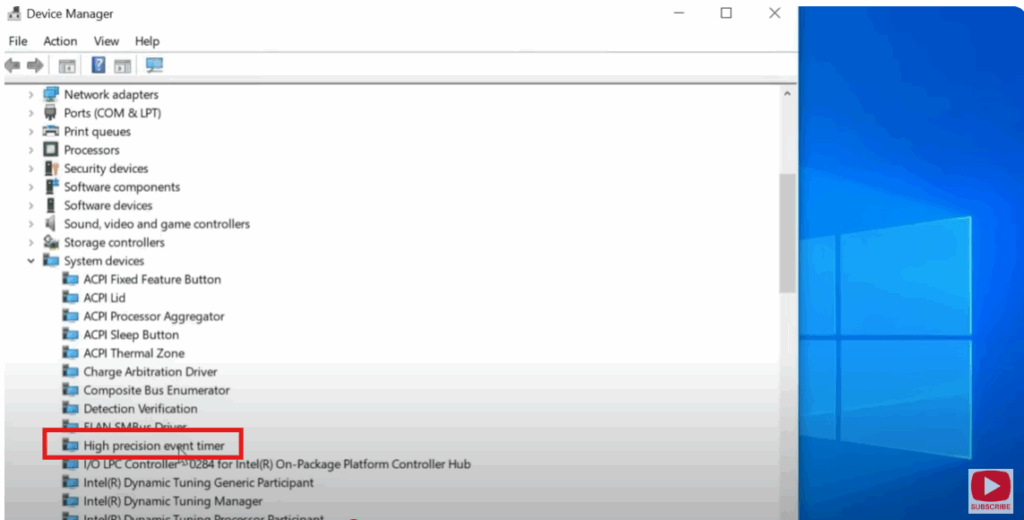
- After Device Manager opens click on System Devices.
- Here look for an option High Precision Event Timer.
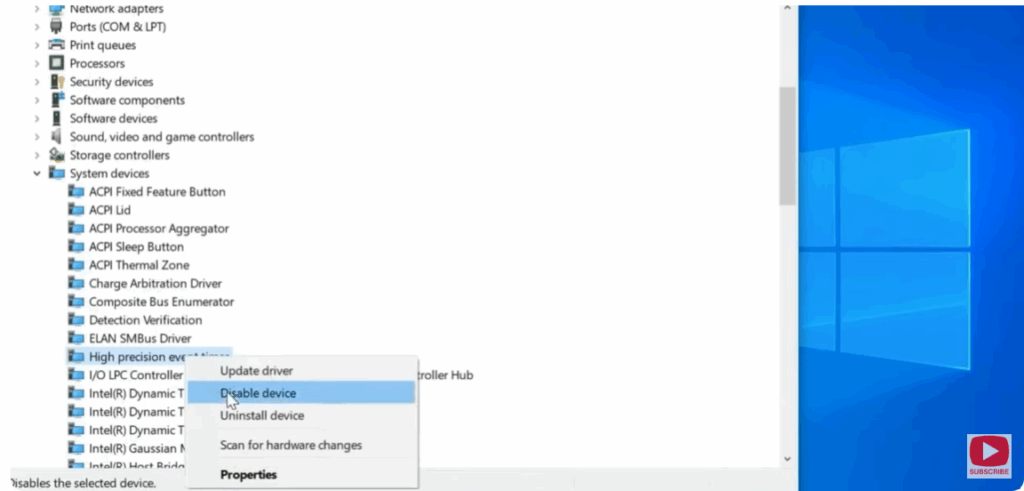
- Right click on it and select Disable.
- By doing this it will be disabled.
Step 2: Change Power Options
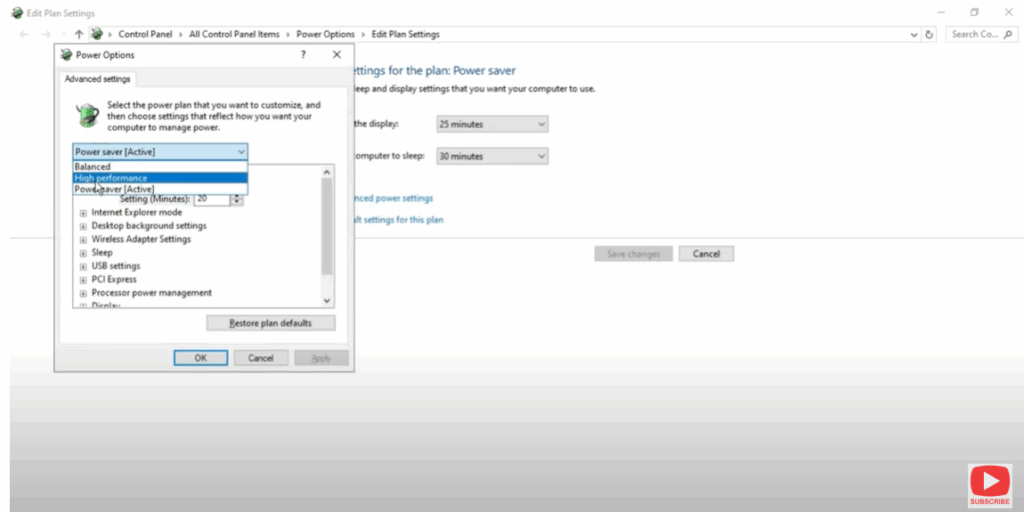
- Now go to the search window and search for Power Option.
- When you open it you will see a window of Edit Plan Settings.
- Here you will see Change Advanced Power Settings, so click on it.
- On clicking here you will see the option to adjust for High Performance.
- Select High Performance, then click on Apply and then on OK.
- Once this is done close it.
Step 3: Manage Startup Applications
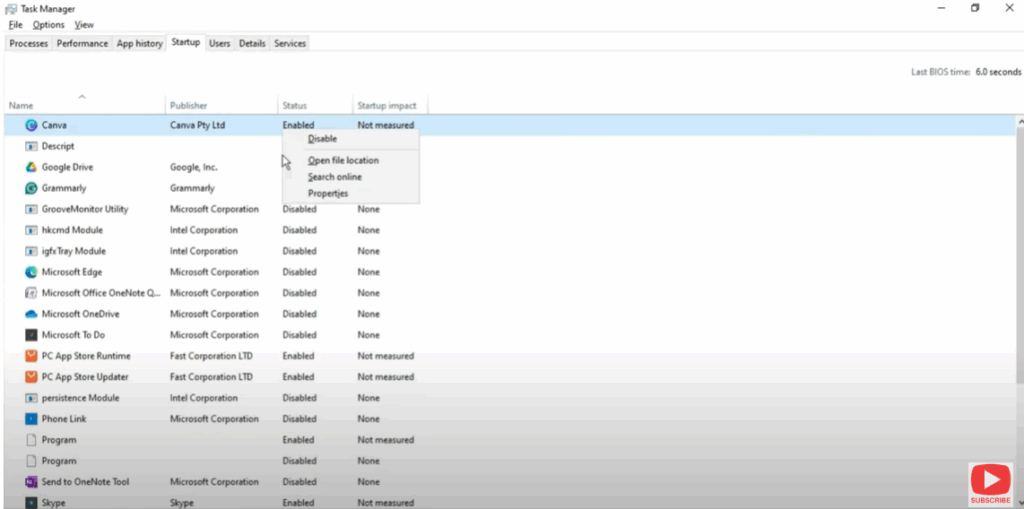
- Now again go to the Start Menu and search for Task Manager and open it.
- Once you open the Task Manager go to Startup.
- Now sort all the unwanted applications in the startup to enable and disable them.
Step 4: Restart Your Computer
- Now you have to restart your computer.
- After restarting you will see that the CPU usage will be much less than before.
This is how you can fix CPU usage.
Don’t forget to like and share it and if you’re new to the channel be sure to subscribe so you don’t miss any future content.
We’ll see you in the next video. Thanks for watching and have a great day.






