

The 0xc000007b app startup error is a common problem that many Windows 10 and Windows 11 users face. It usually shows up when you try to open a program or game, and instead of starting, you get this error message. This can be really frustrating, but the good news is you don’t always need to reinstall the app to fix it. In this blog, we’ll explain in easy language how to solve the 0xc000007b error step by step without reinstalling, so you can get your apps and games running smoothly again.

Firstly, click on the search bar and type control panel and then open it.
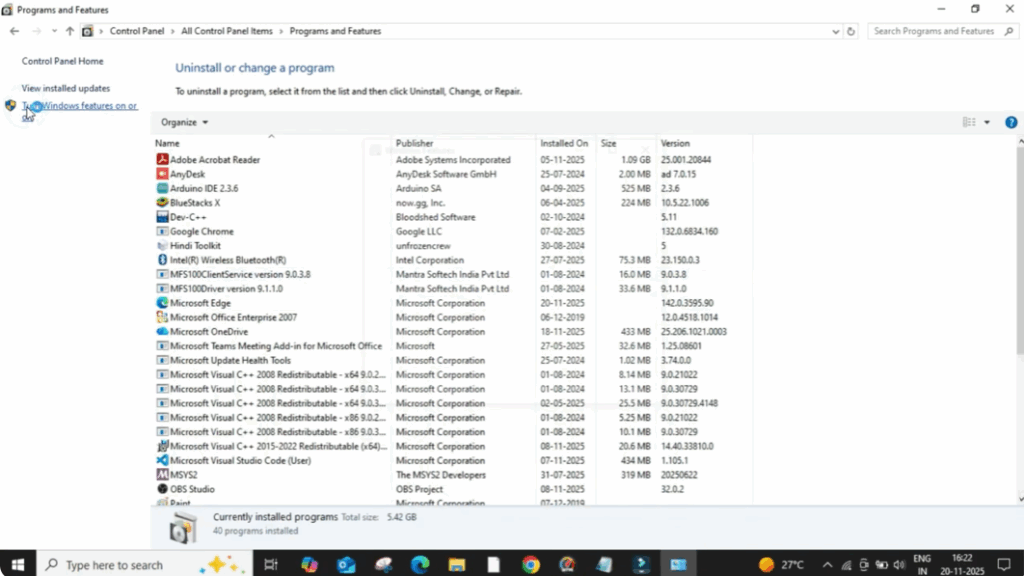
After that, click on programs and features and then on the left side, choose turn windows features on or off.
A new window will open and here make sure both options .NET Framework 3.5 and .NET Framework 4.8 are ticked.
After selecting them, click on okay.
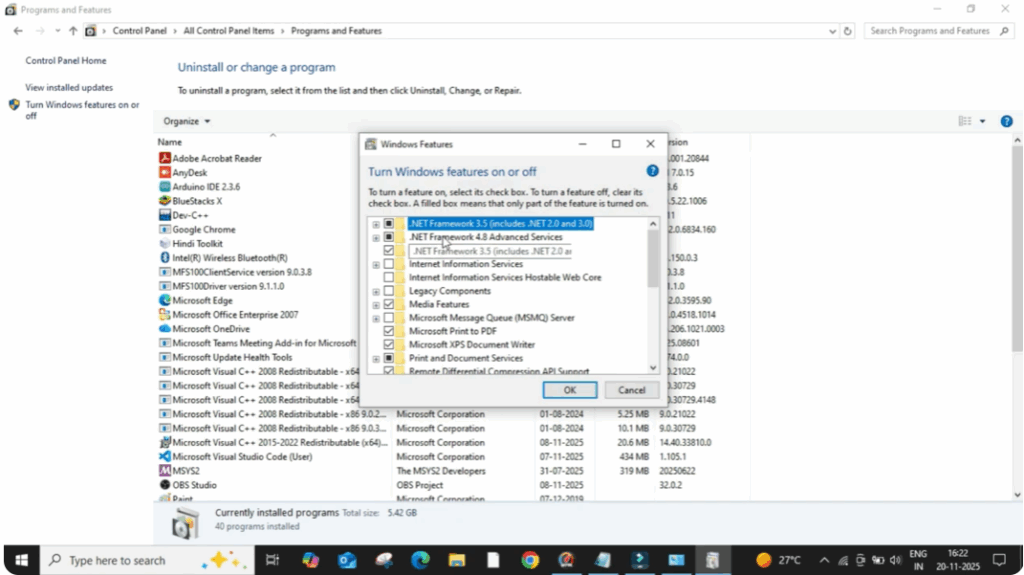
Now Windows will start searching for the required files. When it asks, click on let Windows update download the files for you.
It will take some time to download and install these components. So wait until it completes.
Once done, try opening the application again.
If the error still appears, don’t worry. Let’s move to the next method.
Now, open file explorer. Then click on this PC and go to the Windows folder.
After that, open system 32 and search for the file named xinput 1_3.
If the file is found, right-click and delete it.
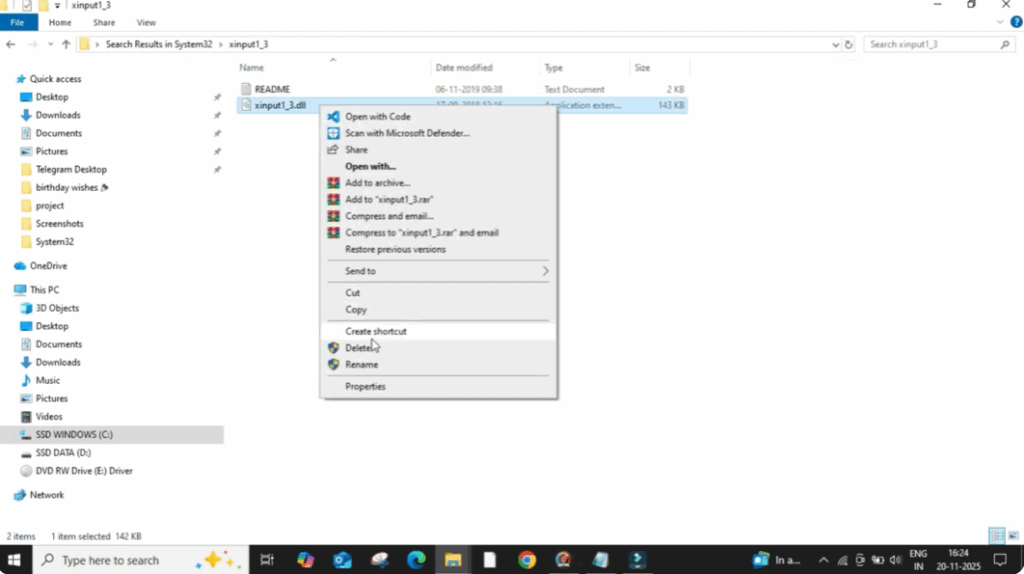
After that, go back and open the syswow 64 folder and again search for xinput 1_3.
If this file also exists here, delete it as well.
Once you delete them, close everything.
Now open your browser. Click on the search bar and type DirectX download.
Open the official Microsoft link that appears at the top.
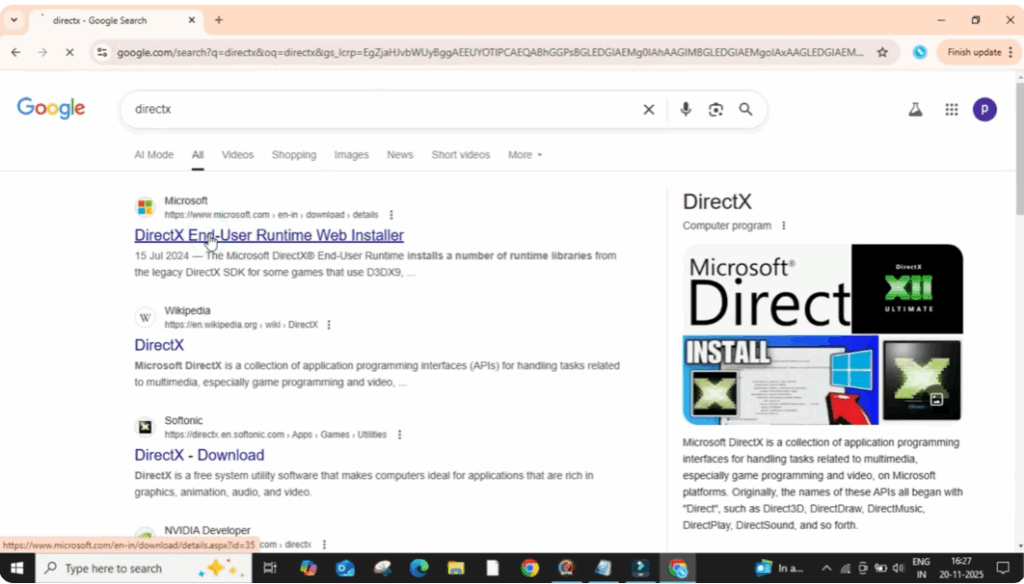
On that page, click on the download button.
After it completes, open the installer.
Accept the terms and click on next.
Again, click next and the installation will begin.
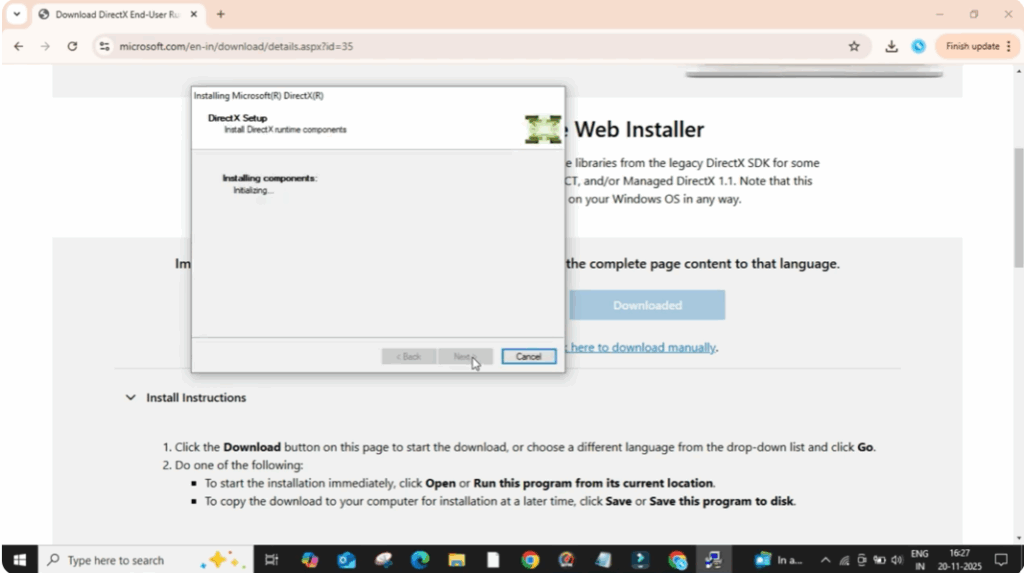
This will reinstall all the missing DirectX components.
Wait until the installation completes.
After this, restart your PC.
In most cases, this fully resolves the 0xc0000007B error and your program will start working smoothly.






