
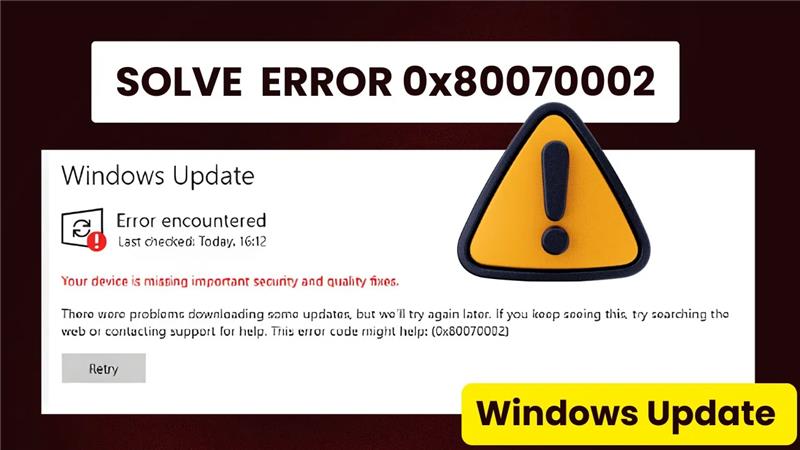
Windows Update error 0x80070002 in Windows 10/11 means the system can’t find required update files, often due to corrupted caches, missing components, or disk space issues. This stops important security patches and features from installing properly. In this blog, you’ll discover the new 2026 method using advanced DISM commands, reset tools, and registry tweaks to fix 0x80070002 quickly and get your updates running smoothly again.
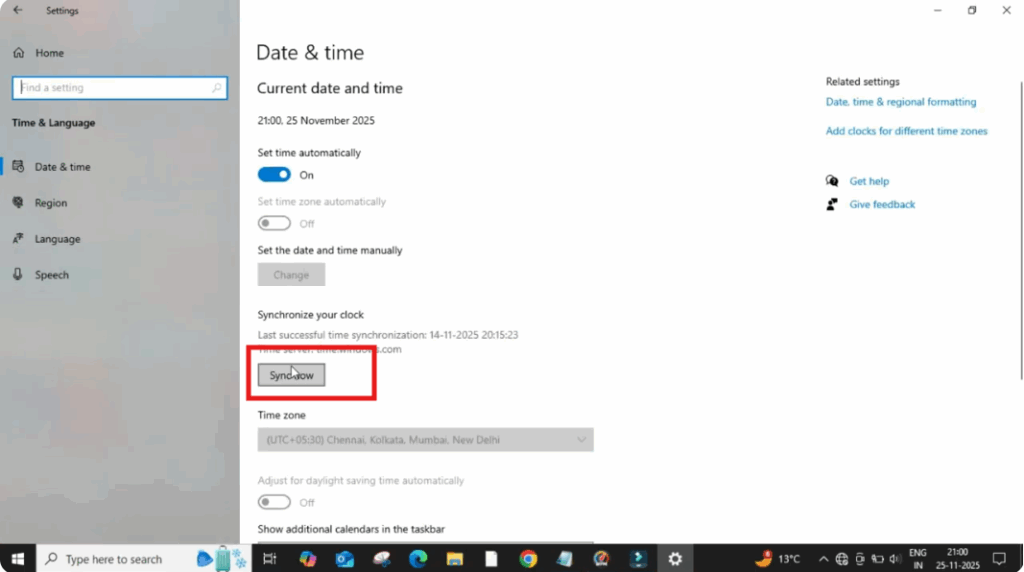
Click on the Windows button and open Settings. After the window opens, click on Time and Language. Here you will see the option to Sync. Now, click on it and wait for the process to complete.
Once it’s done, turn off the option that says Set time automatically. After that, click on Change and manually set the correct date and time according to your region. Then click OK and close the window.
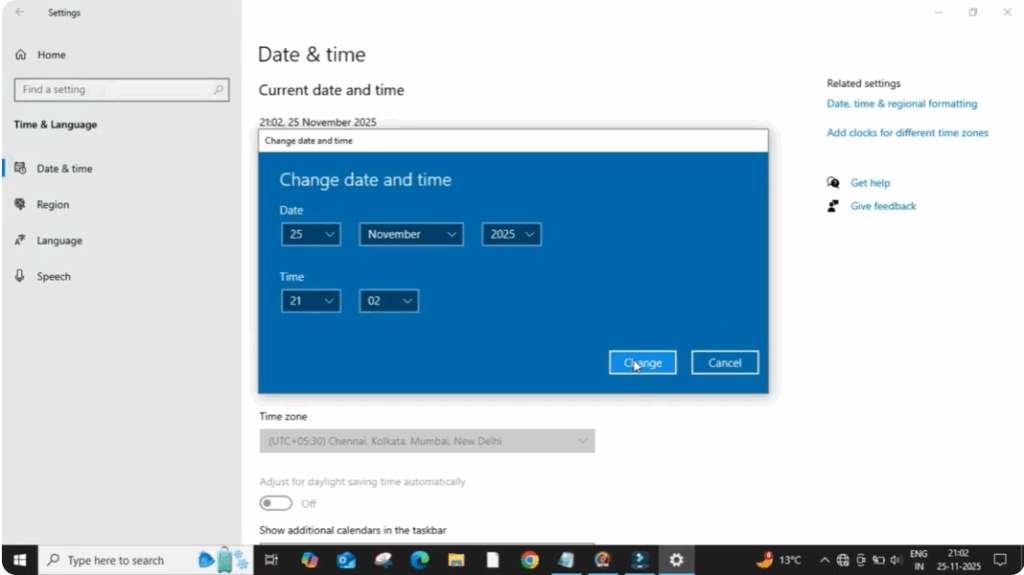
Many users get this error simply because their device time is not accurate. So this alone can fix the problem.
If the issue still continues, move to the next method.
Click on the search bar and type Services, then open it. Scroll down until you find Windows Update and click on it. In the new window, make sure the Startup type is set to Automatic. If the service is stopped, click Start to enable it. Then click Apply and OK.
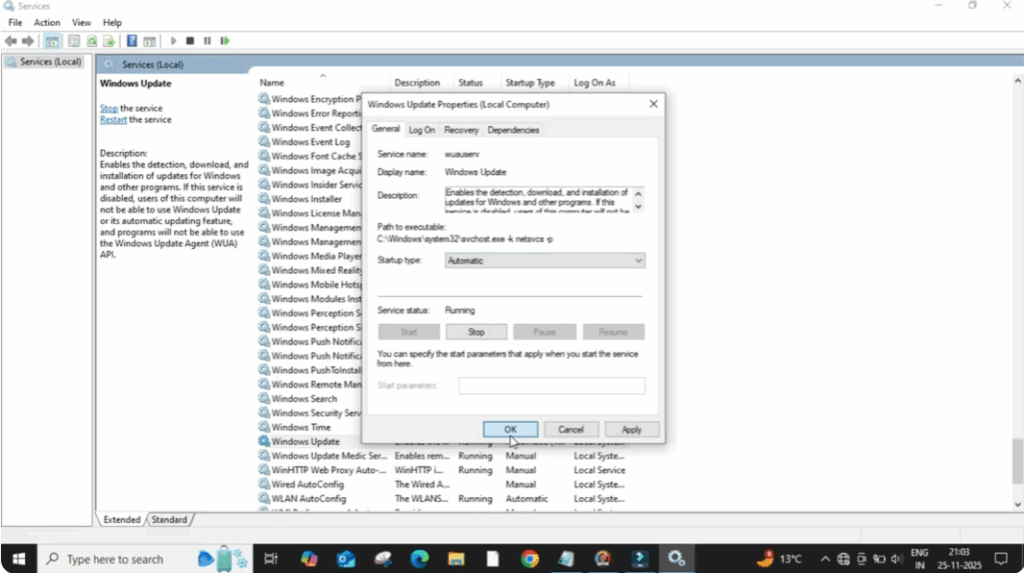
After this, right-click on Windows Update once again and select Refresh. Now restart your PC once to apply these changes.
If the error still appears, here’s the next fix:
Click on the Windows button again and select Run. In the run box, type %windir% and click OK. A new window will open. Now click on SoftwareDistribution and then click on Download. After that, select all items and delete it. After that, close it.






