
Is your computer running slow and you’ve noticed srtasks.exe using a lot of disk space? This file is part of System Protection background tasks in Windows 11, and while it’s usually harmless, sometimes it can cause high disk usage and slow down your PC. Don’t worry—there are simple ways to fix it! In this blog, we’ll explain what srtasks.exe
does, why it might be using too much disk space, and how you can reduce or stop the high disk usage with easy steps. Let’s get your computer running smoothly again!
🛠 Solutions: How to Fix SrTasks.exe High Disk Usage
Try these in order:
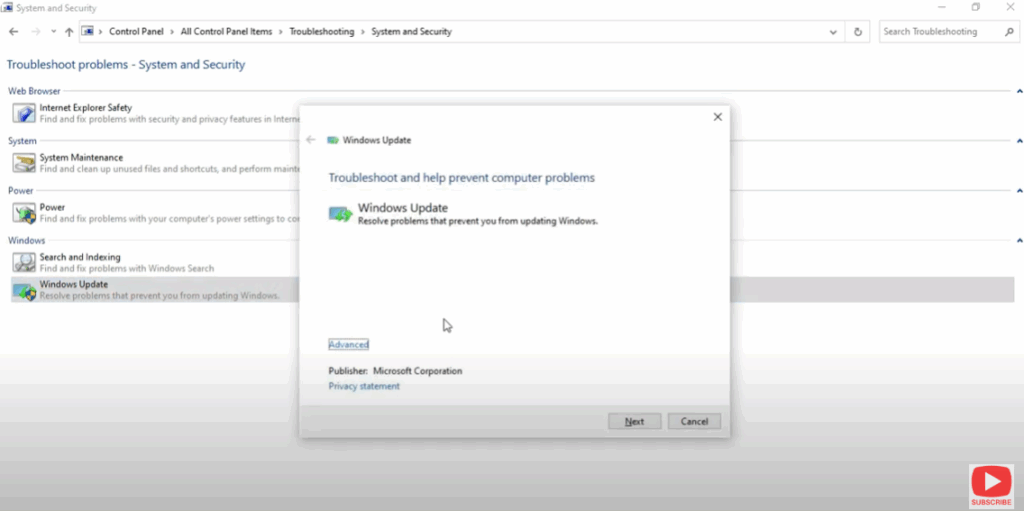
1. Run Performance Troubleshooter
- Open Control Panel → Troubleshooting → System and Security → Run maintenance tasks (Performance Troubleshooter)
- Let Windows detect issues and apply fixes automatically.
- This may identify resource conflicts or unnecessary background tasks.
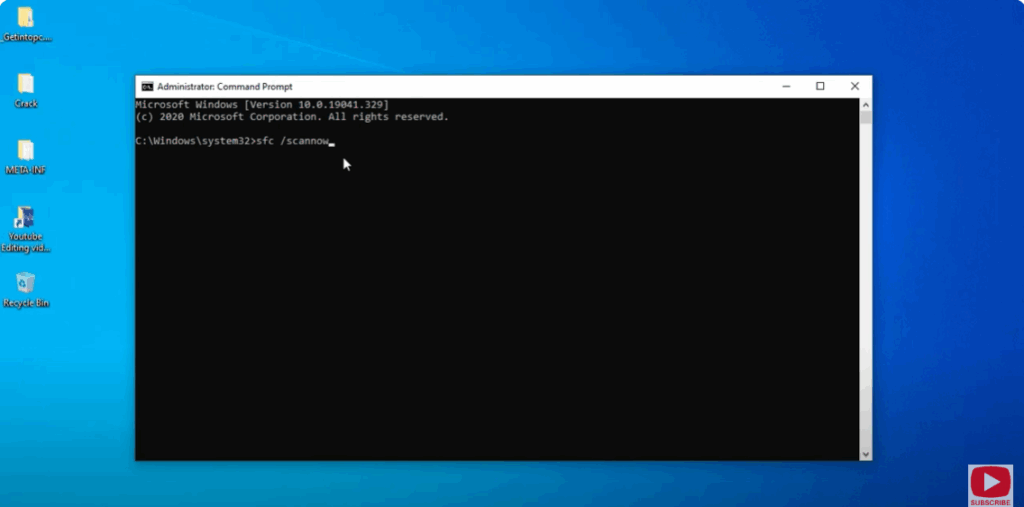
2. Run System File Checker (SFC) & DISM
- Open Command Prompt as Administrator
- Run:
sfc /scannowWait for it to complete
Restart Your Computer.






