

Losing access to your Gmail account can be frustrating—especially when you don’t have access to your recovery email, phone number, or password. But don’t worry! In this guide, we’ll walk you through step-by-step instructions on how to recover your Gmail account even without any verification code. This method is designed for PC users and can be a lifesaver if you’ve lost access to all recovery options.

Step-by-Step Guide to Gmail Account Recovery on PC
Step 1: Open Google Account Recovery Page
- Open Google Chrome or any browser on your PC.
- Go to the search bar and type “Google account recovery”.
- Click on the first link in the search results. It should take you to Google’s official recovery page.
Step 2: Choose the Recovery Option
- Scroll down and click on “Can’t sign in for another reason”.
- You will see a list of options describing different issues.
- Click on “Forgot password”.
- Now, click on “Tips to complete account recovery steps” and then select “Go to the account recovery page”.
Step 3: Enter Your Gmail ID
- A new tab will open where you’ll be asked to enter the Gmail address you want to recover.
- Type in your email and click “Next”.
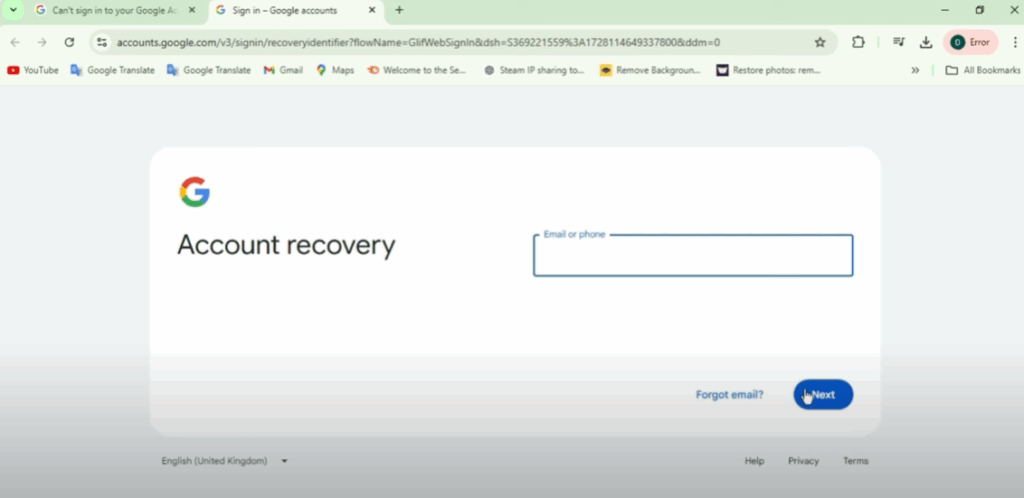
Step 4: Skip the Password and Verification
- You’ll be prompted to enter your password. Click on “Try another way” if you don’t remember it.
- The next screen will ask to send a code to your phone. Since you don’t have access to it, click on “I don’t have my phone”.
- If you’re lucky, Google might say:
“The Google team will send an email through which you can reset your password.”
⚠️ Note: Only about 10% of users get this message. If you’re among them, follow the next steps carefully.
Alternate Solution via Google Support Community
If you’re not getting the password reset option via email, here’s another approach you can try:
Step 1: Visit Google Support
- Open your browser and go to support.google.com.
- In the search bar, type “How to recover your Google Account and Gmail”.
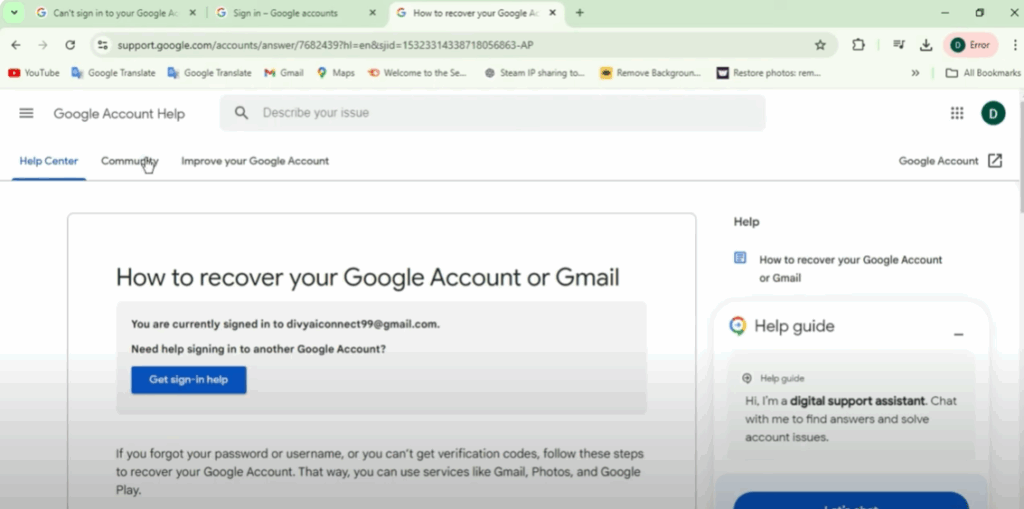
Step 2: Post Your Issue in the Community
- Click on the Community tab.
- Scroll down and select “Post a question”.
- In the title, write something like: “Google Account Recovery”.
- Under the problem description, type your issue clearly. For example:
“Hi Google, I have lost access to my phone. Please help me recover my Google account. Thanks.”
Step 3: Choose Category and Platform
- In Category, select “Account access and recovery”.
- Click Next.
- Under Platform, choose Android or the device you use most.
- Select “Yes, include”, then click Next.
Step 4: Submit Your Post
- Enter your name.
- Click Post.
- A popup will confirm that your question was successfully submitted to the Google Community.
📩 Wait for the Response from Google
- Open your Gmail app or the email account linked to your Google profile.
- You should receive a message stating:
“Most questions are answered within 24 hours.” - Once reviewed, you’ll receive a notification email with a password reset link.
- Click the link to reset your Gmail password and regain access to your account.






