
Welcome back to my channel Tech Gitter Official. In today’s video, we will learn how to change a printer from offline to online in Windows 10 or 11.
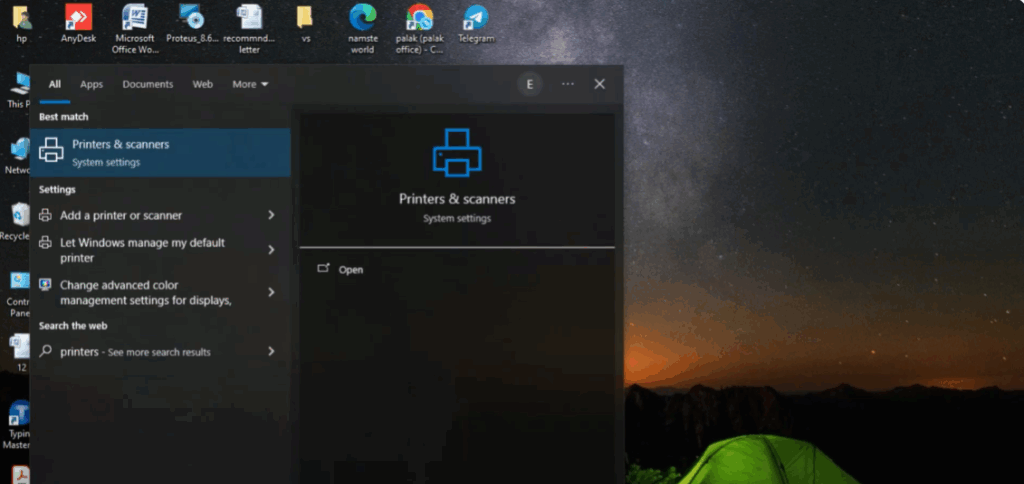
First, click on the search bar and type printer. Then, click on printers and scanners from the results.
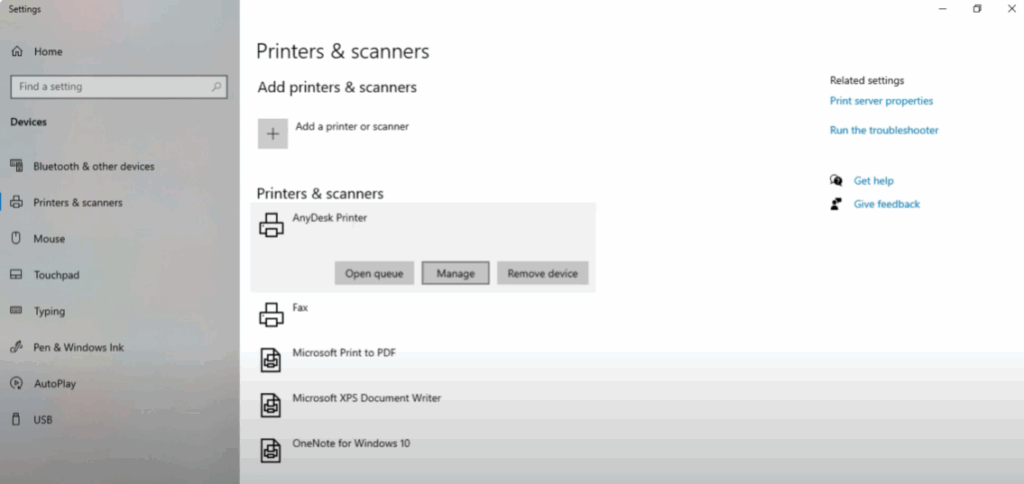
Now, you’ll see a list of available printers. Click on the printer you want to change. Then, click on manage.
Next, click on printer properties. Go to the ports tab. Then, select your printer again from the list.
After that, click on configure port. Now you will see an option called SNMP status enabled. Uncheck this option, then click okay to save changes.
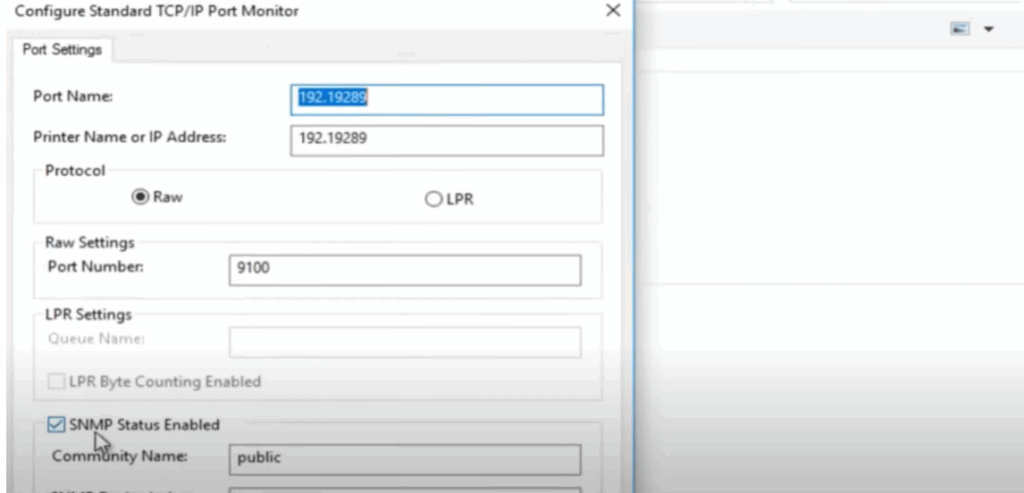
That’s it. Your printer should now show as online.
Thanks for watching. If this video helped you, don’t forget to like, share, and subscribe to Tech Gitter official.






