
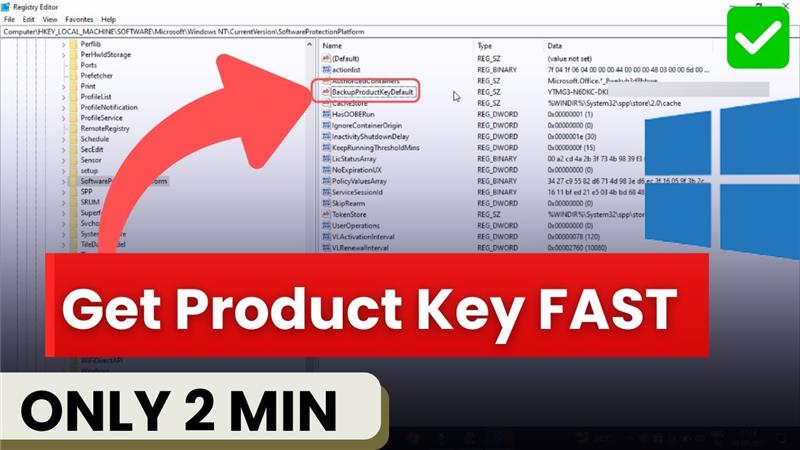
When you install Windows 10 on your computer, it needs a special code called a product key or a digital license to prove that your copy is genuine. Without this activation, some features of Windows may not work properly, and you might see reminders asking you to activate your system. That’s why knowing how to find your product key or license is very important, especially if you plan to reinstall Windows or move it to another device.
The good news is that checking your Windows 10 product key or digital license is not as complicated as it sounds. In this guide, we’ll show you simple methods to find them directly on your PC. Whether you’re a beginner or someone who just wants a quick solution, these steps will help you confirm your Windows activation in minutes.
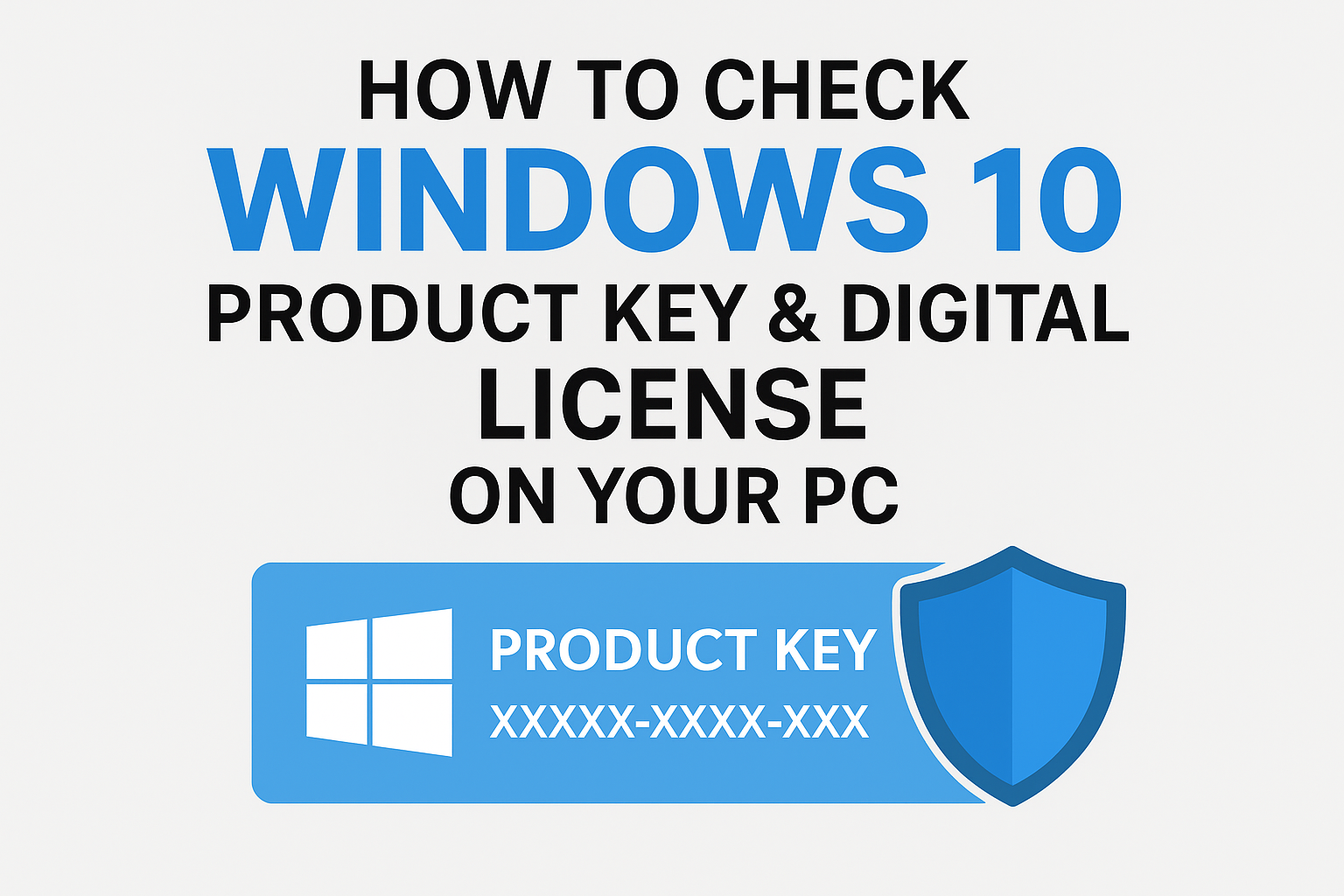
Let’s begin. Press Windows + R on your keyboard. This will open the run dialogue box. In the box, type regedit and click OK. Once you do that, the registry editor will open.
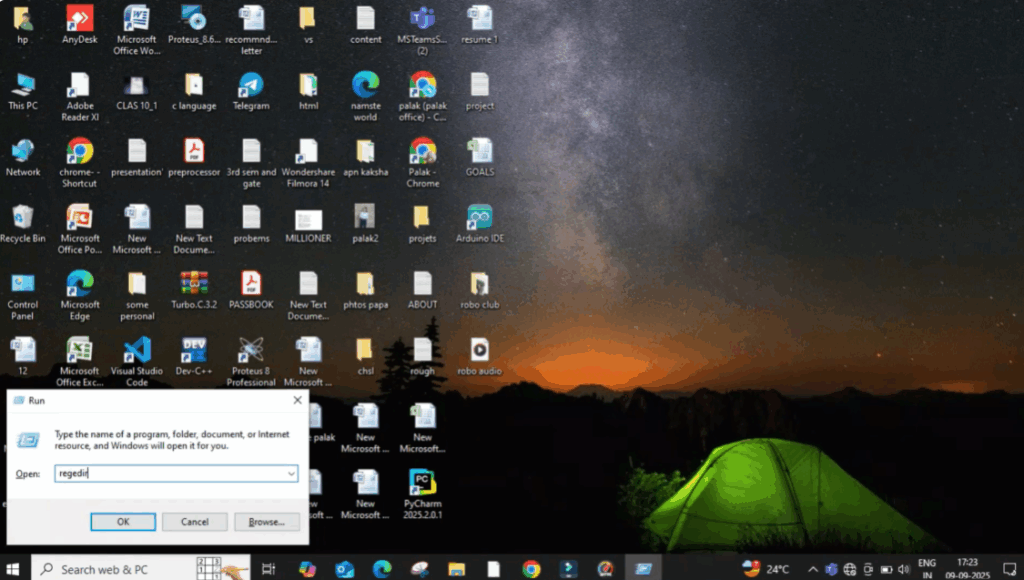
On the left-hand panel of the registry editor, you will see a list of folders. You need to carefully navigate through these folders by following this exact path:
- First, click on hund_scroll_achine.
- Then, expand the software folder.
- Scroll down and find Microsoft.
- Inside Microsoft, locate Windows NT.
- Under Windows NT, click on current version.
- Finally, select the folder called software protection platform.
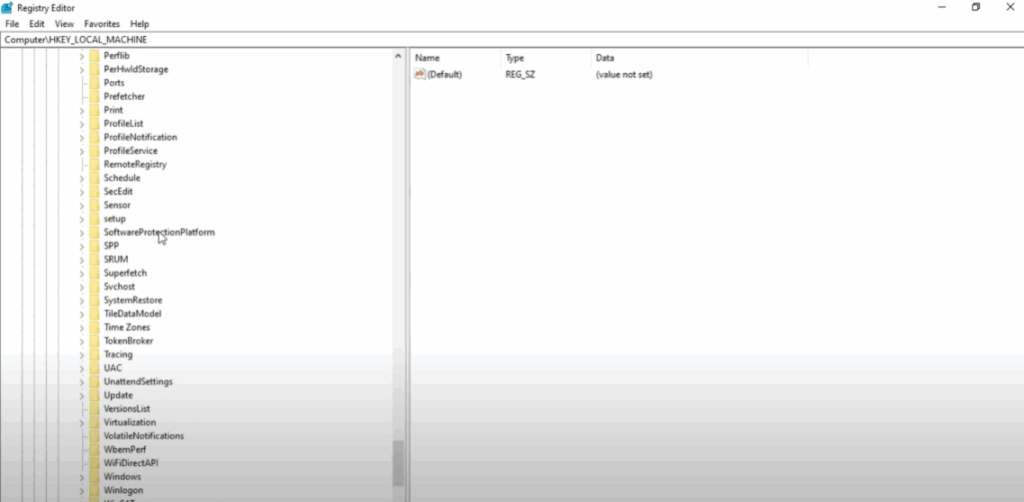
Once you are inside the software protection platform folder, look over to the right-hand side panel. Here you will see several entries and among them you will find one called backup product key default. The value shown in this entry is your Windows 10 product key or OEM digital license key.
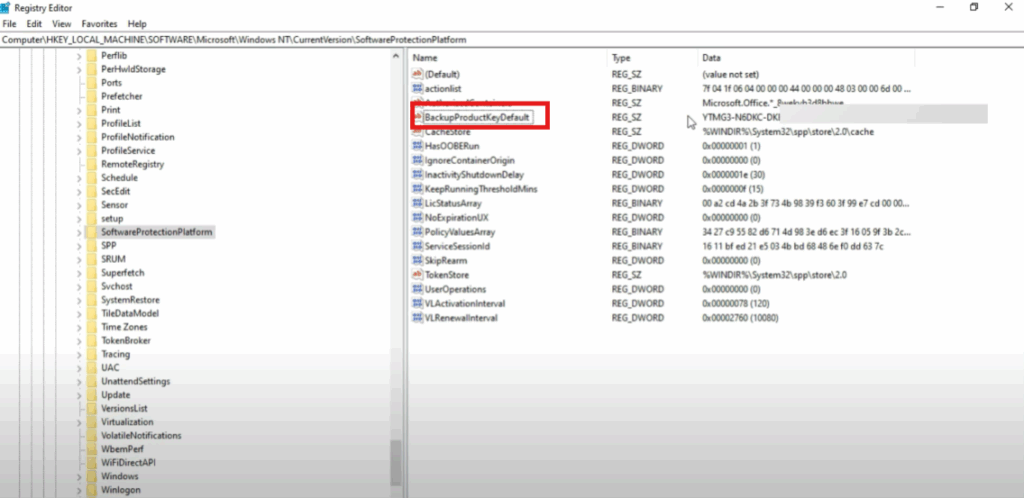
This is the key stored in your system registry and it can be used whenever you need to reinstall or reactivate your Windows.






