
Want to grow your brand or connect with more customers online? Creating a Facebook Business Page is a great way to do it! Whether you’re starting a small business, promoting a service, or just want to separate your personal profile from your professional presence, Facebook makes it easy. In this blog, we’ll show you step-by-step how to create a Facebook Business Page, whether you’re using a personal account or setting it up for a company. Let’s get your business online and noticed!
Step-by-Step Guide to Create a Facebook Business Page
Step 1: Log in to Your Facebook Account
You need a personal Facebook account to create a business page.
Your personal info won’t be shown on the business page.
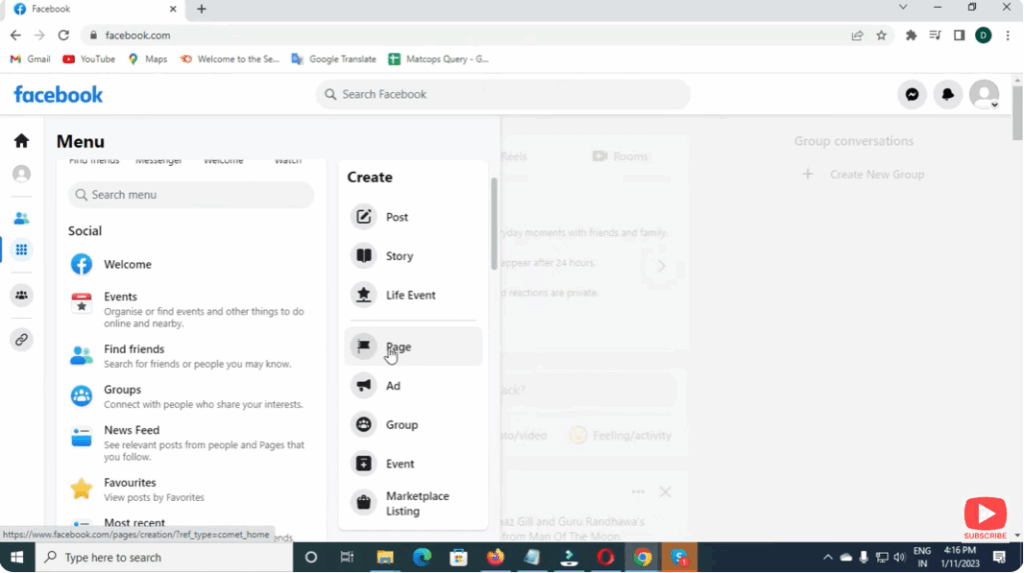
Step 2: Go to Create Page Option
- Visit facebook.com/pages/create
- You will see the option to set up a Business or Brand Page
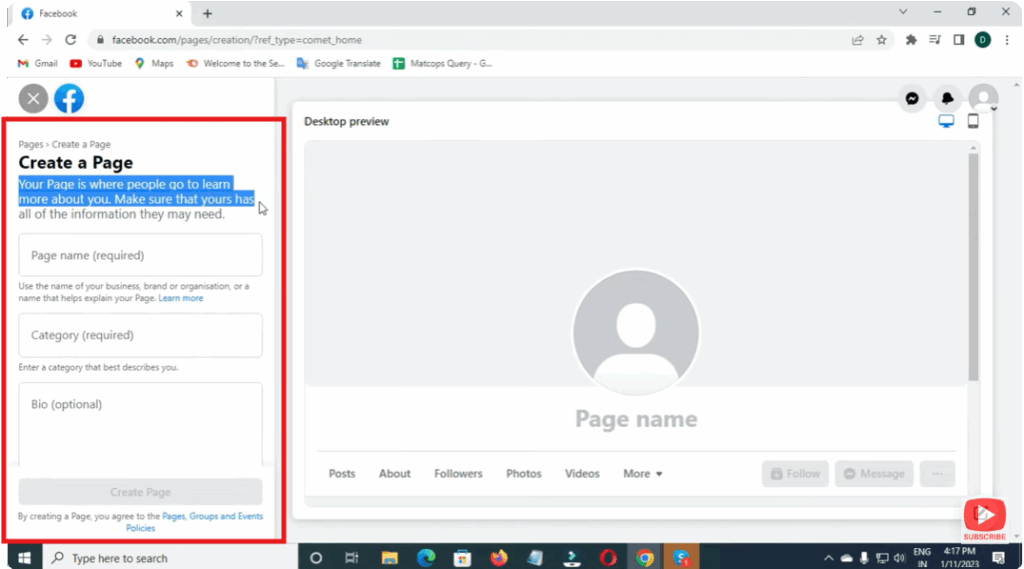
Step 3: Enter Page Information
Fill in the details:
| Field | What to Enter |
|---|---|
| Page Name | Your business name or brand name |
| Category | Type your business type (e.g., Clothing Store, Digital Creator) |
| Description | Brief info about what your business does |
Click Continue.
Step 4: Add Profile & Cover Photo
- Profile Photo: Use a logo or a professional headshot.
- Cover Photo: Use a banner that represents your brand.
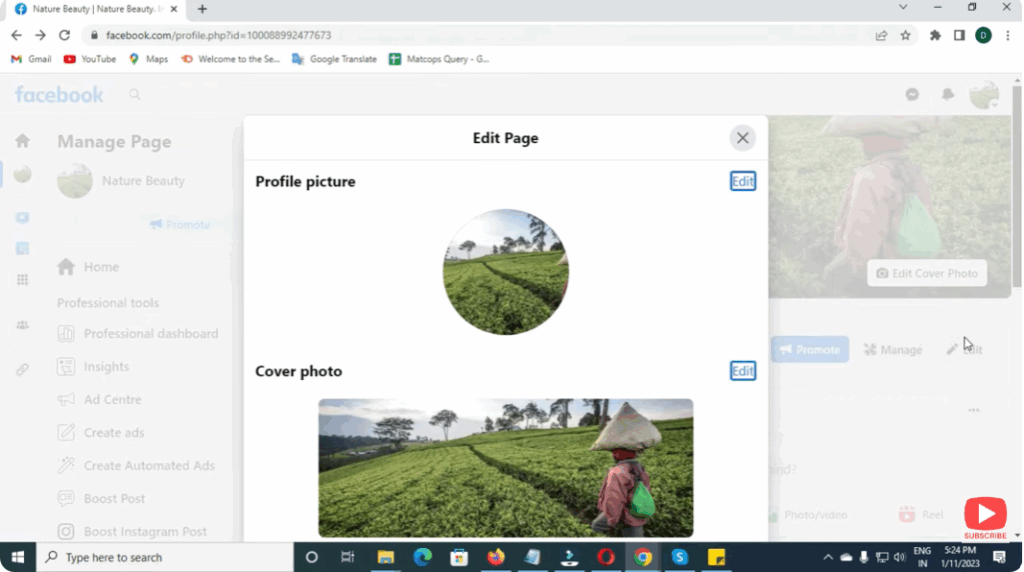
These images help your page look trustworthy and professional.
Step 5: Add Contact and Business Details
Go to Edit Page Info and update:
- Business Email / Phone Number
- Website link (if available)
- Business address (optional)
This makes it easy for customers to reach you.
Step 6: Create Your First Post
Before inviting others, post something such as:
- A welcome message
- About your business
- Product photo or introduction video
This makes the page look active.
Step 7: Invite People to Like Your Page
Use Invite Friends button to send invites to your contacts.
You can also:
- Share your page link on WhatsApp
- Add it to Instagram Bio
- Share your page on your personal timeline
Conclusion
Creating a Facebook Business Page is simple and highly effective for building your online presence. You can create it using your personal account, but the page will remain separate and professional. With consistent posting and engagement, your page can help attract more customers and grow your brand.






