
Downloading games on your PC for free is easier than you might think. Many people don’t realize that there are safe and legal ways to get games without spending money. From free versions of popular titles to completely free indie games, there are plenty of options available online. The good news is, you don’t need to be a tech expert—just follow a few simple steps. In this beginner-friendly blog, we’ll explain in easy language how to download games on your PC for free, so you can start playing without any hassle.
Step-by-Step Guide: How to Download Free Games on PC
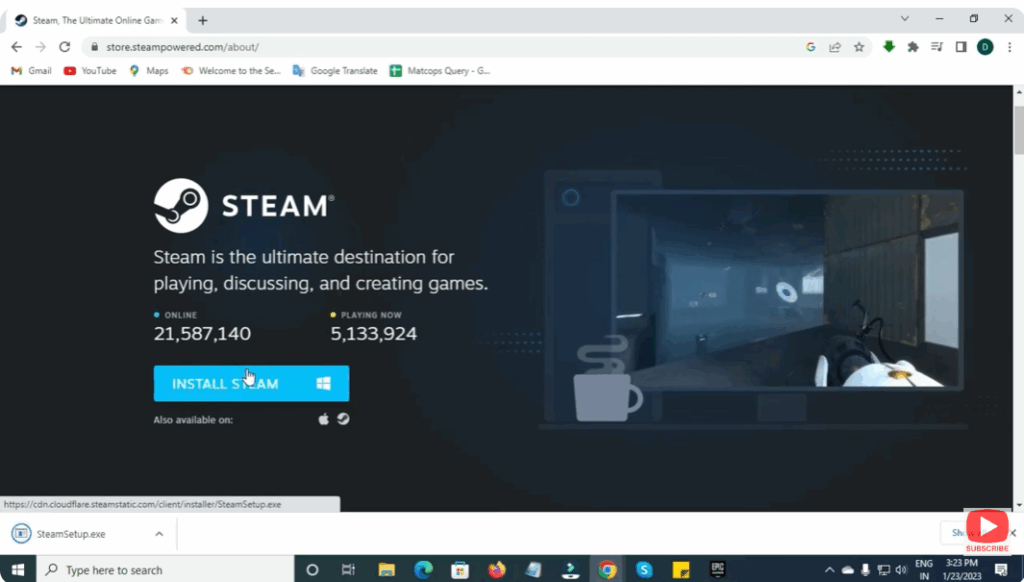
1. Use Steam’s Free-to-Play Section
- Download and install the Steam client from the official Steam website.
- After installing, open Steam and go to the Store tab → look for “Free to Play” in the sidebar.
- Browse the free-to-play games, click on one you like, then click “Play Game” → This adds it to your Steam Library.
- Once added, download and install through the Steam client → you can launch it anytime.
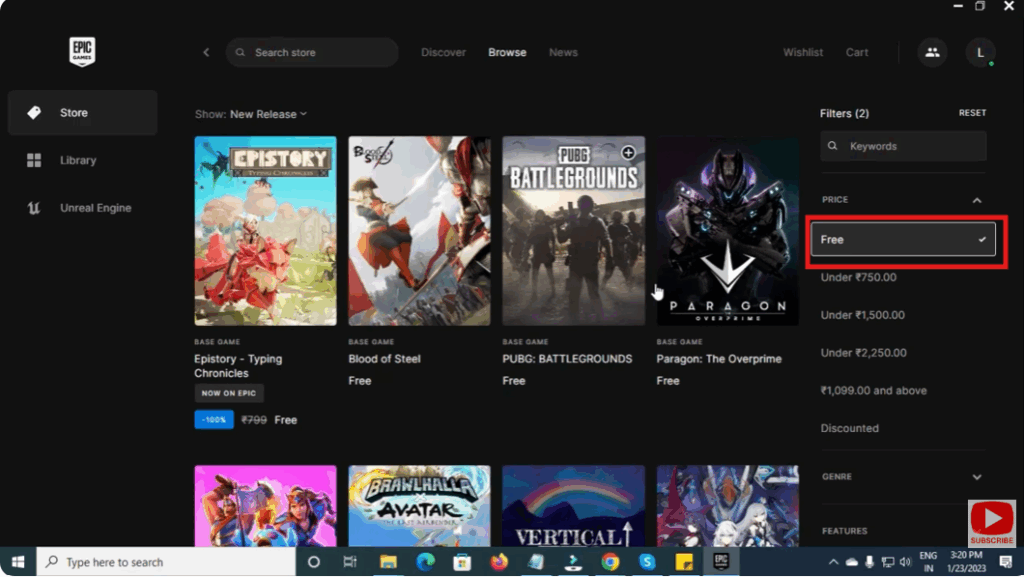
2. Check the Epic Games Store Free Games
- Download and install the Epic Games Launcher from the official Epic site.
- Open it → go to the Store tab and look for the “Free Games” section.
- Epic frequently gives away games for free (weekly deals), so check regularly.
- Once you claim a free game, it’s added to your Library → you can download and play whenever you want.
Conclusion
Downloading free games on your PC is easier than ever, thanks to platforms like Steam, Epic Games Store, Microsoft Store, and indie sites like Itch.io. By sticking to legal sources, you can enjoy a wide variety of games — from indie gems to popular multiplayer titles — without risking piracy or security issues.






