
Filling out the W‑4 form is an important step when you start a new job or want to update how much tax is taken from your paycheck. The IRS made some updates for 2025, and many people find the form confusing at first. But don’t worry—it’s not as hard as it looks. The W‑4 simply tells your employer how much federal income tax to withhold, so you don’t end up paying too much or too little at tax time. In this guide, we’ll explain the 2025 W‑4 form in easy steps so you can fill it out with confidence.
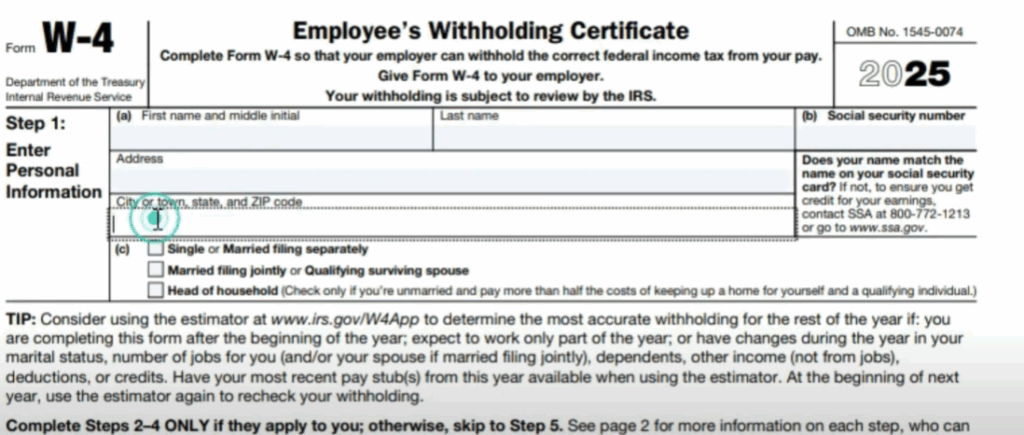
Step One: Personal Information
Part One
- Full name: Enter your legal first and last name.
- Social Security number (SSN): Enter your SSN.
- Address: Provide your home address.
- Filing status: Check the box that best describes your filing status. Options include:
- Single or married filing separately
- Married filing jointly
- Head of household (if you are unmarried and support a dependent)
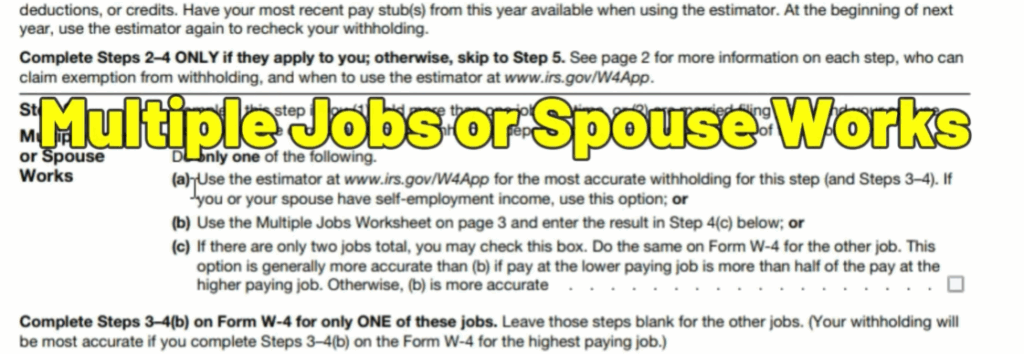
Step Two: Multiple Jobs or Spouse Works
Part Two
If you have more than one job or your spouse works, this section helps to adjust your withholding to prevent under or over withholding. You can fill this out using one of the following methods:
- Option one: Use the IRS tax withholding estimator to calculate your withholding more accurately.
- Option two: Use the multiple jobs worksheet on page three of the W4 to calculate withholding amounts for multiple jobs.
- Option three: If you have two jobs with similar pay, check the box to have the withholding adjusted accordingly.
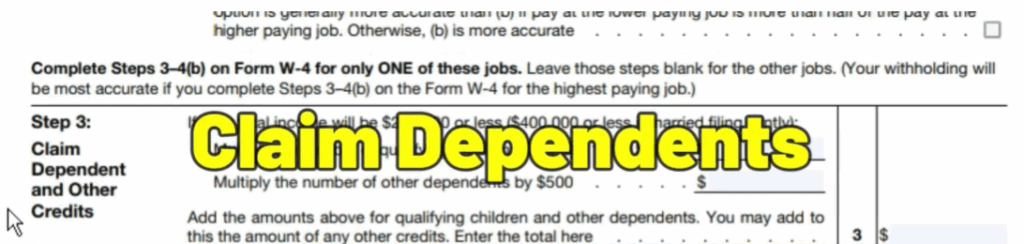
Step Three: Claim Dependents
Part Three
If your total income is $200,000 or less ($400,000 or less for married couples), you may claim dependents.
- For each child under the age of 17, enter $2,000 per child.
- For other dependents, not children, enter $500 for each dependent.
This section helps to lower your withholding based on your dependent tax credits.
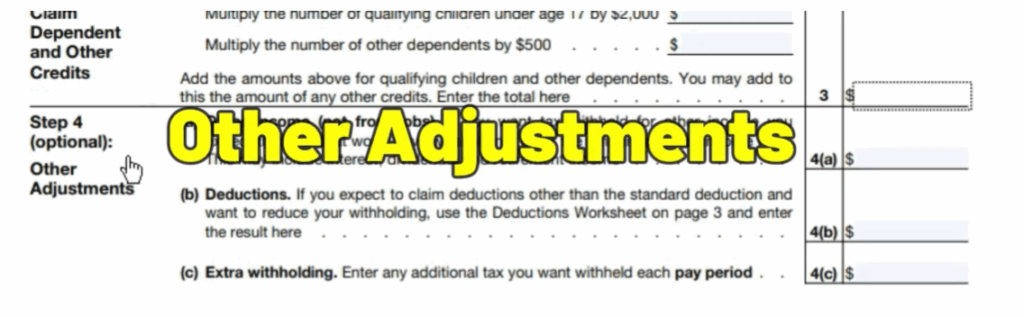
Step Four: Other Adjustments
Part Four
This section allows you to make further adjustments for things like:
- Other income: e.g. interest, dividends, retirement income that isn’t subject to withholding.
- Deductions: If you expect to claim deductions such as mortgage interest, state taxes, charitable contributions that exceed the standard deduction, you can enter the expected amount.
- Extra withholding: If you want additional amounts withheld from your paycheck for tax purposes, enter the desired additional amount.
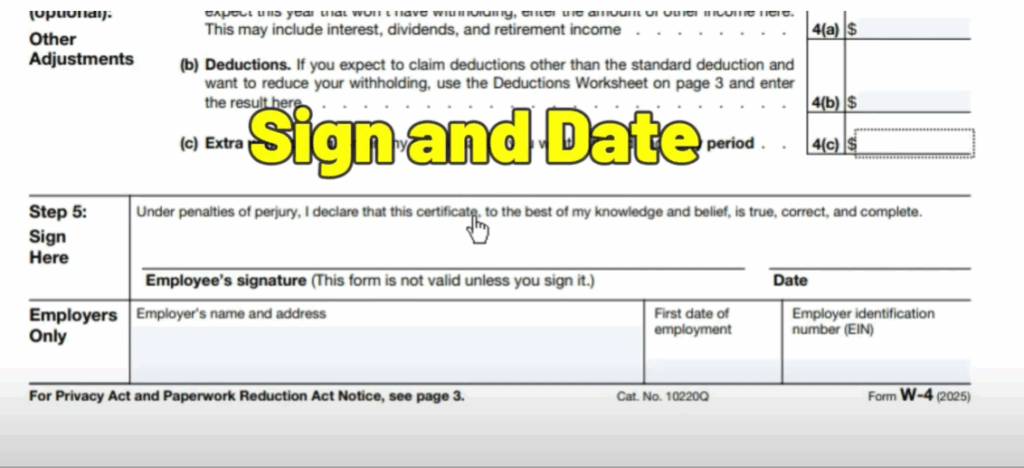
Step Five: Sign and Date
Part Five
- Signature: Sign the form to certify that the information provided is correct.
- Date: Include the date you are signing the form.
Additional Tips
- Review annually: Consider updating your W4 each year or when you have major life changes, e.g. marriage, having a baby, changes in income.
- Check paycheck: After submitting your W4 to your employer, check your paycheck to ensure the correct amount is being withheld.
Common changes that might affect your W4:
- Getting married: Adjust your filing status to married and potentially update the number of dependents.
- Having a child: You may qualify for additional tax credits, reducing your withholding.
- Taking on a second job: You may need to adjust the form to account for the extra income.
Remember that the goal of the W4 is to ensure you neither owe a large tax bill at the end of the year nor receive a large refund. For precise and tailored guidance, it’s always wise to consult the IRS website or a tax professional.






