
If you encounter the OneDrive error message “The tag present in the reparse point buffer is invalid,” it usually means there is a problem with how OneDrive handles placeholder or junction files on your system. This error can happen if OneDrive crashes, stops syncing properly, or if file system corruption occurs. Fortunately, fixing this issue is straightforward. Running the CHKDSK (Check Disk) utility to repair disk errors often resolves the problem, and resetting OneDrive can help if the error persists. In this blog, you will learn simple and effective steps to fix this OneDrive error and get your file syncing back on track smoothly.
✅ Steps You Can Try
Below are the practical steps backed by community and Microsoft guidance to resolve this error.
1. Use CHKDSK to Repair Disk & Remove Invalid Reparse Points
This is often the primary fix, as Microsoft recommends it for this specific OneDrive error.
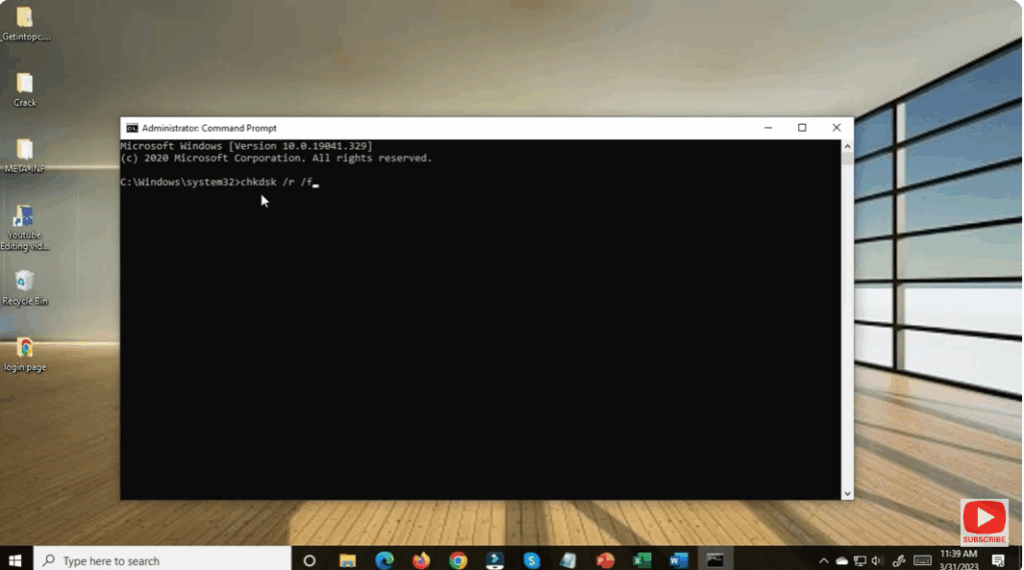
- Open Command Prompt as an administrator.
- Run:
chkdsk C: /f /r(ReplaceC:with the appropriate drive letter if needed.) - If prompted that the volume is in use, type Y to schedule the scan on next reboot.
- Reboot and let CHKDSK complete.
- After that, try deleting or accessing the problematic folder again.






