
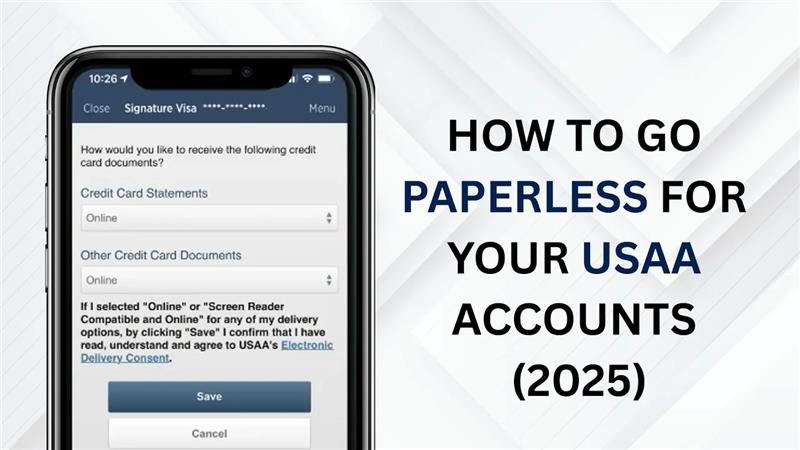
Going paperless with your USAA accounts in 2025 is a smart and simple way to manage your finances. Instead of waiting for paper statements in the mail, you can get all your important documents online anytime, anywhere. This not only saves time but also keeps your information more secure and organized, all in one place.
By choosing paperless delivery, you’ll also be doing your part to reduce paper waste and protect the environment. Plus, with digital statements and notifications, it’s easier to stay on top of your account activity and avoid missing important updates. In this guide, we’ll show you step by step how to go paperless with USAA so you can enjoy a faster, safer, and greener banking experience.
Step 1: Open the USAA Mobile App
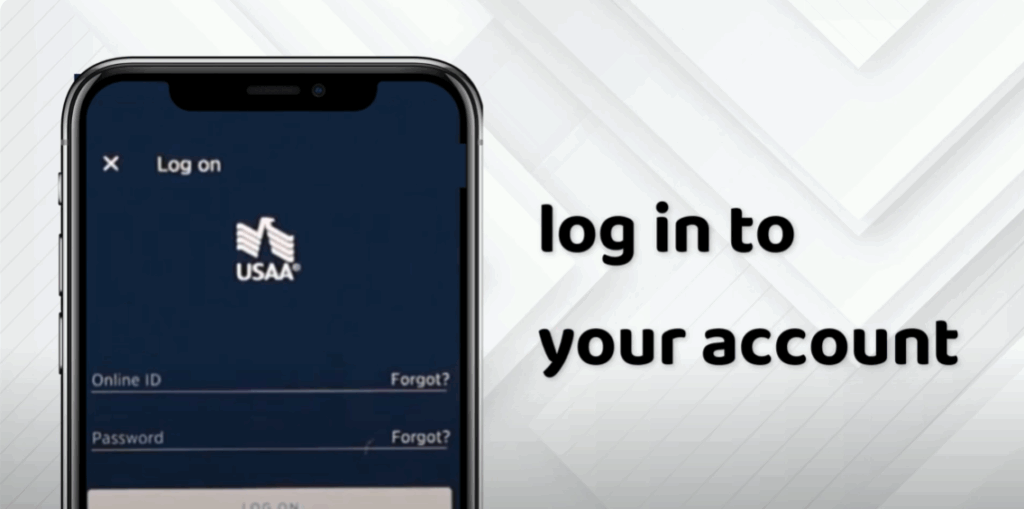
First, launch the USAA banking app on your mobile device and log into your account using your credentials.
Step 2: Go to Your Profile Settings
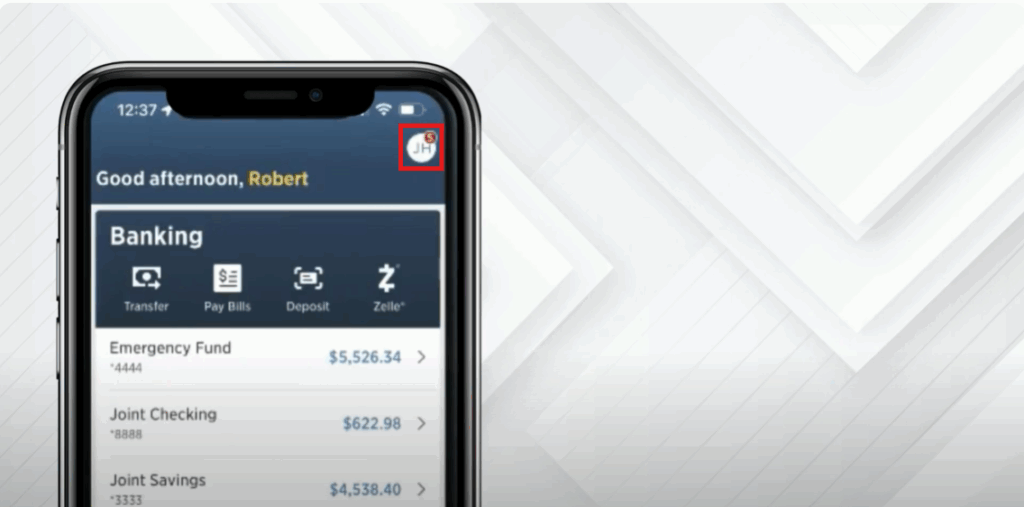
Once you’re logged in, your homepage dashboard will appear. Tap on your initials or profile icon in the top left corner of the screen.
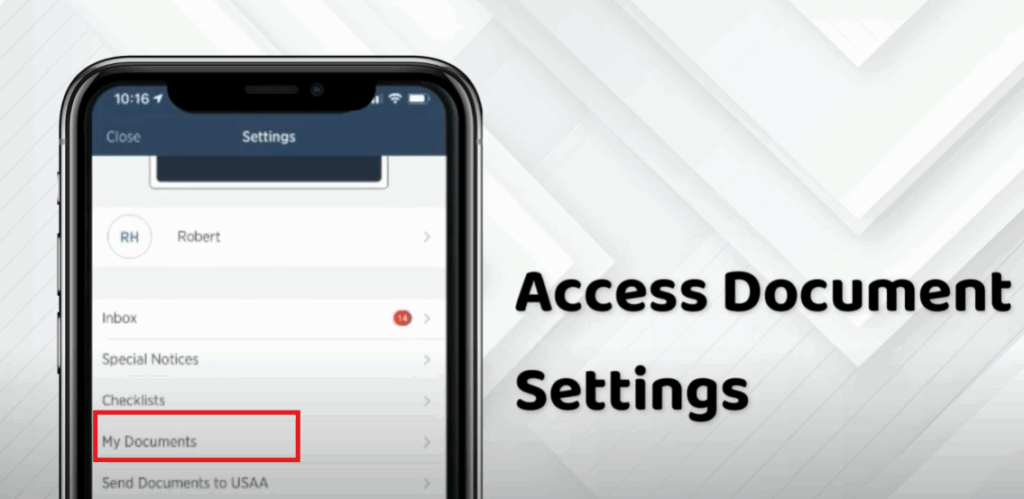
Step 3: Access Document Settings
From the menu that appears, tap on My Documents.
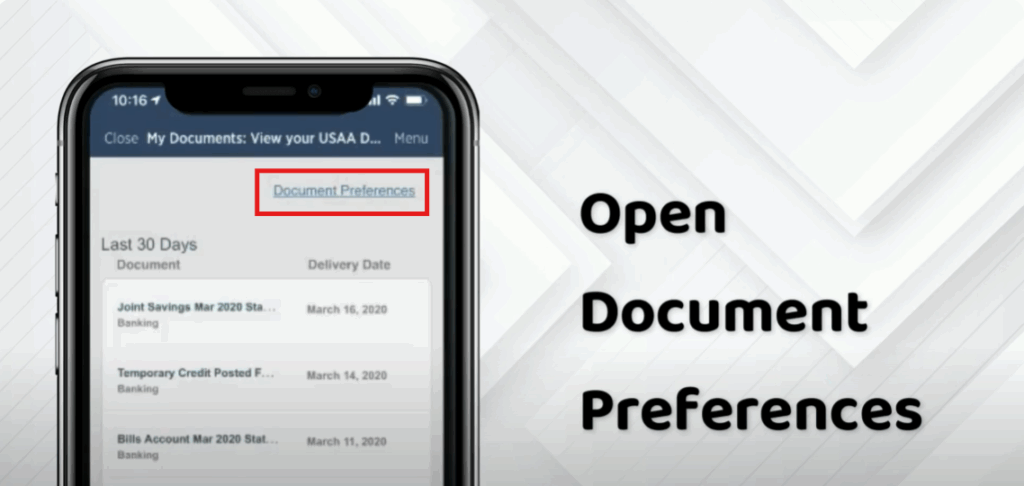
Step 4: Open Document Preferences
On the next screen, tap on Document Preferences.
Step 5: Choose an Account
Select the account you want to go paperless on. For example, choose your bank account or credit card.
Step 6: Edit Document Delivery Settings
Scroll down until you find Document Delivery Settings and tap Edit.
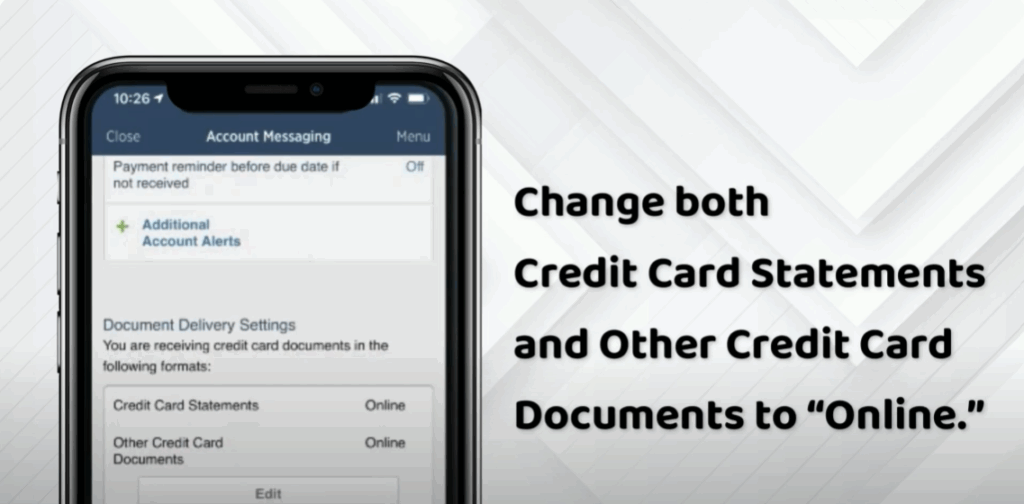
Step 7: Switch to Online Delivery
Change both credit card statements and other credit card documents to Online.
Step 8: Save Your Changes
Scroll down and tap Save.
✅ And that’s it! You’ve successfully set your account to receive paperless documents.
By going paperless, you’ll receive your account statements and other important documents digitally — convenient, secure, and eco-friendly.






