
The Start Menu or Taskbar freezing in Windows 11 is a common issue that can interrupt your workflow and feel really frustrating. Instead of smoothly opening apps or switching tasks, the menu or taskbar may stop responding, leaving you stuck. This usually happens due to system glitches, outdated updates, or corrupted files—but the good news is, it can be fixed with simple steps. In this beginner-friendly blog, we’ll explain in easy language how to restore a frozen Start Menu or Taskbar in Windows 11, so you can get your PC running normally again.
Step-by-Step Solution
Step 1: Run SFC Scan
Type:
sfc /scannow
DISM /Online /Cleanup-Image /RestoreHealth
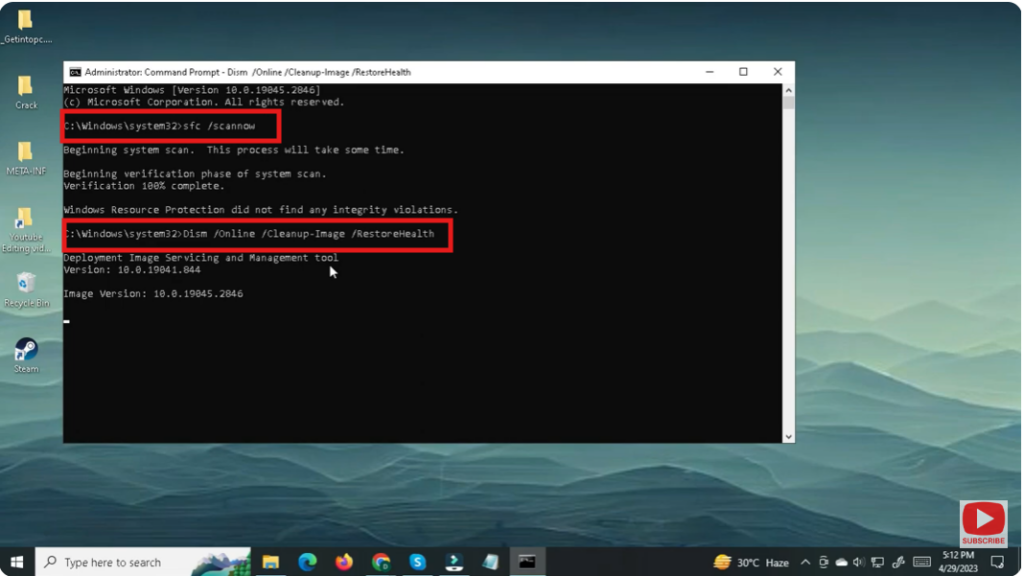
This scans and repairs broken system files.
After the scan completes, restart your PC.






