
Hello friends, welcome back to my channel Tech Gitter. Before proceeding further in this video, subscribe to my channel. Today in this video we have brought you how you can run Android apps on your PC.
As you know, to run Android apps we need an emulator. Only then we can install the apps on a PC. But today we will discuss how we can enjoy Android apps on our PC with the help of Google Chrome, without using any emulator. Rather, you can start a mobile phone view on your PC.
So, let’s start the video.
Google Chrome Extension Setup
- Open your Google Chrome and click on the three dots button visible at the top of the screen.
- Now open Chrome settings.
- Scroll the screen and go to Chrome extension option.
- You have to click on the Chrome web store option on the screen.
- On this screen you will find all the extensions related to Chrome.
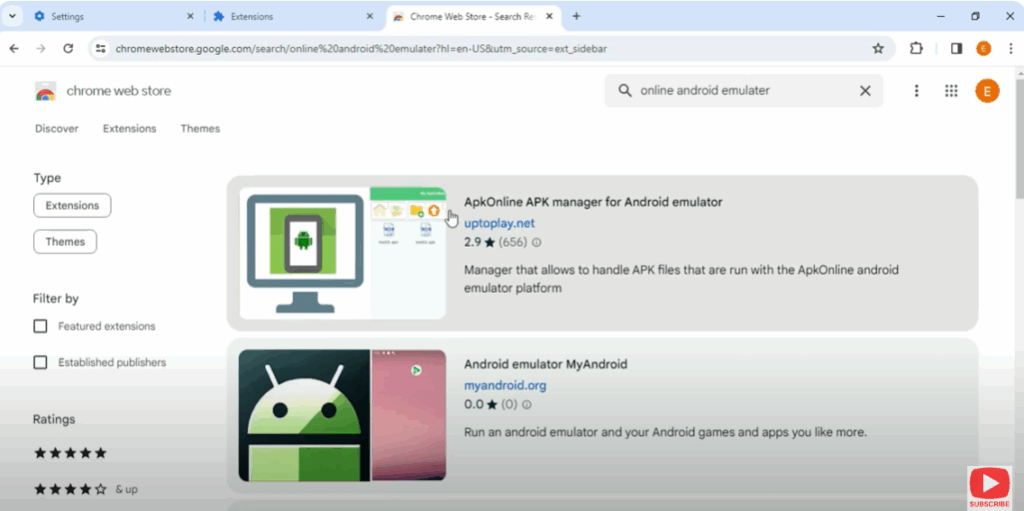
- Go to the search bar and search for online Android emulator.
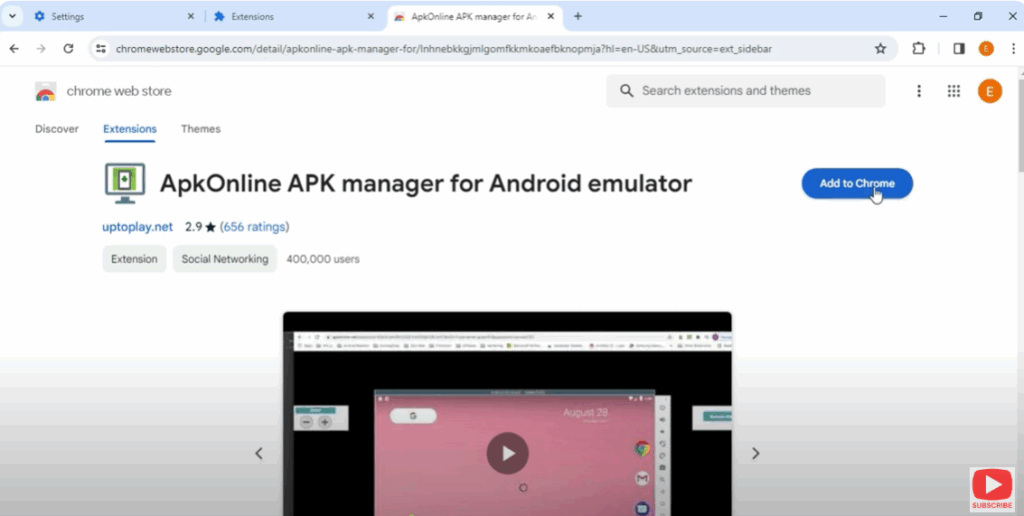
- Click on this extension and add it to your Google Chrome.
- You will see a dialogue box asking you to add an extension. Click on it.
- You will then see a list of extensions in the top corner of the screen.
- This means that the Android emulator has been added and you can access it directly from here.
Android Emulator APK File Setup
- Now, close all the tabs and open Chrome extension.
- Open online APK.
- You will see an interface like this. You will have to wait for some time.
- Click on enter to proceed with the process.
- You will see the APK file on the screen. Double click on it.
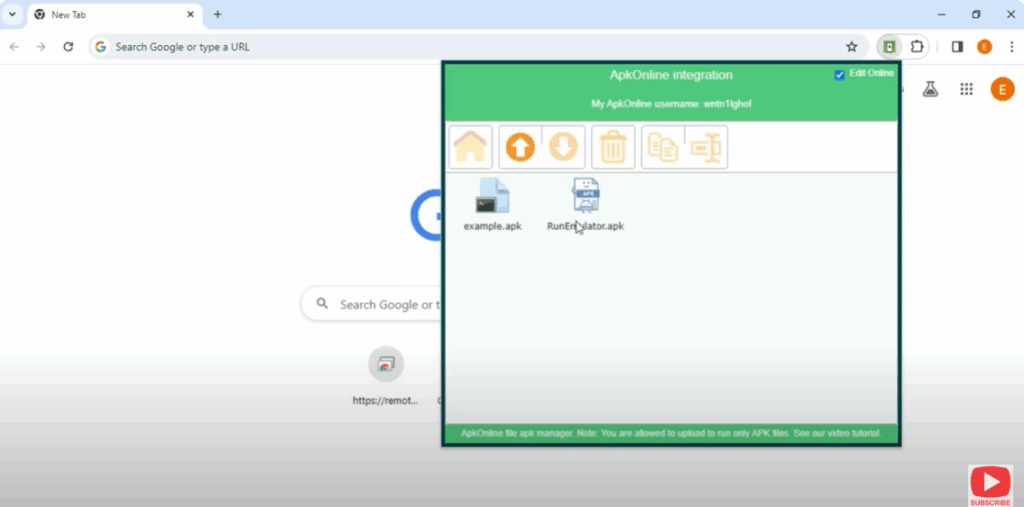
- Click on the enter button to run your APK file.
- Wait for some time.
- The start emulator button will pop up on your screen. Click on it.
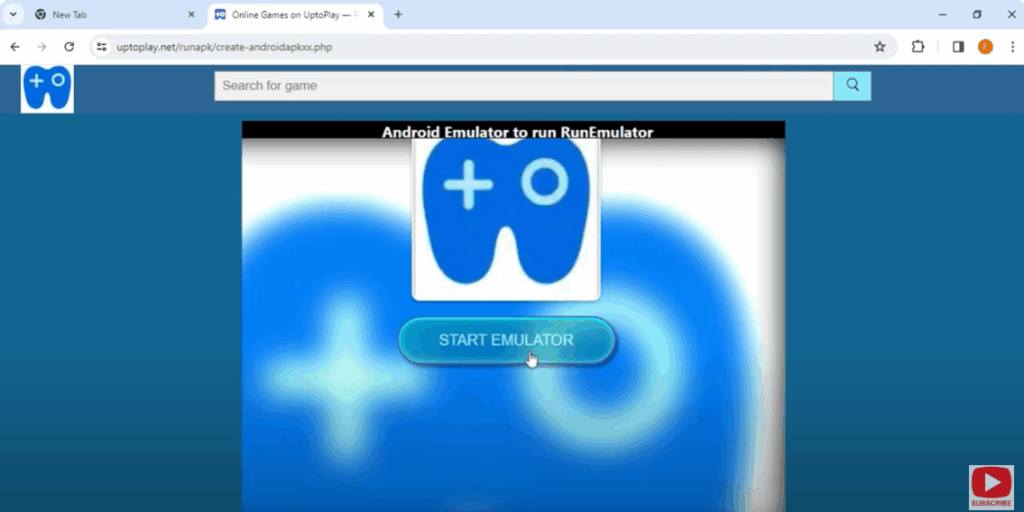
- Wait again for some time and click on the enter button.
- You will then see the Android screen pop up on your PC screen.
Install Games & Apps from Google Play Store
- You will be able to see your computer screen like an Android phone.
- You can search anything from Google and also do settings.
- To install Android apps on PC, open your Google Play Store.
- You need to sign in with your Google Mail ID.
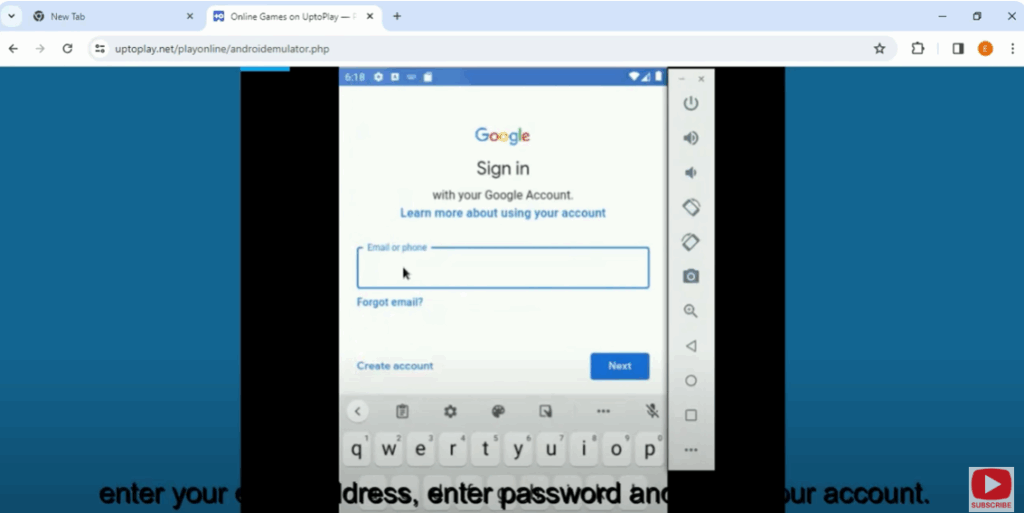
- Enter your email address, password and verify your account.
- After verification, your Play Store service will start.
- From here you can install any app.
- Go to the search bar, search the app, and install the app.
For example, I searched Bubble Shooter in the search bar on Google Play Store and then installed it. To install, I clicked on the install button.
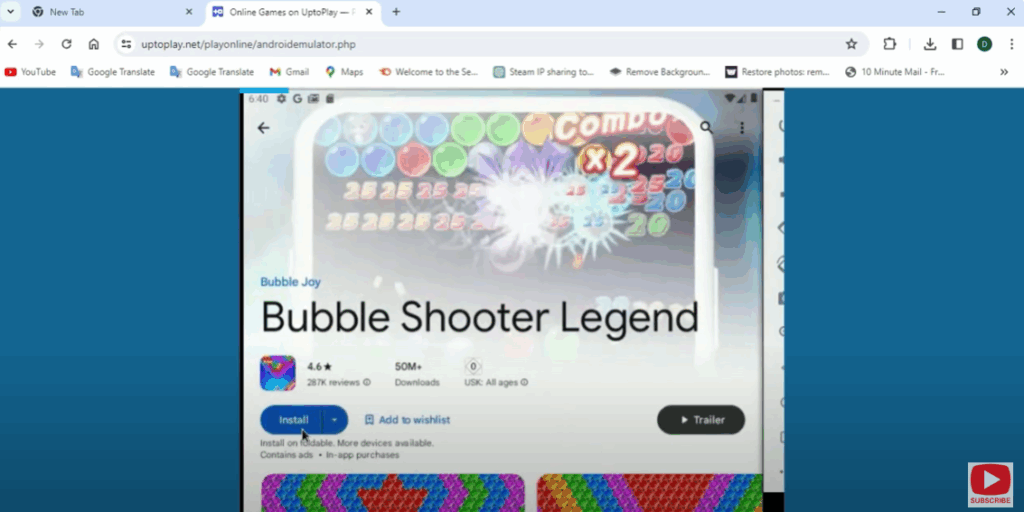
- This app will be downloaded as an extension on your PC screen.
- You can start playing it by clicking on it.
Conclusion
In this way, you can install and run Android apps on your PC without any emulator.
Don’t forget to like and share the video. We will keep bringing more such trick videos for you.
Thanks for watching the video. Have a good day!






