---Advertisement---

How to Send WhatsApp Message Without Saving Number || Send WhatsApp Message To Non-Contact

Published On: October 10, 2025
How to Send WhatsApp Message Without Saving Number || Send WhatsApp Message To Non-Contact
---Advertisement---

Want to send a WhatsApp message to someone without saving their number? It’s totally possible—and super easy! Whether you’re contacting a delivery person, a client, or someone for a one-time chat, saving their number first can be a hassle. Luckily, WhatsApp offers a way to message people who aren’t in your contact list. In this blog, we’ll show you how to send WhatsApp messages to non-contacts using simple steps that work on both phone and computer. No extra apps needed—just a quick trick to save time and keep your contact list clean!
Send WhatsApp Message Without Saving Number

If you want to send a message on WhatsApp without saving the number, then copy that number.
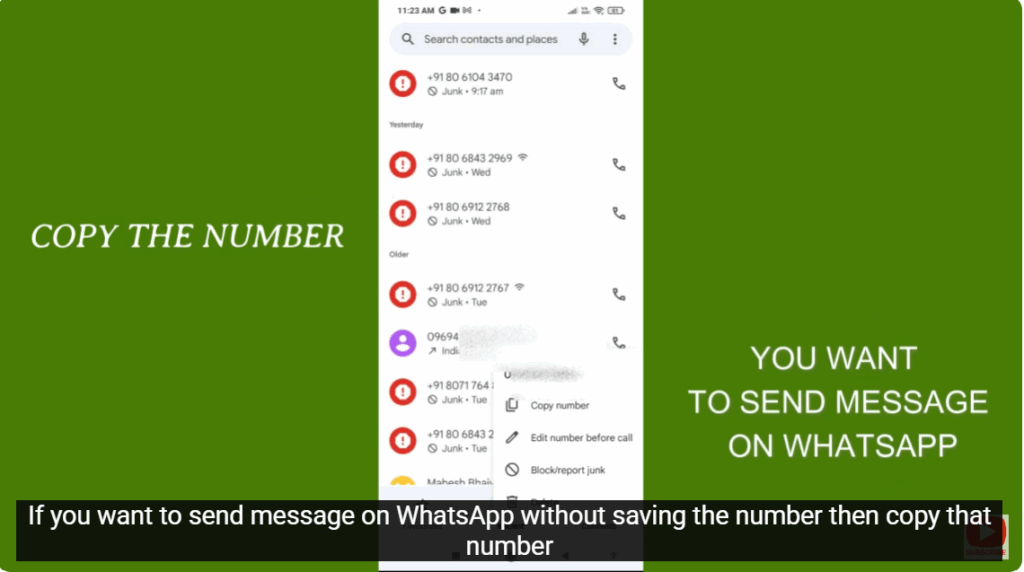
copy that number

Now, open WhatsApp and send the copied number to your own WhatsApp number.
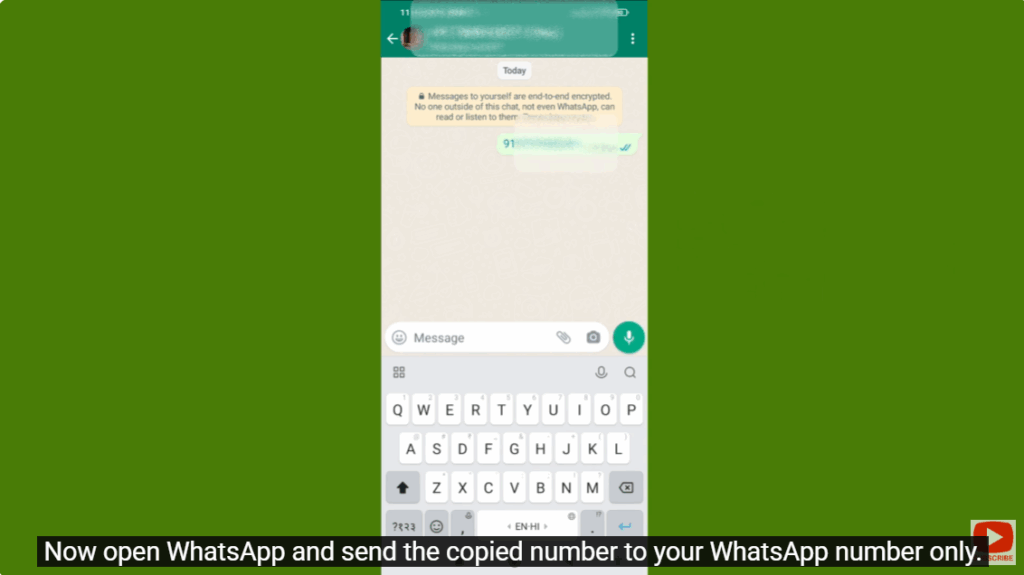
send the copied number to your own WhatsApp number

Click on the sent number. Here, you will see the option of “Chat this number.” Click on it and start chatting.
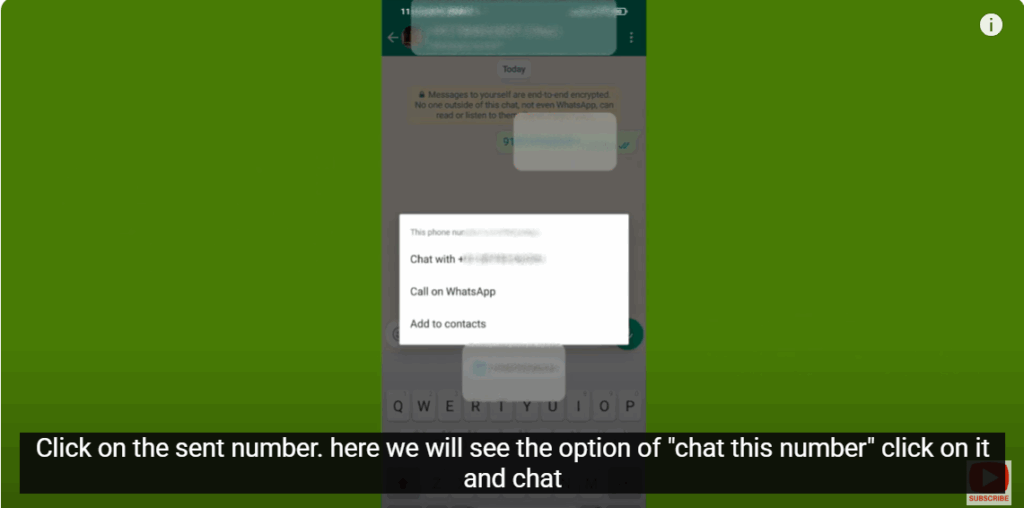
Chat this number

---Advertisement---

Related Post

Enable New Windows 11 25H2 Features After December Update (KB5070311)
Enable/Disable Steam Networking IP Sharing – Step-by-Step Guide
Valorant Stuck on Loading Screen? Fix It Now!
Tips

Valorant Stuck on Loading Screen? Fix It Now!

By Tech Gitter
|
December 31, 2025
How to Increase or Decrease Font Size in Google Chrome
Solutions

How to Increase or Decrease Font Size in Google Chrome

By Tech Gitter
|
December 29, 2025

Leave a Comment

Join WhatsApp Join Telegram





