
Hello friends, welcome once again to my channel Tech Gitter. If you are new to the channel, then subscribe to the channel because we keep bringing such tricks for you. So let’s start today’s video.
As you may have seen in my previous video, I told you to log into WhatsApp Web by scanning the QR code. But today in this video, we will see how you can use your WhatsApp Web without scanning the QR code from your phone. This becomes necessary when your phone is away from your PC. Then you cannot scan the QR code with your phone. Then if you want to log into your phone’s WhatsApp and PC, you can do it easily.
Step-by-Step Guide: Use WhatsApp Web Without Scanning QR Code
Step 1: Visit Web.whatsapp.com
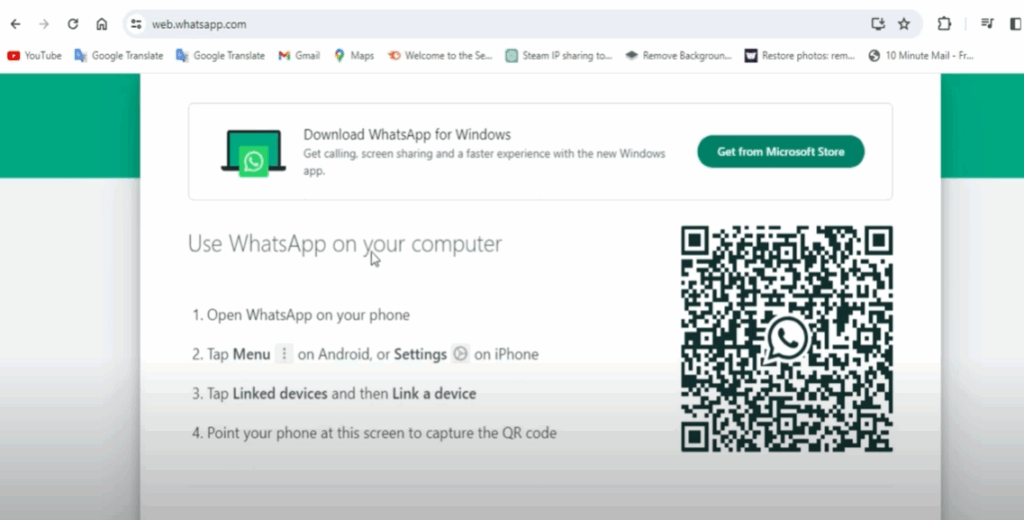
Open your PC’s Chrome browser to do your WhatsApp Web login and search for the WhatsApp Web page.
You will see a screen like this. You will see the QR code on the screen. You can log into WhatsApp on the web by scanning the code using your phone’s WhatsApp scanner.
I have already made a video on this. You can watch the video by clicking on the “I” button above.
Step 2: Link Using Phone Number
Scroll the screen. You will see the option of a link with a phone number below. Click on it.
You will be asked to enter a phone number on the screen. You have to enter the same number with which your phone’s WhatsApp login is done.
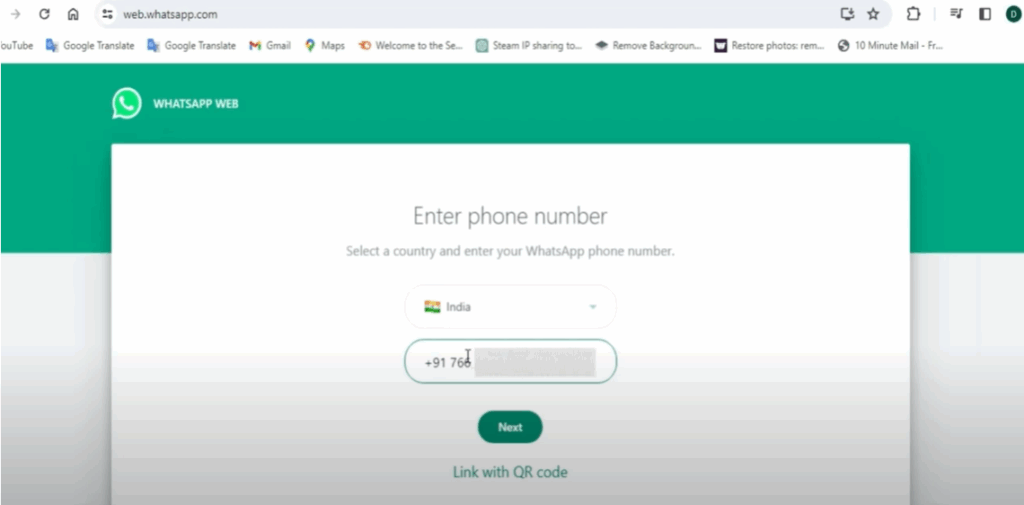
Enter your phone number. Then click on next. Also, you will have to open WhatsApp in your phone.
Also, if you don’t have your phone with you, you can ask someone to turn it on.
Step 3: Enter the Code on WhatsApp
Now a code will appear on your screen which you will have to enter in WhatsApp on your phone.
To enter the code in your phone, you have to click on the three-dot button visible at the top of WhatsApp.
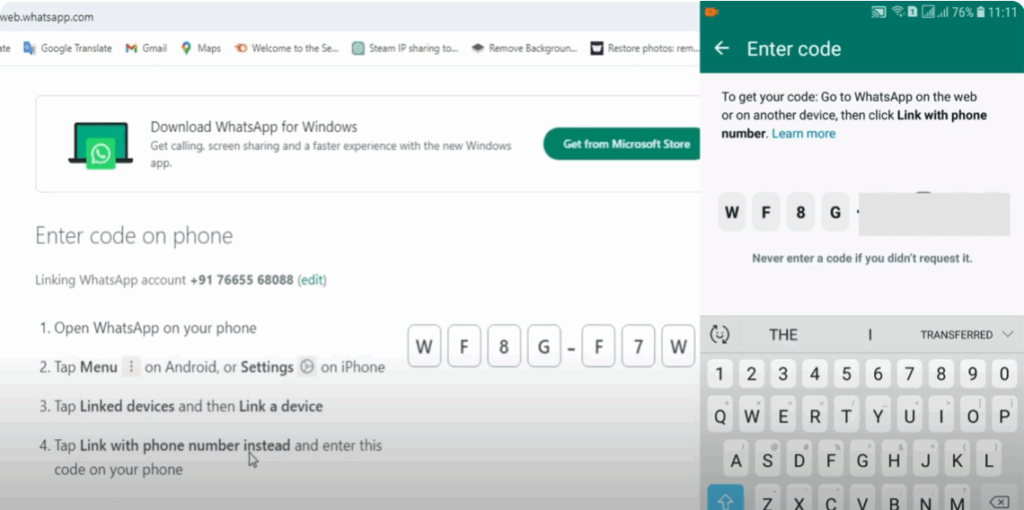
- You will see the option of “Link Device.” Click on it.
- Click the green “Link a Device” button. You will see the camera screen.
- You have to click on “Link with Phone Number” at the bottom.
- Now you have to enter the code shown on your PC in your phone.
- If your phone is not nearby, then you can share your code.
Enter the code and then click on login. After some time, you will be able to log into WhatsApp on your PC.
Conclusion
Similarly, if your phone is away from you, you can log into the web WhatsApp of your PC by entering this code.
Hope the video will be helpful for you. If you like the video, then don’t forget to like and share.
Thanks for watching the video. Have a nice day.






