
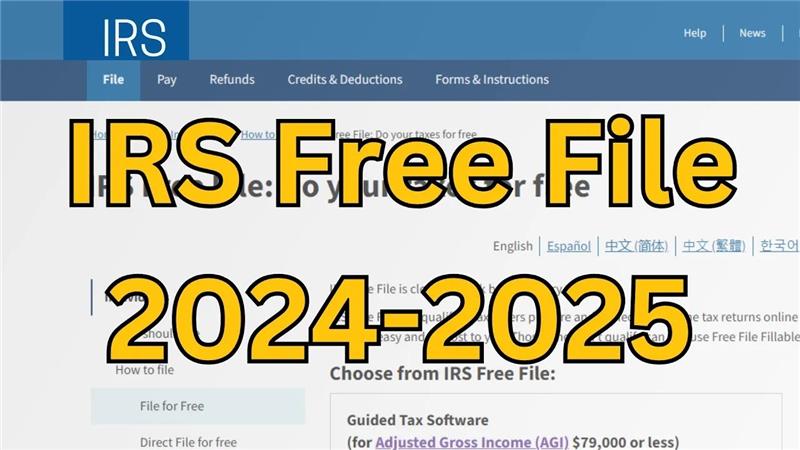
Filing taxes doesn’t always have to cost money or feel complicated. Thanks to the IRS Free File program on irs.gov/freefile, many people in the United States can prepare and file their federal tax returns online without paying a fee. This service is designed to make tax filing easier, faster, and more affordable, especially for those who qualify based on income. In this 2025 guide, we’ll explain how Free File works, who can use it, and the simple steps you can follow to file your taxes for free directly from your computer.
What is IRS Free File?
IRS Free File is a program offered by the Internal Revenue Service (IRS) that provides free online tax preparation and filing services for eligible taxpayers. It partners with commercial tax preparation software companies to provide these services to individuals and families with incomes below a certain threshold.
IRS Free File Eligibility
Here are some key points about IRS Free File eligibility:
- The Free File program is available to taxpayers with an adjusted gross income (AGI) of $73,000 or less for the 2023 tax year. The threshold may change each year.
- Those who meet this income requirement can access free filing options through participating tax software companies.
Participating Providers
The IRS partners with several tax preparation software companies such as TurboTax, H&R Block, and others. Each provider offers its own specific features but all comply with IRS requirements for free filing.
How to Use IRS Free File
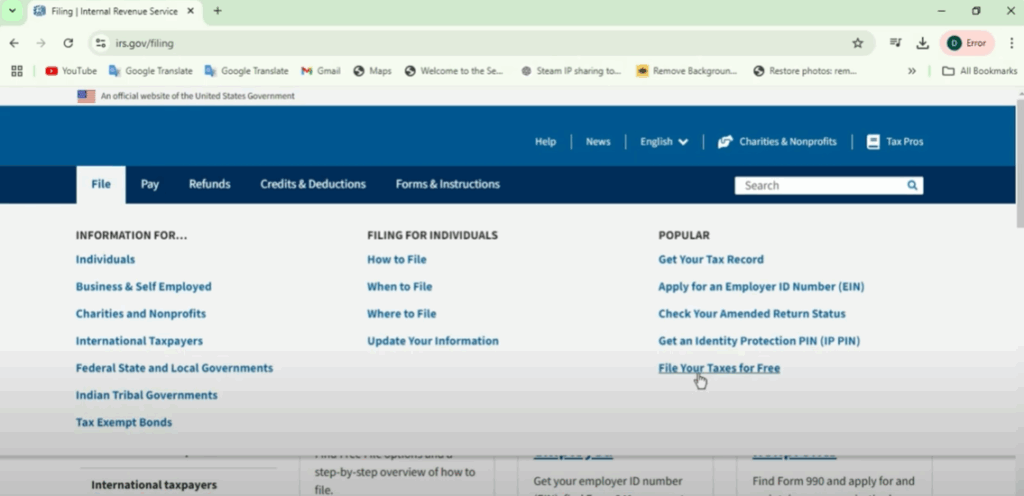
To start the IRS Free File program, let’s go to www.irs.gov and see how to use it.
We are on the IRS homepage. Now go to the File option and click on File Your Taxes for Free at the bottom.
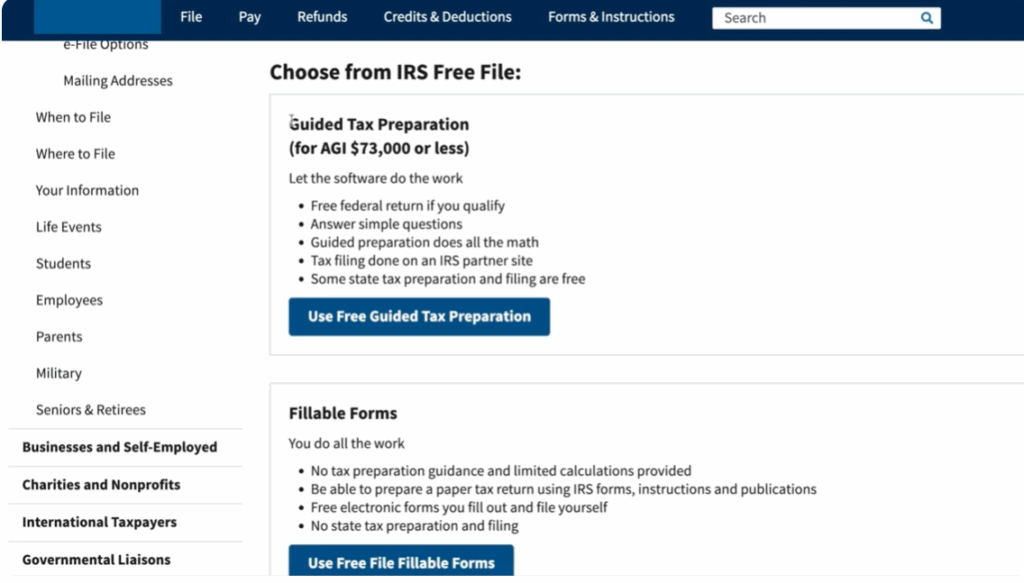
There are two different programs available within the IRS Free File umbrella:
- Guided Tax Software
- Free Fillable Forms (this option doesn’t have an income limit).
Whereas before, if you were filing, you had to go through somebody—whether it be a CPA or using one of the different tax preparation software—to actually be able to e-file.
Step-by-Step Walkthrough
Now that we’re on this page, you have basically two options to proceed:
- A guide that will lead you through some questions to decide which of the different software options apply to your specific situation.
- Or you can browse all the trusted partners directly.
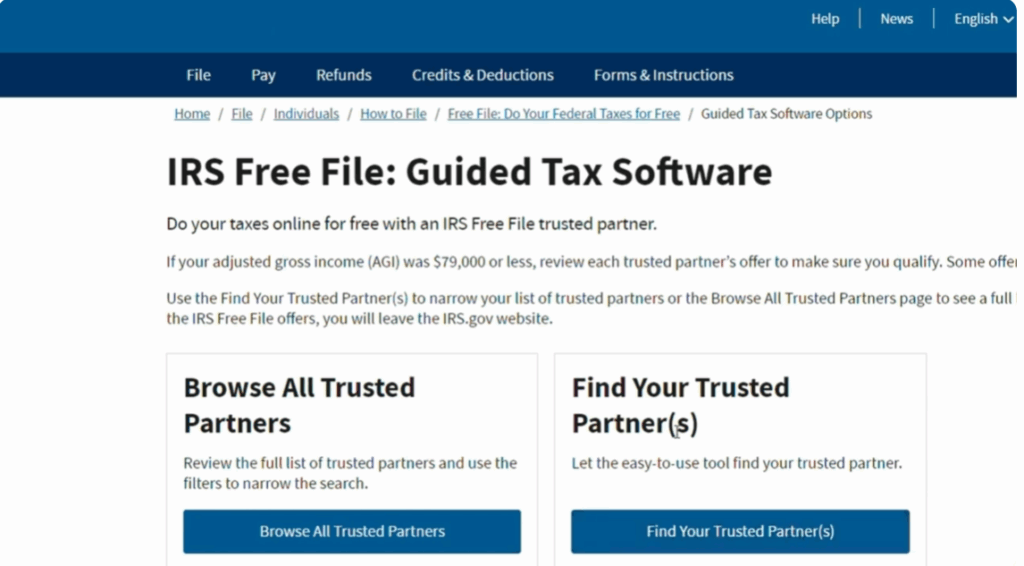
Finding Your Trusted Partner
It’s going to take you through four steps:
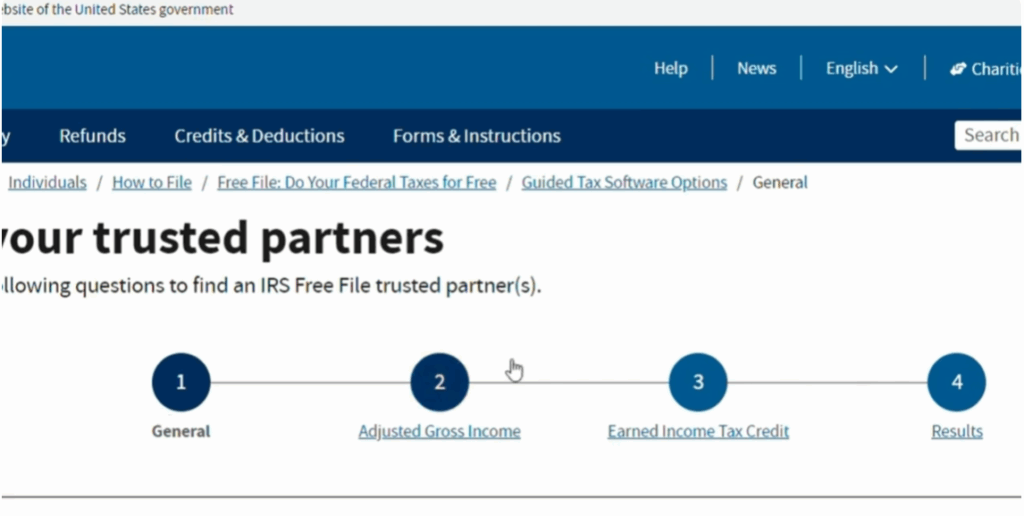
- Figuring out your adjusted gross income (AGI).
- Determining if you’re eligible for the Earned Income Tax Credit (EITC).
- Reviewing filing status.
- Getting actual results with eligible programs.
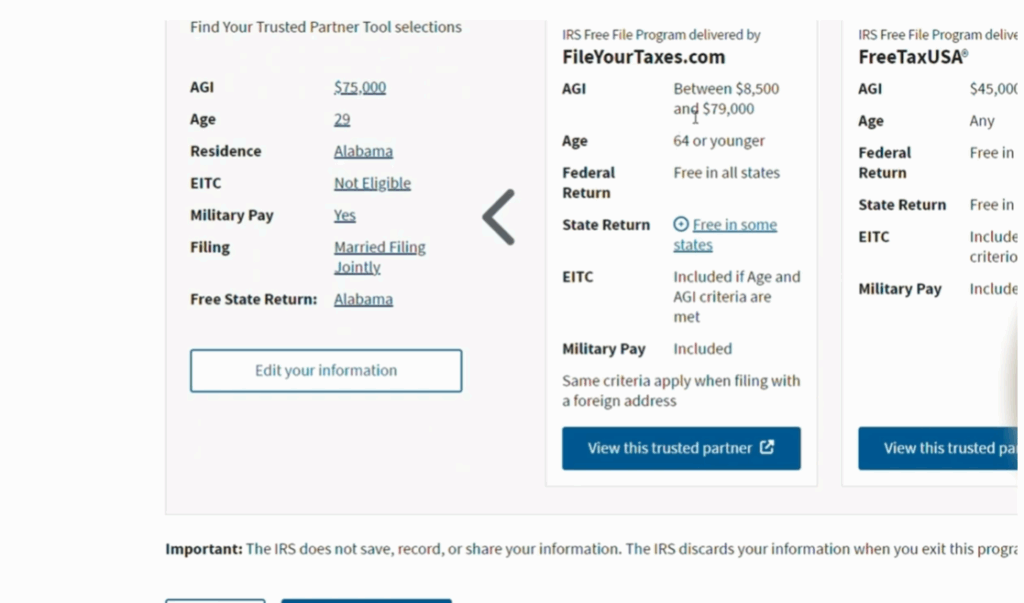
For example, let’s say:
- Filing status: Married filing jointly.
- Age: 29 years old.
- Home address: United States.
- State: Alabama (also selected for state tax return).
- Active duty military pay with AGI of $9,000 or less: Yes.
Next, we determine AGI. Let’s say all income came from wages, tips, or other compensation reported on a W-2 form. Example income: $75,000 (below the limit).
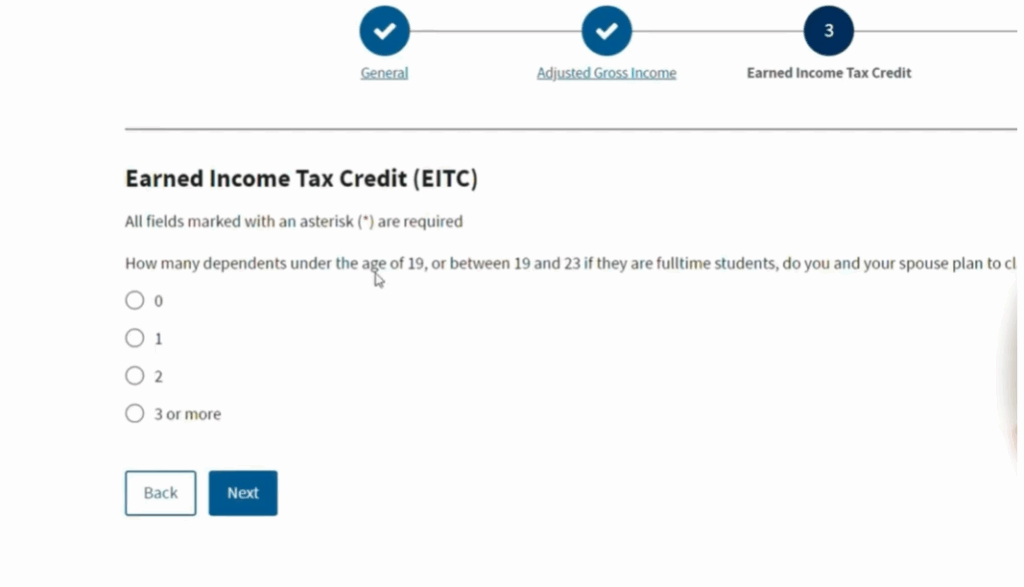
Now, am I eligible for the EITC? At $75,000 with two dependents, I know I’m not eligible.
IRS Free File Results
Now, this page will show the IRS Free File online results. It summarizes:
- Tax programs you’re eligible for.
- Income limits (e.g., between $88,500 and $79,000 for certain programs).
- Federal returns are free in all states.
- State returns are free in some states.
- EITC information included if you qualify.
- Military pay considerations.
- Filing with a foreign address also possible.
Exploring Software Options
Back on the main page, you’ll see all the different tax preparation software providers. Use the filter tool (AGI, age, military status, location, etc.) to check if you can file your state return for free.
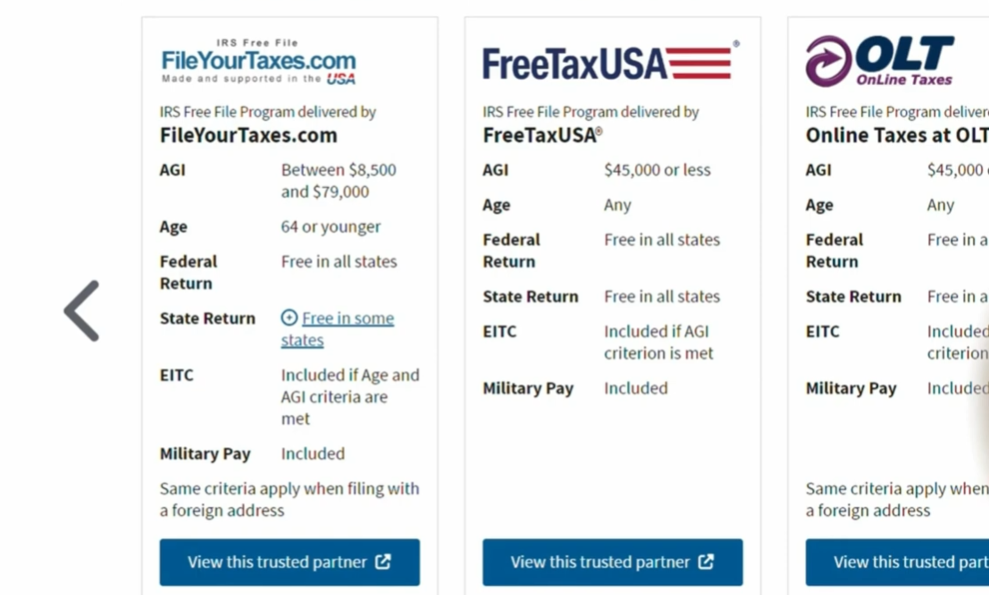
At present, there are only four partners in the IRS Free File program. TurboTax was a partner in past years but split a couple of years ago.
Conclusion
Now that we have a good baseline for how the IRS Free File program works, maybe you make too much money to qualify, or you just prefer to file taxes yourself.
Here, you’ll also find:
- A complete breakdown of common tax forms.
- A Taxes 101 playlist explaining forms like 1040, 1065, and Schedule C for sole proprietors.






