
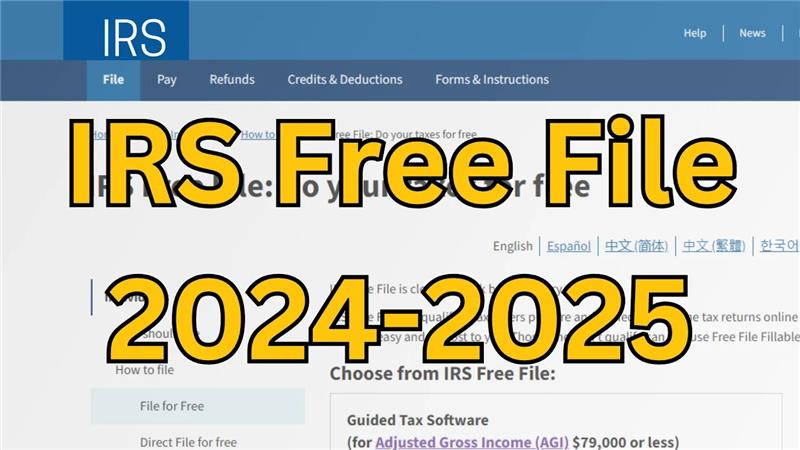
Hello friends, how are you all? Welcome to my channel Tech Gitter. In this article, we are going to cover what the IRS Free File program is, who is eligible, and how to use it. Let’s get started.
What is IRS Free File?
IRS Free File is a program offered by the Internal Revenue Service (IRS) that provides free online tax preparation and filing services for eligible taxpayers. It partners with commercial tax preparation software companies to provide these services to individuals and families with incomes below a certain threshold.
Eligibility for IRS Free File
- The Free File program is available to taxpayers with an adjusted gross income (AGI) of $73,000 or less for the 2023 tax year.
- This threshold may change each year.
- Those who meet the income requirement can access free filing options through participating tax software companies.
Participating Providers
The IRS partners with several tax preparation software companies such as TurboTax, H&R Block, and others. Each provider offers its own features but all comply with IRS requirements for free filing.
How to Start with IRS Free File
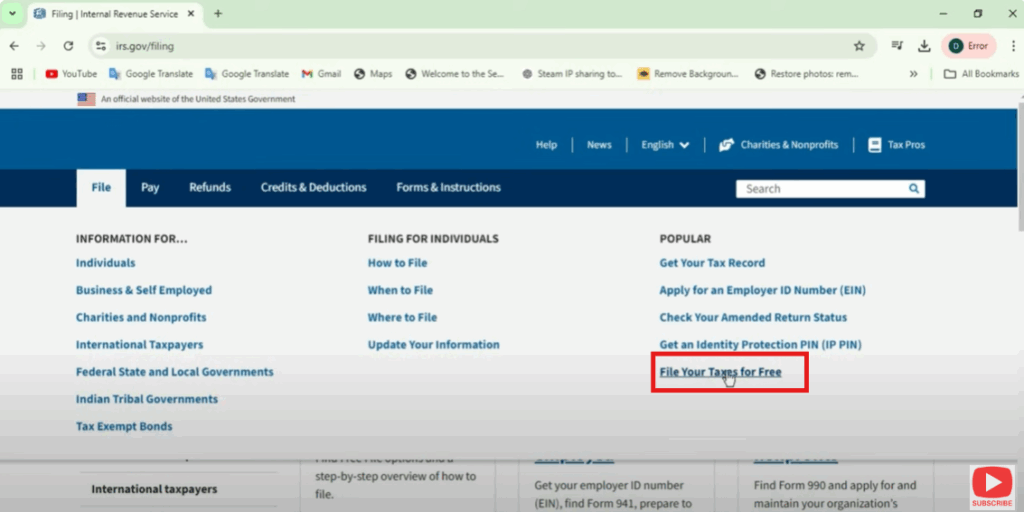
- Go to www.irs.gov.
- On the homepage, click on the File option and then select File Your Taxes for Free at the bottom.
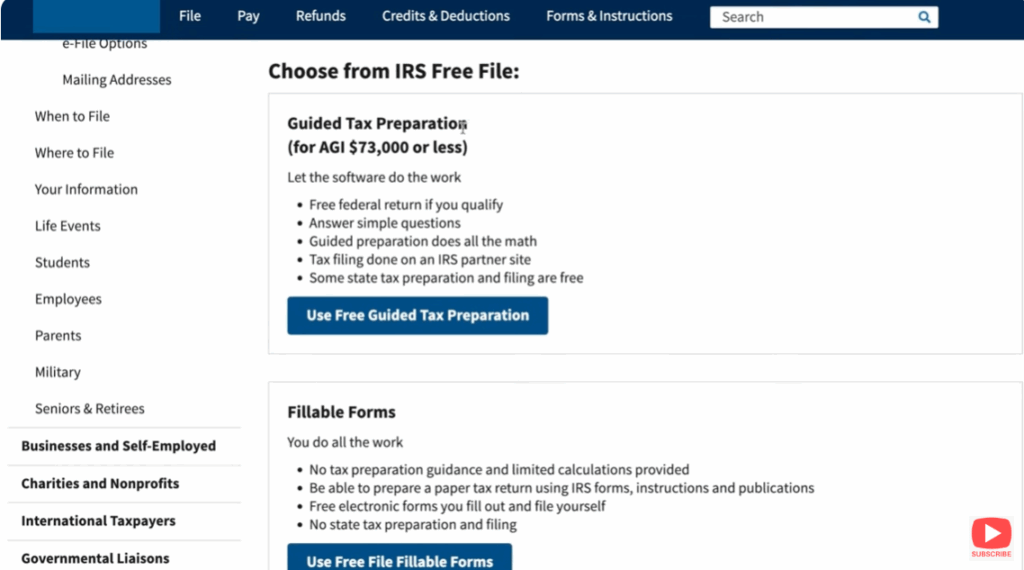
There are two different programs available within the IRS Free File umbrella:
- Guided Tax Software: Helps you step-by-step.
- Free Fillable Forms: No income limit, best for those who want to fill out forms directly.
Guided Steps Example
Once on the Free File page, you’ll have two options:
- Use a guided tool that asks you questions and matches you with the right software.
- Or browse all trusted IRS partners directly.
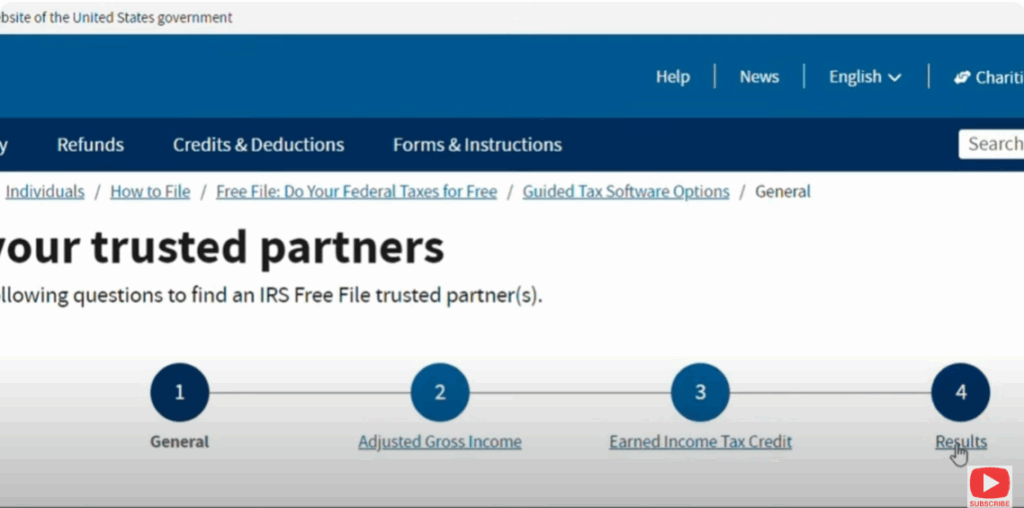
Step 1: Finding Your Trusted Partner
You’ll go through four steps:
- Enter your AGI.
- Check if you’re eligible for the Earned Income Tax Credit (EITC).
- Confirm your filing status.
- Provide your basic details such as age, state, and military pay status.
For example:
- Filing Status: Married Filing Jointly
- Age: 29 years
- State: Alabama
- Income: $75,000 (below the AGI limit)
- Dependents: 2
- EITC Eligibility: Not eligible
Step 2: Review Results
The IRS will then show which tax programs you’re eligible for. Each result will give:
- Income limits
- Age criteria
- Whether state returns are free or partially free
- EITC information
- Military pay inclusions
You can then choose the best option and file your taxes directly through the provider.
Browse All Trusted Partners
If you want to see all options, click Browse All Trusted Partners.
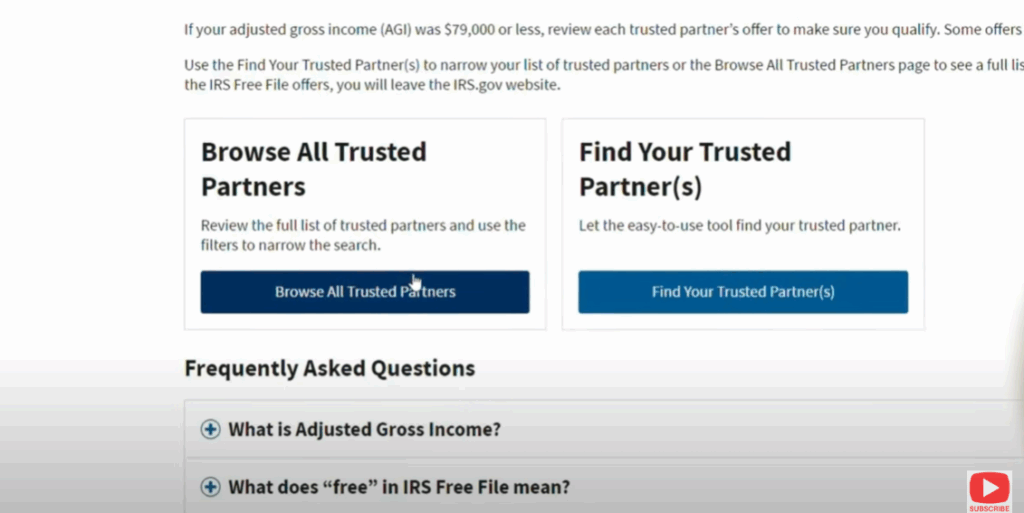
- Use the filter tool to refine by AGI, age, state, military service, and more.
- This helps you find out if you can also file a free state return in addition to your federal taxes.
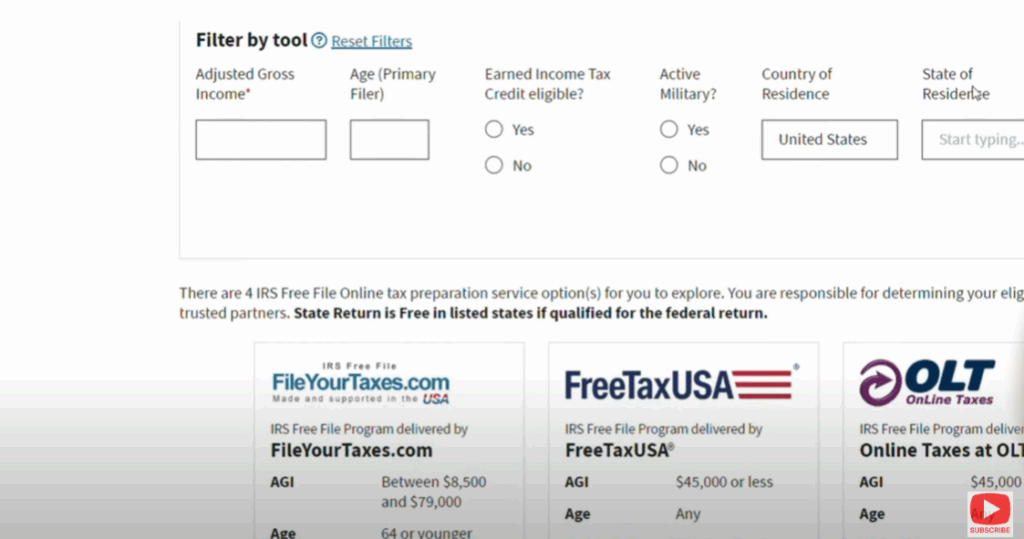
Currently, there are only four IRS Free File partners. TurboTax was previously a partner but is no longer part of the program.
Alternative: Filing on Your Own
If you don’t qualify or prefer to file taxes yourself, you can use free fillable forms available on the IRS site. These cover common tax forms such as:
- Form 1040
- Form 1065
- Schedule C (for sole proprietorships)
Conclusion
The IRS Free File program is a great way to file your taxes for free if you qualify. It offers multiple trusted partners, step-by-step guidance, and even helps check EITC eligibility.
Hope this guide was helpful to you!
If you liked it, please don’t forget to like and share. We’ll be back soon with another tutorial.
Thank you for reading, and have a wonderful day!






