
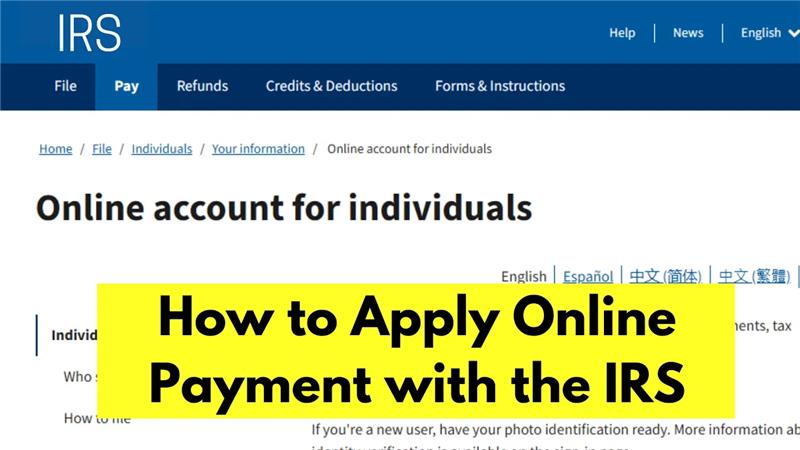
Hello friends, how are you all? Welcome back to my channel Tech Gitter. In today’s article, we will learn how to set up an online payment plan with the IRS. If you’re struggling with paying your taxes and want to set up a manageable payment plan, this guide will walk you through the whole process.
Before we move forward, let me clarify something important: if you owe more than $50,000 in taxes, you cannot set up an online payment plan with the IRS. Your balance should be less than $50,000 for all years. If your balance exceeds that, you will have to call the IRS directly to set up a payment plan.
Step 1: Open the IRS Website
First, open Google Chrome and search for IRS account. Click on the first link that appears, which will take you to the official IRS website.
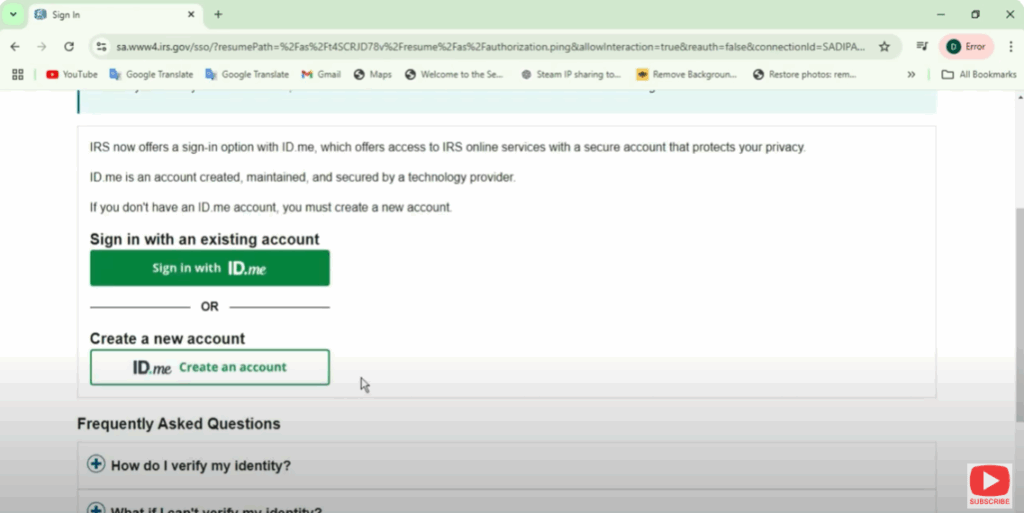
Once you’re there, you’ll see an option to Sign into Your Online Account. Go ahead and click that.
- If you already have an account, simply sign in.
- If not, you’ll need to create one before proceeding.
Step 2: Access Payment Options
After signing in, scroll down the screen and you’ll see an option to View Payment Options. Click on that button, and you’ll be directed to a new screen where you can either:
- Make a payment, or
- Modify your current payment plan.
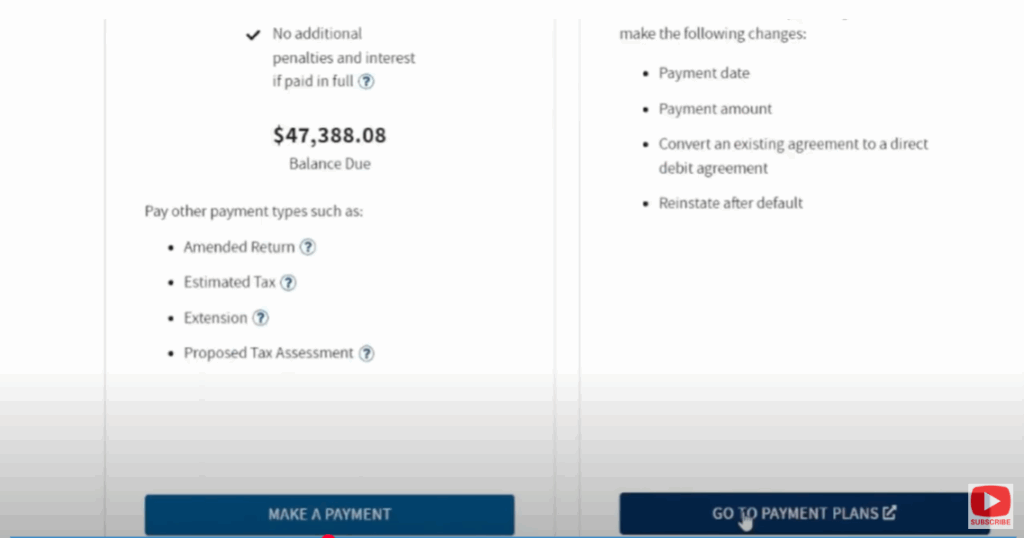
If you don’t have an existing payment plan, you can create one here. If you already have a plan, simply click Go to Payment Plans and you’ll see your current plan details.
Step 3: Setting Up a New Payment Plan
Click Continue to begin setting up your plan. You’ll land on a screen that explains the available options:
- Direct Debit Installment Agreement → $10 fee for changing a current plan.
- First-time Setup Fee (Direct Debit) → $31.
- Non-Direct Debit Setup Fee → $130.
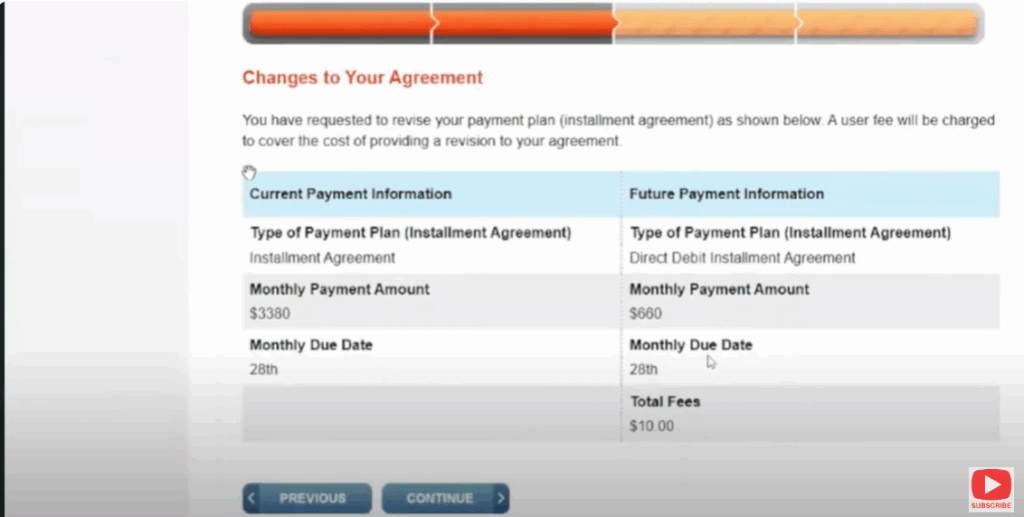
If you choose Direct Debit, the IRS will automatically deduct your monthly payments directly from your bank account.
Step 4: Choosing Your Monthly Payment
The IRS system will suggest a minimum payment. For example:
- We chose $660, but the IRS allowed only $842 because the debt was due soon and they wanted faster repayment.
- Generally, you can calculate your minimum monthly payment by dividing your debt by 72 months.
Once you decide your payment amount, proceed by entering your bank account details for automatic deductions.
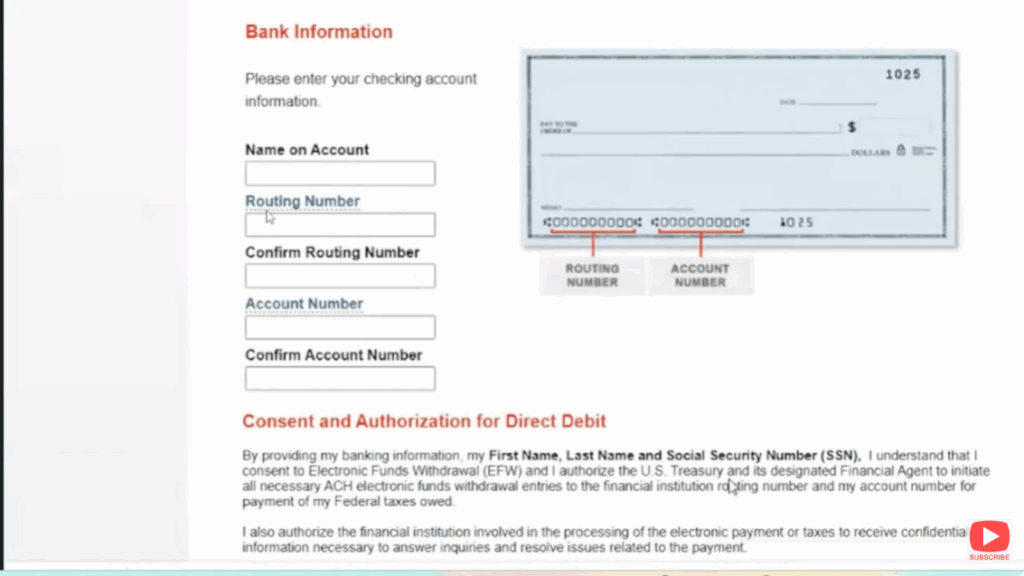
Step 5: Review and Confirm
After entering your payment details, you’ll see a confirmation screen. Carefully review all information before proceeding.
Important Terms to Know:
- Future Tax Returns: If you file a future tax return and still owe money, and you don’t pay by April 15th, your plan may default and you’ll have to set it up again.
- Refunds: If you are due a refund while still owing money, the IRS will apply your refund directly to your outstanding balance instead of sending it to you.
Once everything looks correct, click Continue. Your payment plan will now be officially set up, and you’ll receive a confirmation message.
Conclusion
And that’s it! You’ve successfully set up your IRS payment plan online. If prompted, you may take a quick survey at the end.
I hope this guide has helped you. If you found it useful, please like and share it with others who might benefit. And if you’re new here, don’t forget to subscribe for more helpful tax tips and guides.
Thanks for reading, and have a nice day!






